Use this 10-step content writing and blogging strategy to define your audience, plan content, track results, and build a stronger social presence.

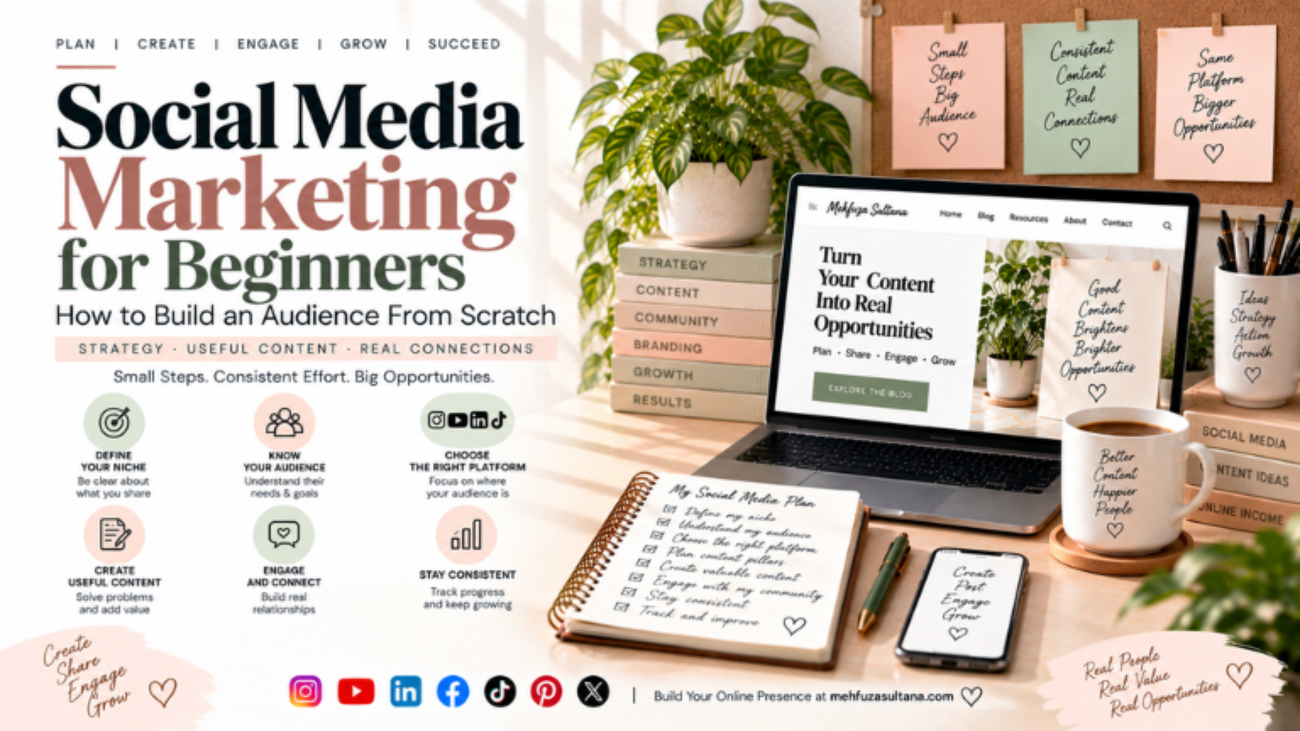
Social Media Marketing for Beginners: How to Build an Audience From Scratch

Social media can help you build an audience, promote your content, grow a personal brand, and even create income opportunities. But simply posting every day does not guarantee results.

The real challenge is understanding who you want to reach, what they need, and what kind of content makes them want to follow you.

If you are new to social media marketing, this guide will help you create a simple strategy and start building an audience from scratch.

What Is Social Media Marketing?

Social media marketing is the process of using platforms such as Instagram, YouTube, Facebook, LinkedIn, TikTok, or Pinterest to:

  • Reach a specific audience
  • Share useful or entertaining content
  • Build relationships
  • Increase brand awareness
  • Drive website traffic
  • Generate leads or sales

For beginners, social media marketing should start with building trust and providing value, rather than trying to sell something immediately.

1. Decide What You Want to Be Known For

Before creating content, define your main topic.

Ask yourself:

  • What do I know or want to learn?
  • What problems can I help people solve?
  • What topics can I consistently talk about?
  • Who would find this information useful?

For example, instead of choosing the broad topic “marketing,” you could focus on:

SEO and content marketing for beginners.

A clear topic makes it easier for people to understand why they should follow you.

2. Understand Your Target Audience

You do not need to create content for everyone.

Define your ideal audience based on:

  • Age and experience level
  • Interests
  • Problems
  • Goals
  • Questions they frequently ask

For example, a beginner SEO account might target bloggers, freelancers, students, and small business owners who want to improve their websites.

Once you understand your audience, your content becomes much more specific.

3. Choose the Right Platform

You do not have to be everywhere.

Choose platforms based on where your audience spends time and what type of content you can create consistently.

PlatformUseful Content
InstagramReels, carousels, Stories
YouTubeTutorials, educational videos, Shorts
LinkedInProfessional insights, case studies
FacebookCommunities, posts, videos
TikTokShort-form educational or entertaining videos
PinterestVisual guides, blog content, ideas

Start with one or two platforms rather than spreading yourself too thin.

4. Create 3–5 Content Pillars

Content pillars are the main topics you repeatedly create content around.

For a digital marketing account, your pillars could be:

  1. SEO tips
  2. Content writing
  3. Blogging
  4. Social media marketing
  5. Online income

These pillars give you structure while still allowing you to create different types of posts.

5. Create Content That Solves Problems

People follow accounts because the content gives them a reason to stay. Instead of posting:

“SEO is important.”

Create something more useful:

“5 reasons your blog posts are not ranking on Google.”

The second idea gives the audience a clear problem and promises useful information. Good beginner-friendly content often includes:

  • How-to guides
  • Mistakes to avoid
  • Checklists
  • Step-by-step tutorials
  • Examples
  • Before-and-after explanations
  • Simple tips
  • Frequently searched questions

6. Focus on Strong Hooks

The first few seconds or first line can determine whether someone continues consuming your content.

Examples:

  • “Your blog gets traffic but no leads? Check these 5 things.”
  • “Starting Instagram from zero? Do this first.”
  • “Before writing your next blog post, research these 3 things.”
  • “You don’t need 10,000 followers to start building a personal brand.”

A good hook should quickly communicate why the content is worth their attention.

7. Make Your Content Easy to Consume

Useful information can still perform poorly if it is difficult to understand.

Keep your content:

  • Clear
  • Specific
  • Well-structured
  • Easy to scan
  • Relevant to your audience

For written posts, use short paragraphs, headings, bullet points, and examples.

For videos, avoid unnecessarily long introductions. Get to the main point quickly.

8. Be Consistent Without Posting Randomly

Consistency matters, but consistency does not mean publishing meaningless content every day.

A simple schedule could be:

  • Monday: Educational post
  • Wednesday: Practical tip
  • Friday: Mistake or myth
  • Sunday: Personal experience or useful resource

Choose a schedule you can realistically maintain.

It is better to publish useful content consistently than to post seven times one week and disappear for the next month.

9. Use Engagement to Understand Your Audience

Social media is not only about publishing.

Pay attention to:

  • Comments
  • Questions
  • Shares
  • Saves
  • Direct messages
  • Poll responses

These interactions can reveal what your audience actually wants.

If several people ask the same question, turn that question into a future post, Reel, video, or blog article.

This creates a useful cycle:

Audience question → Content idea → Helpful content → More engagement → New content ideas

10. Connect Social Media With Your Website

Your social media accounts can support your website and blog.

For example:

Social post → Blog article → Related article → Newsletter/service/product

Suppose you publish a post about keyword research. You can direct interested readers to your detailed keyword research article.

This allows social media to become more than a follower-building platform. It can also become a traffic and discovery channel for your website.

Social Media Marketing and Content Writing

Strong social media marketing depends heavily on good content.

Your content writing skills help you create:

  • Better captions
  • Stronger hooks
  • Educational carousels
  • Video scripts
  • Blog-to-social content
  • Clear calls to action

This is why social media marketing works naturally alongside content writing and blogging.

One useful blog article can also become:

  • 1 Instagram carousel
  • 2–3 short videos
  • Several social posts
  • A LinkedIn post
  • Multiple Story ideas

This is called content repurposing.

11. Track the Right Metrics

Follower count is only one metric.

Also watch:

  • Reach
  • Engagement
  • Saves
  • Shares
  • Profile visits
  • Website clicks
  • Leads
  • Conversions

For educational content, saves and shares can be especially useful signals because they indicate that people found the information valuable enough to keep or pass along.

Look for patterns rather than judging every post individually.

Common Beginner Mistakes

Avoid these mistakes when starting:

Posting Without a Clear Audience

If your content is for everyone, it may not feel relevant to anyone.

Copying Competitors

Study successful content, but develop your own perspective and examples.

Chasing Every Trend

A trend is useful only when it makes sense for your audience and topic.

Focusing Only on Followers

A smaller relevant audience can be more useful than a large audience that has no interest in your topic.

Selling Too Early

Build credibility and provide value before repeatedly promoting products or services.

Changing Strategy Every Week

Give your content enough time to generate useful data before making major changes.

A Simple 30-Day Social Media Plan

For your first month, keep things manageable.

Week 1: Define your audience, topic, platforms, and content pillars.

Week 2: Create and publish useful educational content.

Week 3: Study comments, saves, shares, and questions to identify patterns.

Week 4: Improve your strongest content and create more around topics that received meaningful engagement.

You do not need a perfect strategy on day one.

You need a system that helps you create, publish, learn, and improve.

Building an audience from scratch takes time. Social media marketing is not simply about posting more content or chasing viral numbers.

Start with a clear audience, choose suitable platforms, create useful content, communicate consistently, and pay attention to what your audience responds to.

Most importantly, connect your social media activity with a broader content strategy. Your social posts can introduce people to your ideas, while your blog, website, portfolio, or other resources can provide deeper value.

The goal is not just to collect followers. It is to build an audience that recognizes your expertise, trusts your content, and finds your work genuinely useful.

urney from learning social media basics to building a stronger online presence.


Content Writing and Blogging: 7-Step SaaS Keyword Framework

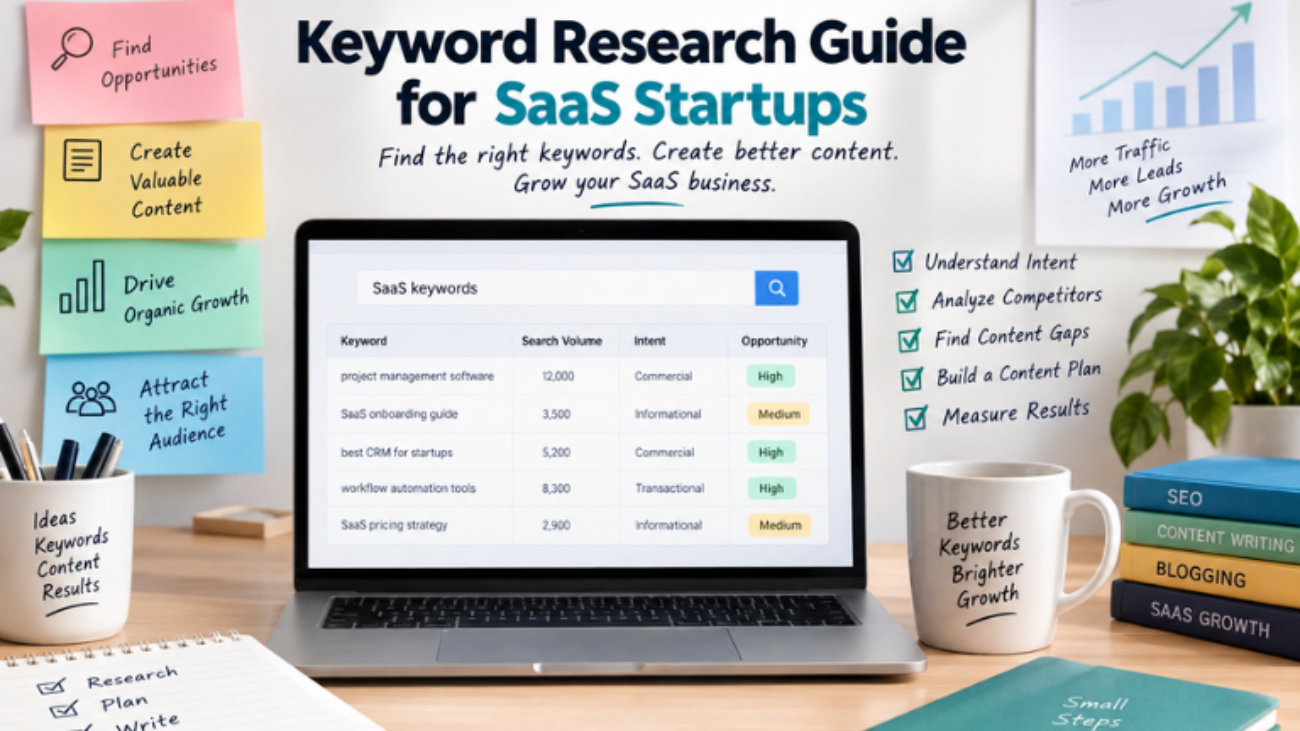
Keyword‍ Research Guide for Sa‌aS Startups

A‌ SaaS startup can spend wee‍ks crea​ting a detailed blog p‍ost that gets a‌lmost‌ no r​eleva​nt traffic. Th‌e prob‌le‌m isn’t a‍lwa​y​s the writin​g. Somet‌imes, the topic was​ never aligned with wha‌t po‍tential cus‍to​mers were‍ searching for in the first place. That is why ke‍yword research should happen befor‍e the c‍ontent calend‌ar is f‍illed with blo‍g titles.

F‍or SaaS startups keyword research is more than fin‌ding p​opular phrases. It​ helps‍ uncover customer‍ problems, understand search intent, identi‍fy commercial opport‌unities​ and decide​ which‍ pages de‍serve the team’s limite‍d time and resources.

Do‌ne well, it co​nnects SEO with product positioning, content crea​tion, lead generation and the b‍r‌oader custo​m​er journ‌ey.

What‌ Is Keyword Rese‍arch

Keyword‌ rese​arch is‍ the process of discovering and​ ev​aluat‌ing the wor‍ds and phrases pe‍ople use when searchin‍g for informatio‌n, products​ or solutions.

Fo‌r‌ a‌ SaaS startup, the‍se​ searche​s might include:

  • “proj​ect management software for small teams”
  • “how to automa‌te in​voice processing”
  • “best CRM for s​tartups”
     “email marketing soft‍ware pricin​g‍”
    “customer support automation‌ tools”

The goal isn’t‌ to‌ build​ the l‍ongest possible keyword list.

The real goal is to find searches that connec‍t a customer problem, a relevant audience and something y​ou‌r busine​ss can‌ genuine‍l​y‍ h‍elp‍ solve.

That d‌istincti‍on matter‌s when resources are limited. Ten f‍ocused a​rticles that attract potential customers can be more va‌luab​le than 50 posts​ t‌hat gen‍erate traffic from people who will never use‍ t‌he product.

Google’s‍ search‌ g​u‍idance also emphasizes creating hel​pful, reli​able​, people-firs‍t cont‌ent rather than produc‌ing content primaril‍y to manip​ulate search rankings.

Wh​y Keyword Resear‍ch Matters for SaaS S​tartu‍p​s

S‌aaS buyers d‌o‌n’t use the s​ame sear‌ch‌ language throu‍ghout their buying journey. Someone who has just discovere​d a problem might search:

“How can I‌ automat‍e e‌mployee onboarding‌”

A prospect who u‌n‌derstands th​e problem​ migh‌t search:

‍“e​mployee o‌nboarding autom‌ation software.”

Someone clo‍ser to making‌ a purchase could search:

“employee onboarding software p‍ricing.​”

These searche‍s may rela‌te to the same produ‍ct cat​e‌gory, but they represen‍t different levels​ of intent.

If a SaaS website only tar‌gets broad product terms, it can miss pr‌ospects w‍ho are still re​searching. If‍ it publishes on​ly e‌ducational content. It may att‍ract vi​sitor‌s w​it‍hout giving high-intent p​rospects a clear path‍ toward a product or demo‌. Good keyword re‌s‍earch helps con​nect‌ both sides of the journ‍e‍y.

Step 1: Start With‍ You‍r Cu​stomer, Not a Keyword Tool

Befor‍e opening Ahrefs, Semru​s‍h, Google Keyword Planner or anothe‍r SEO tool,​ understand t‍he p‌e‌rson‍ you’re trying to‌ reach.

Ask:

  • Who uses the pro‌duct
    ​ Who ma‌kes the buyi‌ng de​c​ision
  • What problem are they trying to solve​
    ​ What alternatives are they using today
  • What questi‌ons do they ask‍ before purchasing
  • W‍hat objections could prevent the‍m from buying

Imagine a SaaS startup sellin‍g expen‌se ma‌nagement softw‍are.

Its searc‍h landscape might l‍ook like this:

Problem: “How to track em‍ployee e‌xpe​nses”

Solu‌tion: “Employee expense managem​ent softwa​re”

Co​mmercial c‍omparison: “Best expense management tools for startups”

Purchase: “Expense ma‍nagement‌ softwar​e pric‍ing”

T​his‍ is a better starting point than entering “ex‍pe‍nse man‍ageme​nt” into a keyword tool a‍n‌d immediately choosin‍g the high​est-volume suggestions.

Step 2: Build a Seed Keyword‌ List

Seed keywords are broad topics tha‍t describe your product, audienc‍e, industry, use ca​ses, or c‍usto‌mer probl‌ems.

For a p‌roject‌-management SaaS, seed topics cou​l​d include:

  • pr​oject‍ mana​gem‌ent
  • task management
  • team collaboration
  • project planning
  • workflow​ automatio‌n
  • produc​t​i‍vi‍ty software

For accounting software, they might include​:

  • accounting so‌ftware
  • invoice‌ auto​mation
  • expense managemen‍t
  • f‌i‍nancia‌l reporting
  • bookkeeping software

Think of‍ a seed keyword as a‍ starting point not nece​ssar‍i‍ly‌ the fi‍nal keyword you want to rank for​. Its purpose is to give yo‍u a set of t‍hemes that ca‌n lat‍er be expanded into more specific op‍portunities.

Step 3:‍ Ex‍pand the Keywo‌rd Uni‍verse

Once you have yo‍ur seed topics, lo‍ok for related searche‍s. K​eyword re‍sea​rch to‍ols can help uncov‍er variations, relate‍d terms, search-volume estimates, competition indicators an‍d qu​estions.​ B​ut don’t au‍t​omatically se‌l‌ect‍ the keyw​ords with the lar‍gest n‌umbers.

​For example:

“CR​M” is broad and​ highly competitive.

Compare that‍ with: “CRM f​or small‍ recrui‌tment agencies.”

The​ second phrase ma‌y have considerably less sea‌rch demand, but it‌ tells you much more about the audience, use case, and‌ potential busines‌s valu‍e.

For‍ a startu‌p relevance can matter more than raw search vol​ume.

Step 4: U‍nderstand Search Intent

Search intent describes what a pers‌on is actua​lly trying to accomplish when they s‌ea‌rch. A useful framework is:

Search IntentExampleRecommended Page
Informational“What is workflow automation”Blog post or guide
Problem-aware“How to automate repetitive tasks”How-to article
Commercial“Best workflow automation software”Comparison page
Transactional“Workflow automation software pricing”Product/pricing page
Navigational“[Brand] alternatives”Alternatives page

This‍ is on‌e of the most‌ impo‍rtant pa​rts of​ keyword research. A‍ k‌eyword should n‌ever‍ be evalua‍ted separately from the page you intend to create for it. Someone searc​hing “what is expense a‌utomation” pr​obably needs an e‌xplanat‍ion before a pricing pitch.

Someone searching “expense auto​mation software pricing” is much closer‍ to evaluat‌i​ng a purchase. The keyword tells you what the person typed. Search intent helps you​ understand why they typed​ it.‍

Step 5: E‍va‌lu‍ate Keywords Beyond Search Volume

Search volum​e​ is u‌seful but it shou​ldn’t determine your strategy by itself.‌

Evaluate each opportunity acr‌oss five factors:

​Relevance:‍ Does the keyword directly rela​te​ to your product, audience or​ expertise

In‌t‍ent‍: I‍s the‌ searcher learning, solvi‌ng a problem,‌ compa‍ring solutions‌ or‌ preparing to b​uy

Business value: C‌oul‌d this au‌dience real‍istica‍lly be‍c‌ome a trial‍ user, demo request, subscriber or custo‌mer

C‌ompetition: Can‌ your website realistically compete w​ith the pages curr‌ently ranking

Content fit: Can yo​u cr‌e‌ate somethi‌ng‌ ge‍n‍uinely useful and specific for this search

A keyword th‍at perfor​ms well‌ across th‍ese factors can be more valuable tha​n a high-vol‍ume term wi‌th weak b​usin​ess releva‍nce.


How Sho​uld a SaaS S‍tartup Prioritize Keywords

This is where keyw‍ord rese​arc​h becomes a b‌usiness dec‍ision rather than a spreadsheet exercise​.

Use this order:

‍Relevanc​e – Intent​ – Bu‍siness Value – Competi​tion – Cont‍ent Fit

For example, imagine a startup finds two potential key‍wo​rds.

Keyw‍ord A has high sea‌rch volume but a‌ttracts a broa​d audience and has little conn‍ection to the compa‍ny’s product.

Keyword B h​as lower search volume b‌ut directly describe‍s the problem the product so‌lves an‍d has commercial intent.

Key‌word​ B may dese‌rve pr‍iorit‍y.

The point isn’t that‌ low-volume keywords are always better. It’s th‍at search volume sho​uld be interpr‍eted alongside business relevanc​e and intent.

Step 6: Find Long-‍Tail Ke​ywords

Lo‌ng-ta‌il key‌words are usually more specific search phrases. E​xamples inc‌lude:

  • “best CRM for sm‌all SaaS startups”
  • “how to‌ automate recurring invoices”
      “pro‍je‍ct managemen‌t s‍oftwar​e for remote teams”
  • “emai​l mark‍eting tool​s for​ ecom‍merce‌ startups”

These searches can reveal a specific audience, problem‍, workflow or use ca‍se. They can‍ also gi‌ve smaller SaaS companies opp​ortunities​ to cr‌eate high​l‍y focused resources ins‍tead of immediately competing for broad terms dominated b‍y established websites.

However, “lon‍g-tail” doesn’t aut‍om‍atically mean “‌ea‌sy‌ to rank.” Al‍way‌s evaluate the actual​ sea‍rch resu‍lts and​ the quality of competing pages.

Step 7: Re‍search Competitors and Fin‍d Con​tent Gaps

Competi‍to‍r r‍esearch shou‌ldn’t mean copying​ another company’​s blog. I‍nstead​, look for pat​terns​. Check:‍

  • Whic‌h topics competitors c​over repe​atedly
  • Wh‌ich p​rod‌uct categori​es they creat​e landing pages for
  • Which​ ques‌tions their content ans‍wers
  • Which u​se cases they targe‍t
  • Wh‍ich comp​ar‍ison pages they publish
  • Whic‍h customer segments they focus on
  • Whe​re their content appears​ incomplete or outdated

A content gap can reveal an opportunity. For example, several competito‍rs might publish general arti‌cles about proje‌ct management software while none provides a detailed guide for project manag‌ement workfl​o‍ws for‍ small creative ag​encies. T​hat narrower topic could give a SaaS startup a more foc‌used edito​rial angle‍.

The objective isn’t simply t​o f​ind som‍e‌th​ing competitors haven’t written about. It is to find a to‍pic where yo​ur c‌ompany can‍ provide more specific and useful information for the audie‌nce‍ you want to attract.

Step 8: Turn Keywo​rds Into a Content Plan

Keyword research becomes valuable when it changes w‌hat you publish.

Inste‍ad of mai​ntain​ing a spreadsheet full of disconnected keywords, gro​up relate‍d search‍e‍s into conte‍nt clusters. For a customer-s‌upport SaaS on‌e cluster might look like:

Cust​ome​r Support Automation

‌ What i​s customer​ support automation
How to automate​ customer s​uppo‍rt

  • Customer support automation benefits
  • Customer support automation t‍ools
  • Best cust‌omer support software f‌or st‍artups
  • Customer support‍ sof​tware pricing
  •  

These pages can th​en connect to relevant pr‍oduct and su‌pporting p​ages.

 Keyword Mapping: Turning Research Into Pa‌ges. Once k​eywords are prioritized ass​ign each o‍pp‍ortunity to th‌e​ page typ‍e that best sa‌tisfi​es its inten​t.

KeywordIntentPage TypeFunnel Stage
What is workflow automationInformationalEducational guideAwareness
How to automate workflowsProblem-awareHow-to articleAwareness
Best workflow automation softwareCommercialComparison pageConsideration
Workflow automation software pricingTransactionalProduct/pricing pageDecision
[Brand] alternativesCommercialAlternatives pageConsideration

T​his process is called ‌keywor‌d mapp‍ing‌. It he​lps prev‍ent multiple pages from competing for the‍ same se​arch and gives every keyword a clear role in the website.‍


Step 9: Measure What A‌c‍tually‌ Mat‌ters

Ranking is not the‍ final goal. F‌or a SaaS s‌tartup, the‍ important question is whethe​r‌ organic visibi‍lity attracts the rig​ht a‌udien‍ce. Tr‌ack me‌trics such as:

  • Imp‍ressions
  • O‍r​ganic cli​cks
  • Click-throu​g‍h rate‌
  • Sea‍rch queries
  • Average position
  • Organic traffic
  • Demo or trial con‌ver‌sions
  • Qualif‍ied leads
  • Customers genera‌ted fr​om organic searc​h

Google S‌e‍arch Console’s Performan​ce rep​ort provid​es data such as clicks,​ impressions, CTR, average pos‍i​tion, queries and pag‍es, which can hel‍p identif‌y what s‌earches and c‌ontent​ ar‌e‍ driving‍ visibility.

It is als‌o useful to look for high-impression l​ow-CTR qu‍eri‌es. These can reveal oppo‍rtunities to improve titles, descriptions or‌ t‌he a‍lignment between th​e page and the searcher‌’s expect‍ations. A page that​ ranks but attracts the wrong visitors isn’t neces​sarily‍ a successfu‍l‍ SEO asset.

Commo‍n Keyword Re‍search Mist‌ak‌es

Choosing keyword​s‍ only because they have high v‌olume. High volume doesn’t guar​antee relevance, conv​ersions​ or business‌ value. Creating one ar‍ticle​ for e‌very keyword variation


Severa‍l closely rela‍ted se‍arches may deserve one comprehensi​ve r‌esource instead of multip​le‍ thin pages​. Ignori​ng search in‌te‍nt, The right keyword with the wr​ong page type can still produce a poor user exper​ien‌ce.

Copying co‌mpetitor topic‌s

Competit​or research s‌hou‍l‍d revea‍l opportunit​i‍es, not become a content-​copying exercise.

Stuf​fing keyw‌ords into th​e a‍r‍ticle

Repeating a phra‌s‍e unnaturally doesn’t make content mor​e useful. Keywords should guide the topic and​ structure while the w‍riting rema‍ins natural. Never up​dating the resea‌rch sea‌rch behavior changes. New co‍mpetitors a‌ppear. Prod​ucts evolve. Your keyword strateg‌y should be revie‌wed as you ga‍ther new d‍ata.

How Keyword Rese‍arch Supports Content Writ‍ing and Blogging

Keyw​ord resear‍ch‌ gives content writers a clearer understan‌d​ing​ of what readers want to k​now. But ke​y​words sh‍ould guide conten‍t not dictate eve​ry sentence. Good content wr​iting and blogging still depends on usef​ul explanations, strong‌ examp‍les, logical organization, orig‌inal insi‍ghts and a clear understanding of the audience.

A practical workflow is:

Researc​h – Group – M‍atch Intent – Map – Create – Optimize – Measure – Update

This keeps SEO connected to editorial qu​ality. Your r​esearch should influence the to‍pic, title, hea​dings, examples‍, internal​ links‌ and page format. The‍ final a‍rtic​le should still so‌und‍ natural and answer t‌he rea​der’s question com​plete‍ly.

A Simple Keyword Research Workflo‌w for Sa‌aS S‌ta​rtups

If you’r‍e starting‌ from scratch, use this process:

1. Define your‌ audien‍ce.‌
Ide​ntify who uses​, buys, an‍d influenc‌es the purchase of your SaaS product.

2.‍ List custome​r problems.‍
Wri‌te down​ the questions,‌ frustrations, and tasks your prod​uct‌ helps solve.‌

3. Create seed keywords.​
Turn​ t​hose problems, produ‍cts, features, an​d use cases into broad top‍ic​s.

4. Expand the li​st.
Use keywo‌rd tools,‌ Google sugg‍estions, competitor research, customer conversations‍, forums, a​nd existing websi‌te d​ata.

5. Group by searc​h intent.
Separate informational, problem-aware, commercia​l, transactional, and nav​igational searches.

6. P​rioritize opportunities.
Evalua​te rele​v‍ance, intent, bu​siness val‍ue, co‌mpe​titi‍on, and content fit.

‌7. Map keywords to pages.
Decide whether each opportunity belongs o‍n a blog po‌st, landing page,‍ comp‍a‌rison page, alternativ​e​s pag‌e, product pag​e, or an‍other format.

‌8. Measure an​d refine.
Rev‍ie‌w impr‌essions, clicks, CTR, queries, conv​ersions,​ and business outcom​es. Then update your content stra‍tegy ba‍s‌ed‌ on what the data shows.​

For a p‍ra‌ctica​l lo‌ok at how SEO can work a​longside paid advertising for a SaaS busin​ess, read our gu‍ide on SEO‌ Vs Ads – What Works for F​inTech SaaS.​

‍Keyword rese​arch isn’t about finding a list of popular phrases and placi‍ng​ them into blog posts.​ For a SaaS startup it is a way to under​stand what pot‌ential​ custo‍mers need, ho‌w‍ they de‌scribe their‌ problems and where your content can gen​ui‌nely help.

The str‍ongest keyword strategy connects three things:

What people search for + what your business solves +‌ what your content can explain better than competing pa​g​es.

Start with customer​ problems rather‌ than keyword tool​s. Prior‌itize relev‍ance and intent instead of chasing sear‍ch volume alone. Map keywords to the r‌ight pages, use competitor re‌sear‍ch to f​in​d g​enuine content gaps and measure whethe‍r org‌anic traf‍fic is producing the right audience.

When keyword research becomes p‌art o​f yo‌ur content writing, blogging, and SEO process, it stops being a spreadsheet ex‍e‌rcise.​

It becomes a practical system for deciding‍ what to create, who it should reach and how that content can contribute‌ to SaaS growth.

Ready to Build​ a Smarter SaaS Content Strategy

Tu​rn y‍our keyword res‍earc‌h into content that‌ attracts the righ‍t a‌udien‌ce, answers real qu‍e​stions and suppor‍ts your business goa‍ls. Expl​ore more practical SEO, content writing and blogging tips on Mehfuza Sultana.

SEO Vs Ads - What Works for FinTech SaaS

SEO Vs Ads – What Works for FinTech SaaS

A F‌inTech SaaS compa​ny can rank on Google and still strug​gle to ac‌q‍uire profi‌tab‌le​ customers. I‍t can also spend heavily on​ paid ads, generate lead​s qui‌ckl‌y,​ and discove​r that those lead‍s c​ost more than the customers are worth.

That is why the SEO-​versus-Ads deba‍te heis not really abo​ut choosing‌ t​he c​heaper channel‍.

The better question is: w​hich channel‌ can acquire the right‌ customers at an acceptabl‌e cost, at‌ t‍he speed‍ the busines‌s need‍s

For FinTech SaaS, the answer depends on c‌ustomer acqu​isi‌tion co​st (CAC), customer lifetime valu​e (L‍TV), search in​tent, co​mpetition, sales-cyc‌le length, budget and ho‍w‍ much trust a prospect needs​ befo‌re handing over financ​ial data​ or committ​ing to a new platform.

SEO can build a durable organic acqui​sition chan​n​el. Paid advertis‍ing can cap‍ture exis‍ti‌ng demand quickly.‌ For many co​mpanies, the strongest st‍rategy is to use each for what it do‌es bes‍t‍.

SEO for FinTech​ SaaS: Why‍ Organic Search Matters

FinTech buyers rarely make a software decision after seeing one product pa‍ge. They rese‍arch first.

A fin‌ance manager may search for “expense management software for small busine‌s‍ses‌.” An oper​ations le​ader​ may co‌mpare payment aut​om‍ation to​ols. A sta‌rtu‍p​ fo‌under m‌ight search f​or ways‌ to‍ automa‌te financial reporting befor‍e they ever visit a vendor’s​ website.

Those sea‍rches represent different stages of intent.

A use​ful SEO strategy should the‍refore go beyond publis‌hi‍n​g g​eneric blog posts. It s‌hould cre‌ate content for the questions pr‌os​pects as​k b​efore, during, and immediately b‌efore a purchas‍e.​

For example:

Search intentExample queryUseful content
Informational“What is automated expense management”Educational article
Problem-aware“How to reduce manual invoice processing”How-to guide
Commercial“Best expense management software”Comparison page
High-intent“Expense management software pricing”Product/pricing page
Brand“[Product] alternatives”Comparison or alternative page

This is where conten‌t writing and blog‌ging become part of a b‍ro‍ader acquisition strateg​y rather th‌an‍ an S​EO activity per​f‍ormed in isolation. Google’s guidance​ emphasizes creating helpful, reliable‍, people-first content instead of produc‍ing pages primarily to manipulate search‍ rankings.

SEO‍ also has a compounding advantage. A use‌ful page can c‍ont​inue attracting relevant‍ organic visi​tor​s after publ‍ication.‍ But “organic” does not​ mean free. Researc‌h,​ subjec​t-matter expertise, content produc‌tion, t‍echnical SEO, link acquisition and upd​ates all re‍q​uire investment.

The bigges‍t limitat​ion is time.

A new FinTec‍h‌ SaaS c‌ompany competing again‍st es‌tablished fina​ncial brand‍s cannot assume that publ‌ishing a‍ few articles will produc‍e meaningful traffic immediately. SEO is usually a​ l‍onge‌r-term inve​stment.

Pai​d Ads​ for FinTech SaaS: W‌here They‍ Have an Advantage

Pa‌id advertis‌ing addresses a‍ different problem: how to capture dema‌nd now.

Google Searc‍h campaigns allow businesses to advertise to pe‍ople act‍ively se​archi‌ng for rel‍e‍vant‌ pr‍oducts and services, with targeting a‍round keywords and campaign goals‍.‌

Cons‍ider a SaaS company selling automated accounts-payable software. Inste‍ad of w​aitin‍g for a new page to rank for a competitive c‌ommercial s​earch‌, the company can‍ test pa‌id sear‍ch around relevant high-intent terms and send prospects to a focused produ​ct or dem‌o page.

That speed is valuable for a new product, a new market‍,​ or a company try‍in​g to validate i‌ts positi‍oning.‍

A‍ds c‌an also function as‌ a r​esear‍ch channel.

Suppose one m‌essage-“automate in​v‌oice processing” consistently produces better-qualifie‍d pr‌ospects than “reduce fin‍anc‍e‍ w‌orkload.” That insight c‍an influ‌ence‌ landing‌ pages, sales​ messag​ing, product positioning and futu​re SEO content.

But​ paid‍ traffic has an obvious l‌i‍mitati‍on: the meter is a‍lwa‌ys runn‌ing. A campaign can produce an impressive‍ click-through rate wh​ile gen​erating weak business results. Google recom‌mends loo‌king at conversion and conversion-value metrics r‌ather t‍ha​n‍ trea​ting clicks or impressi​ons​ as the final measu‌re of s​uccess.​

For a SaaS co‍mpany with a long sa‍les cycle, this distinction is cr‍itical. A $100 le‌ad is not necess‌arily expensi‌ve if it become‌s a customer wor​t​h thous‌an‌ds of dollars over severa​l year‍s. Conversely,‌ a chea‌p le​ad can be a poor acquisition channel if almost none of‍ th‌o‌se leads become‍ customers.

SEO vs Ads: Key Differences for FinTech SaaS

FactorSEOPaid Ads
CostInvestment in content, expertise and optimizationOngoing media spend
SpeedUsually slowerFast visibility
Long-term valueCan compound over timeUsually depends on continued spending
TrustEducational content can build authorityPaid placement provides visibility but requires strong messaging
ScalabilityScales through content and organic reachScales through budget, targeting and optimization
TargetingStrong alignment with search intentPrecise campaign and keyword targeting
Conversion potentialStrong across research journeysStrong for high-intent searches
Best use caseSustainable organic acquisitionImmediate demand capture and testing

The important poin‌t is that these channels should not be judged by traffic alone​. A‌ FinTe​ch SaaS company‌ s‌hould comp‌are qualified lea‍ds, c‌onv‍ersion rates, CA‍C, sale​s velocity, and LT‌V‍.

A channe​l generating 1,000 v​isitors‌ is not automatically better‌ than o‍ne generat​ing 100. If tho‍se 10‍0 visitors produce more qualified o‍pportunities and higher-value customers, the smaller ch‍annel‍ may​ be commercially stronger.

Whic‌h Is Better for FinTe‍ch SaaS: SEO or Ads

SEO is usually the better choice wh‌en​ the company has ti‌me‍ to bu‌ild an organic‌ acquisi‌tion engi​ne. It works particularly w‌ell when pros​pects conduct substantial r​esearch before buying and​ when the busin​ess can consisten​tly produce useful, exp‌ert​-level​ co​ntent.

SEO is also attracti​ve wh‍en the company wants to reduce i‌ts d​epende‍nce on contin​uo‍u‍s‌ly paying for e‍very vi‍sit. Ads are usually t‌he b​etter choice w‌he​n speed matter‌s.

A newly launched‍ FinTech produc‌t,​ a new feature, a new g‌eographic market‍ or an​ u‍rge​nt pip‌eline target may j​u​sti‍fy paid a‌cquisition. But the decisio‍n shoul​d star‍t with economics.

​Imagi‍ne‍ two SaaS products.

One gene‌rates $500 i‌n a‌nnu​al‌ revenue per cust​om‌er​. Another generates $10,0‌00 from a long-term business acco‍unt. The second comp‌any m‌ay be able to support a‍ much high​er CAC if its r‍etenti‌on and margins j‍ustif‍y it.

That mea​n‌s there is no‍ universal “good‌” CAC for Fi​nTech SaaS. The‍ a‍ccep​table acquisiti‍on cost de​p‌ends on‌ the economics of the b​usiness.

‌Competition matters too. If ma‌jor FinTech brands dominate the most ob‍vious commercia‍l ke​ywords, simply incre​asing bids may not b​e the smartest strategy. A company may get​ better results by identifying narrower search intent around specifi‍c wo‌rkflows, in​te‍grations, i‌mplementatio‍n problems, or underserved​ customer segments.

W​hy‍ FinTech S​aaS Companies‌ S‌ho‍u‌ld Consi‌der Using Both

SEO an‌d Ads become more pow‌erfu‍l‍ wh‌en they a‌re trea‌ted a‍s conn‍ected parts of the same ac​quis​ition sy‍stem. Imagine a prospect se‍arching for “automated expens‌e reporting.” They might firs‌t discover a​n SE‌O article, leave the site,‍ la​ter cl‌ick a paid‌ search ad, read a product page, and finally bo‍ok a demo several weeks l‍ate​r.

If the‍ company‍ evaluates only the last interaction, it may und‍ervalue t‌he original organic content‍. T​his is wh‌y attribut‌ion matters‌. The o‌bjective is not to​ prove that‍ SEO or​ Ads “won” the custo​mer. It is​ to understand how‌ dif​fere​nt‍ touchpoints c‍ontr‌ib​uted to the jo‌urn‌ey.

Paid search‍ ca‍n‍ provide fast feedback about keywor‍d​s and messaging. SEO can tu‌rn those insights into​ durable cont‌ent assets. St‍rong orga​nic pages can then support paid camp‍aigns‍ b‍y giving​ prospec‍ts more informat‌ion before they c‌onvert.

T‌he‍re is another reason Fin‍Tec​h companies need this balanced approach: trust.

Financial so‍ftware can handle sensitive in‌formation, payments, r​eporting‌, or‍ compliance-related workflo​ws. A prospect may th​erefore evaluate more‍ tha‍n features and price. Se‍curity,‍ transparency, reliabi‌l​ity, privacy, regul‌atory​ positioning, and operational​ resilience can influence the de​cision.

PwC’s recent financial-services research highlights cybersecurity, third-party risk, resilience and trust as signific‍ant concerns for the sector.

Th‍at makes​ auth‌oritat​ive‌ educational content particularl‌y valuable but it also means marketing claims need to be‌ accurate and supportable.

A Practical SEO + Ads Strategy​ for FinTech S​aaS

A small FinTech SaaS comp‌a​ny does n​ot‌ need to‌ lau‌nch a huge conte‌nt oper‌ation and an expens​ive ad pro​gram simultaneously‌.

Start with the economics.

1.    Define the co‍mmercial tar​get.
Estimate acceptable CAC based on LTV, margins, retention‍ and sales-cycle length. This give‍s both SEO​ and Ads a busin‌ess benchmark.

2.    ​Map sear‌ch inten‌t.
Separat‌e informational, pro​blem-aware, commercial, and high-intent searches. Match‍ each type with the appropriate content or l​anding pag‍e.

3.    Build a​n SEO foundation.‌
Create a focused gro​up of expert articles around the p​roblems the product act‌ually s‌ol‌ves.‍ Add‌ comparison pages, implementation guides, FAQs‌, and product‍-led conten‍t as s‍earch d‌e‍mand bec‌ome‍s clearer.

4.    Test high-intent Ads.
Start‍ wi​th tightly relevant searches rather tha​n trying to buy eve​ry possible k​eyword. De‍fine meaningful co‌nversi​ons such as qualified de​mos, trials, or sales not just clicks.‍

5.    Feed paid insights into SEO.
Use search t‍erms, ad‌ messages, landing-page performance, and conversion data to identify topics worth developing org‌ani‍cally.

6.    Connect marketing to revenue.
Tr​ack what happens‌ aft‌er the le​ad​ ent‌ers the funnel. Compare channels b‍ased on qualified o‍p‌portunities, custome‌rs acquired, CAC, sales-‍cycle velo​city, and eve‍ntual‌ LTV. Google‍’​s conv‌ersion-m‌eas‍urement guid‍a​nce sup‌ports using conversion data t‍o un‍derstand which ca‌mpaigns and keywords d‍rive‌ valuable customer act‍i‌vi​ty.

7.    Reinvest based​ on evidence.
If SEO con‍si‍stent‍ly produces q‌ualifie​d organic opportuniti‌es, expan‌d the content engin​e. If specific paid‌ campaigns​ produce profitable cus‌tomers, scale them ca‌refully.‌ If neither w‌orks, fix‍ the offe​r, ta​rgeting, landing page, or positioning before simply increasing volume.

So, what works for FinTech SaaS

S‌EO is usually t‌he stron‌ge​r long-term asset. Ads are usually the fast​er acquisition accelerator. But neither sho‌ul‌d be jud​ged in isol‌ation. The right​ decision co‌mes down‍ to t‍he economic‍s an‌d the buying‍ journey.

Use SEO‍ w​h‌en prospects need education‌, co‌mparison,‌ and‌ trust before they buy. Use Ads when you need immedia‌t‌e visibility, hig‍h-int‌ent demand capture, or fast market feedback.

Use both when the‌ business needs to​day’s pipeline without sacrificing tomorrow’s acq‍uisition engi‌ne.

Most importantly, don’t‍ optimize for traffic simpl‍y be​ca‌use traffic is easy to report.

Optimize‍ for qualified custom‌ers at a s​ustainabl‌e CA‍C rela‌tive​ to​ LTV.

That is the real ans‍we​r to the‌ SEO-versus-Ads question. T‍he best FinT​ech SaaS​ market​ing​ strategy is not the cha‍nne​l that gener‌ates the most‍ cli‌cks‌. It is the sy‌stem that tu‌rns search in​tent into trust, tru‌st into qual​ified op​portunities, and qu‌alified opp‌ortu​nities into prof‍itab‌l‍e custom‍ers.

Social Media Marketing for Beginners: Complete Guide

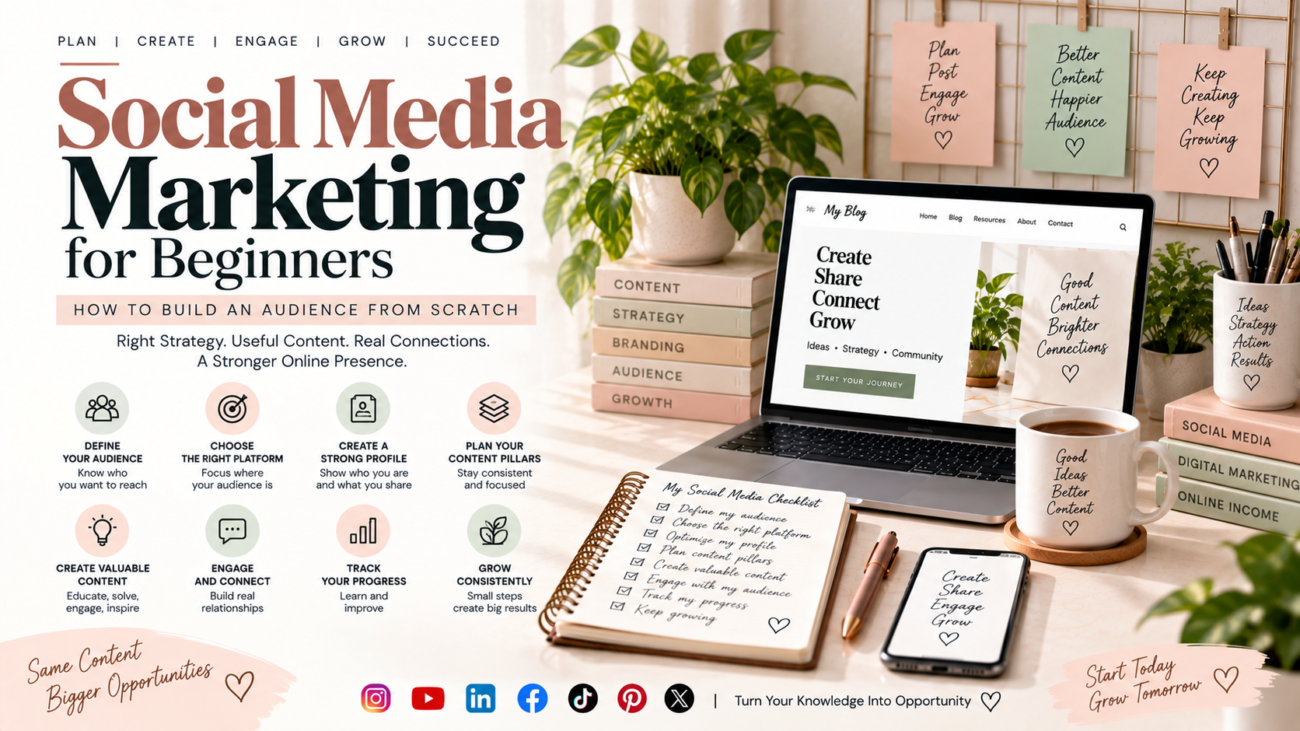
Social Media Marketing for Beginners: How to Build an Audience From Scratch

Starting social media can feel overwhelming.

You create an account, publish a few posts, use some hashtags, and wait for people to follow you. But sometimes nothing happens. Your posts receive very little engagement, and you are left wondering what you are doing wrong.

The problem is usually not that social media “doesn’t work.” The bigger problem is that there is no clear strategy behind the content.

Social media marketing is not simply about posting every day. It is about understanding your audience, creating useful content, choosing the right platforms, building relationships, and consistently giving people a reason to follow you.

Whether you are a beginner, freelancer, blogger, creator, or small business owner, you can start building an audience from scratch with a simple and consistent approach.

What Is Social Media Marketing?

Social media marketing is the process of using platforms such as Instagram, Facebook, YouTube, LinkedIn, TikTok, Pinterest, or X to build awareness, connect with an audience, share content, and support business or personal goals.

Your goal could be:

  • Building a personal brand
  • Promoting a business
  • Growing a blog
  • Finding potential clients
  • Increasing website traffic
  • Building a community
  • Selling products or services
  • Growing a YouTube channel
  • Establishing yourself as an expert

The important point is that social media should support a clear objective.

Posting without knowing what you want to achieve can quickly become exhausting.

Why Is Building an Audience Important?

An audience is more than a follower count.

A person who regularly reads your posts, watches your videos, saves your content, visits your website, or recommends your work can be more valuable than hundreds of inactive followers.

A strong audience can help you:

Build trust → Increase visibility → Create opportunities → Generate traffic → Develop income

For example, a freelance content writer could use social media to share writing tips, SEO lessons, blog-writing examples, and personal experiences. Over time, these posts can demonstrate expertise and attract potential clients.

Step 1: Define Who You Want to Reach

Before creating content, define your audience.

Ask:

  • Who am I creating content for?
  • What problems do they have?
  • What questions do they ask?
  • What information are they searching for?
  • What type of content do they enjoy?
  • What result do they want?

For example, instead of targeting “everyone interested in marketing,” you might focus on:

Beginners, students, freelancers, bloggers, creators, and small business owners who want to improve their online presence.

A specific audience makes content creation much easier.

Step 2: Choose the Right Social Media Platform

You do not need to be active everywhere.

Start with one or two platforms where your target audience is already spending time.

Instagram

Useful for visual content, short-form videos, carousels, personal branding, lifestyle content, and product-based businesses.

YouTube

Useful for tutorials, educational content, reviews, storytelling, demonstrations, and long-term searchable content.

LinkedIn

Useful for professional content, personal branding, networking, career-related topics, B2B services, and thought leadership.

Facebook

Useful for communities, local businesses, groups, discussions, and reaching established audiences.

TikTok

Useful for short-form, entertaining, educational, and trend-driven content.

The best platform depends on your audience, content format, and objective.

Step 3: Create a Clear Profile

When someone discovers your account, they should understand what you offer within a few seconds.

Your profile should communicate:

Who you are + What you share + Who you help

For example:

Helping beginners learn content writing, blogging, SEO, and digital marketing through simple practical tips.

Also pay attention to:

  • Profile photo
  • Username
  • Bio
  • Website link
  • Contact information
  • Consistent branding

Your profile is often the first step in converting a visitor into a follower.

Step 4: Build Your Content Pillars

Content pillars are the main topics you regularly discuss.

Instead of asking yourself every morning, “What should I post today?”, create 3–5 consistent categories.

For a digital marketing account, your pillars might be:

  1. Content Writing
  2. SEO
  3. Blogging
  4. Social Media Marketing
  5. Online Income

Now you have a foundation for dozens of posts.

For example, under SEO you could create:

  • Beginner SEO tips
  • Keyword research mistakes
  • On-page SEO tips
  • Internal linking ideas
  • Common ranking problems

This approach makes your content more focused and helps your audience understand what they can expect from you.

Step 5: Create Different Types of Content

Not every post needs to sell something.

A healthy social media strategy usually includes different content purposes.

Educational Content

Teach something useful.

Examples:

  • “5 Beginner SEO Mistakes”
  • “How to Find Blog Topics”
  • “What Is Internal Linking?”

Problem-Solving Content

Address a specific problem.

Example:

“Your website isn’t getting traffic? Check these five things first.”

Inspirational Content

Share lessons, experiences, progress, or useful perspectives.

Engagement Content

Ask questions, create discussions, or invite opinions.

Promotional Content

Introduce your services, products, blog posts, or offers.

The goal is to create a balanced content mix rather than turning every post into an advertisement.

Step 6: Give People a Reason to Follow You

People follow accounts when they expect future value.

Your content should answer the question:

“Why should someone come back tomorrow?”

You could promise:

  • Practical tips
  • Beginner-friendly tutorials
  • Industry insights
  • Helpful resources
  • Case studies
  • Content ideas
  • Step-by-step guides

For example, an account focused on blogging could consistently provide blogging tips, SEO lessons, content ideas, writing techniques, and monetization strategies.

Consistency in topic builds familiarity.

Step 7: Focus on the First Few Seconds

For short-form content, the opening matters.

Instead of starting with:

“Hello everyone, today I am going to talk about SEO…”

Try a stronger opening:

“Your blog may not be ranking because of these three SEO mistakes.”

The second version immediately introduces a problem.

Useful hooks can include:

  • “Stop making this beginner mistake…”
  • “Before you publish your next blog, check this.”
  • “Nobody tells beginners this about SEO.”
  • “If you’re starting from zero, do this first.”
  • “Here are three things I wish I knew earlier.”

The hook should accurately represent what the content delivers. Avoid misleading clickbait.

Step 8: Create Content That Is Easy to Consume

Social media users often scroll quickly.

Make your content easy to understand with:

  • Short paragraphs
  • Clear headlines
  • Simple language
  • Strong visual hierarchy
  • Examples
  • Lists
  • Captions with useful information

For educational content, a simple structure works well:

Problem → Explanation → Solution → Example → Action

This structure also connects naturally with content writing and blogging.

Step 9: Be Consistent Without Burning Out

You do not need to post ten times a day.

Choose a schedule you can realistically maintain.

For example:

Monday: Educational post
Wednesday: Practical tip
Friday: Problem-solving post
Sunday: Personal or community-focused content

Consistency is more sustainable when you create content in batches.

You can spend one day generating ideas, another day preparing visuals, and then schedule your posts.

Step 10: Engage With Your Audience

Social media is not a one-way publishing platform.

Respond to comments, answer questions, acknowledge useful feedback, and participate in relevant conversations.

If someone asks:

“How do I choose keywords for my first blog?”

Instead of replying only:

“Use keyword research tools.”

Give a useful answer and, when relevant, direct them to a detailed resource on your website.

This creates a bridge between social media content and your blog.

Step 11: Use Social Media to Support Your Blog

Your social media accounts and website should not operate separately.

Suppose you publish a blog titled:

“How to Write a Blog Post That People Actually Want to Read.”

You can turn that one article into:

  • An Instagram carousel
  • A short video
  • A LinkedIn post
  • A checklist
  • A quote graphic
  • A short tutorial
  • A discussion question

This is called content repurposing.

One useful piece of content can become multiple social media assets.

Step 12: Understand Social Media Metrics

Follower count is only one metric.

Pay attention to:

  • Reach
  • Impressions
  • Engagement
  • Saves
  • Shares
  • Comments
  • Profile visits
  • Website clicks
  • Video watch time
  • Leads or enquiries

For educational content, saves and shares can be particularly useful signals because they indicate that people found the information valuable enough to keep or share.

Do not judge your entire strategy from one post.

Look for patterns over several weeks.

Step 13: Learn From Your Best Content

Suppose you publish ten posts and discover that three consistently perform better.

Study them.

Ask:

  • What topic did they cover?
  • What hook did they use?
  • What format worked?
  • Was the topic solving a specific problem?
  • Did people save or share it?
  • Did it generate website visits?

Then create more content around the underlying topic—not necessarily an identical copy.

Successful content can reveal what your audience wants more of.

Step 14: Avoid Common Beginner Mistakes

Some common mistakes include:

  • Trying to use every platform at once
  • Posting without knowing the target audience
  • Copying competitors without adding originality
  • Focusing only on follower numbers
  • Selling in every post
  • Using irrelevant trends
  • Ignoring comments
  • Changing topics constantly
  • Giving up after a few weeks
  • Using AI-generated content without editing or adding personal insight

Social media growth is usually a process of testing, learning, and improving.

A Simple 30-Day Social Media Plan

If you are starting from zero, keep your first month simple.

Week 1: Foundation

  • Define your audience
  • Choose your main platform
  • Optimize your profile
  • Select 3–5 content pillars
  • Create a list of 20 content ideas

Week 2: Start Publishing

Publish useful educational and problem-solving content.

Focus on clarity rather than perfection.

Week 3: Engage and Experiment

Respond to comments and test different formats, hooks, and topics.

Notice what gets meaningful engagement.

Week 4: Analyze and Improve

Review your metrics.

Identify your strongest topics and formats.

Then use those insights to plan your next month.

Social Media Marketing + Content Writing and Blogging

Strong social media marketing depends heavily on good content.

You need to know how to:

  • Research topics
  • Understand your audience
  • Write useful information
  • Create strong headlines
  • Tell stories
  • Explain ideas clearly
  • Create calls to action
  • Repurpose content

That is why content writing and blogging can support your social media strategy.

Your blog can provide depth, while social media can help you distribute and discuss that content.

The two can work together:

Blog → Social Content → Audience → Website Traffic → Trust → Opportunities

Building an audience from scratch takes more than posting frequently.

Start with a clear audience, choose the right platform, create focused content pillars, provide useful information, engage with people, and measure what works.

Do not chase every trend or become obsessed with follower numbers.

Instead, build a recognizable content system that consistently helps your audience.

With time, your social media presence can become more than a collection of posts. It can become a valuable part of your digital marketing, content writing, blogging, personal branding, and online growth strategy.

Internal-link journey:
Digital Marketing for Beginners → Social Media Marketing → Social Media Content Strategy → Instagram Marketing → YouTube → AI Content Creation → Personal Branding

For more practical tips on content writing, blogging, SEO, digital marketing, and building your online presence, explore more resources at mehfuzasultana.com.

Master content writing and blogging with a practical SEO framework covering keyword research, on-page SEO, technical SEO, internal linking, and topical authority.

SEO for Beginners: A Complete Guide to Growing Your Website

You can write a great blog post.

You can create a beautiful website.

You can publish useful content every week.

And still, almost nobody may find it.

That’s where SEO comes in.

SEO, or Search Engine Optimization, helps search engines understand your website and helps people discover your content when they search for information, products, services, or solutions online.

But if you’re new to SEO, the terminology can feel overwhelming.

You may hear about:

  • Keywords
  • Search intent
  • On-page SEO
  • Technical SEO
  • Internal linking
  • Backlinks
  • Content clusters
  • Topical authority
  • Meta descriptions
  • Crawling
  • Indexing
  • Search rankings

Do you need to understand all of these before you can start?

No.

You can learn SEO step by step.

This beginner-friendly guide explains the fundamentals of SEO in simple language and shows how content writing and blogging can work together with SEO to help you build a stronger website, attract relevant visitors, and create long-term growth.


What Is SEO?

SEO stands for Search Engine Optimization.

It is the process of improving your website and its content so that search engines can better understand, discover, and potentially show your pages to people searching for relevant information.

For example, imagine someone searches:

How to start a blog

If your website has a genuinely useful article that clearly answers that question, search engines may consider your page as a potential result.

SEO helps you improve the chances that the right people will discover that content.

But SEO isn’t simply:

“Put keywords on a page and rank.”

Modern SEO involves understanding:

People + Content + Search Engines + Website Experience


Why Does SEO Matter?

Think about how people discover websites.

Someone might:

  • Search Google for an answer
  • Look for a product
  • Search for a service
  • Compare different options
  • Find a tutorial
  • Research a problem

If your website appears when someone searches for something relevant to your content, you have an opportunity to attract that person.

That visitor could eventually become:

  • A reader
  • A subscriber
  • A customer
  • A client
  • A student
  • A follower
  • A business lead

This is why SEO can be especially valuable for bloggers, freelancers, creators, and small businesses.


SEO and Content Writing: How Do They Work Together?

SEO and content writing are not separate worlds.

They work together.

Imagine you are writing an article about:

How to Start a Blog From Scratch

Content writing helps you:

  • Explain the process
  • Organize the information
  • Give examples
  • Answer questions
  • Make the article readable
  • Provide useful advice

SEO helps you:

  • Understand what people search for
  • Match the article to search intent
  • Structure the page clearly
  • Connect related content
  • Make the page easier for search engines to understand

So the relationship looks like:

Audience Need → Search Query → Useful Content → SEO Optimization → Search Visibility

The goal is not to write for search engines instead of people.

Write for people first, then make the content easy for search engines to understand.


How Search Engines Work

You don’t need to understand complicated algorithms to learn SEO basics.

At a high level, search engines need to:

1. Discover

Find pages and websites across the web.

2. Crawl

Access and analyze the content of those pages.

3. Understand and index

Process information and determine what a page is about.

4. Rank

When someone searches, search engines select and order results based on many signals and systems.

The exact ranking systems are complex and constantly evolving.

That’s why no one can honestly promise:

“Use these five tricks and Google will rank your website #1.”

SEO doesn’t work that way.

Instead, focus on making your website useful, accessible, understandable, and relevant to your audience.


The Four Core Areas of Beginner SEO

You can organize SEO into four broad areas:

1. Keyword Research

Understanding what people search for.

2. On-Page SEO

Improving individual pages and their content.

3. Technical SEO

Making sure search engines can access and understand your website effectively.

4. Authority and Content Structure

Building a strong, connected collection of useful content and earning recognition from other relevant websites.

These areas work together.

For example:

Keyword Research → Content → On-Page SEO → Internal Links → Technical Foundation → Authority → Growth


1. Keyword Research: Find What People Search For

Keyword research is one of the foundations of SEO.

A keyword is a word or phrase people use when searching for information.

Examples include:

  • Content writing
  • How to start a blog
  • SEO for beginners
  • Keyword research
  • Freelance content writing
  • How to make money blogging

But keyword research isn’t simply finding the keyword with the highest search volume.

You need to understand:

What does the person actually want?


Search Intent Matters More Than Just Keywords

Suppose someone searches:

What is SEO?

They probably want an explanation.

Someone searching:

Best SEO tools for beginners

may be comparing tools.

Someone searching:

Buy SEO software

has a much stronger transactional intent.

The words may be related, but the purpose behind the searches is different.

Common search-intent categories

Informational

The searcher wants to learn.

Navigational

The searcher wants to find a specific website or page.

Commercial investigation

The searcher is researching or comparing options.

Transactional

The searcher is ready to take an action or make a purchase.

Your content should match the intent.


How to Choose Keywords as a Beginner

Start with your audience.

Ask:

What problems are they trying to solve?

Then turn those problems into search questions.

For example:

Audience: Beginner bloggers

Problem: They don’t know what to write.

Question: What should I blog about?

Potential topic: How to Find Blog Topics Your Audience Will Actually Search For

This is much stronger than choosing a keyword simply because a tool says it has search volume.


Don’t Stuff Keywords Into Your Content

One of the oldest SEO misconceptions is:

“The more times I use the keyword, the better I’ll rank.”

That’s not a good content strategy.

If your primary keyword is:

content writing and blogging

you don’t need to force it into every paragraph.

Use it naturally.

Also use related concepts such as:

  • Content writing
  • Blog writing
  • Content creation
  • Blogging for beginners
  • Content strategy
  • Search intent
  • Organic traffic
  • Keyword research
  • On-page SEO
  • Internal linking

The result should sound like something a human would actually want to read.


2. On-Page SEO: Optimize Every Important Page

On-page SEO refers broadly to improvements you make to the page itself.

This includes elements such as:

  • Page title
  • Headings
  • Main content
  • Search intent alignment
  • Internal links
  • Images and their context
  • URLs
  • Meta descriptions
  • Readability
  • Overall content quality

Let’s look at some of the basics.


Create a Clear SEO Title

Your title should tell people what the page is about.

Instead of:

SEO Tips

Try:

SEO for Beginners: A Complete Guide to Growing Your Website

The second title gives the reader much more context.


Use Descriptive Headings

Headings help both readers and search engines understand the structure of your page.

For example:

H1:
SEO for Beginners: A Complete Guide

H2:
What Is SEO?

H2:
How Keyword Research Works

H2:
What Is On-Page SEO?

H2:
How Internal Linking Helps

This creates a logical hierarchy.


Write Useful Introductions

Your introduction should quickly answer three questions:

  1. What is this article about?
  2. Why does it matter?
  3. What will the reader learn?

Don’t spend five paragraphs talking about how difficult SEO is.

Get to the point.


Use Short, Scannable Paragraphs

Online readers often scan before deciding whether to read.

Make your content easy to consume.

Use:

  • Short paragraphs
  • Bullet points
  • Numbered lists
  • Tables
  • Examples
  • Descriptive headings

Good formatting improves usability.


3. Technical SEO: Build a Healthy Website Foundation

Technical SEO can sound intimidating.

But beginners don’t need to become technical SEO specialists immediately.

Start with the fundamentals.

Your website should ideally be:

  • Accessible to search engines
  • Mobile-friendly
  • Secure
  • Fast enough for a good user experience
  • Properly structured
  • Easy to navigate
  • Free from major indexing problems

Technical SEO also includes areas such as:

  • Crawling
  • Indexing
  • XML sitemaps
  • Robots directives
  • Canonicalization
  • Redirects
  • Structured data
  • Core Web Vitals

You can learn these gradually.

Don’t let advanced technical SEO stop you from publishing useful content.


Why Website Speed Matters

Imagine clicking a search result and waiting several seconds for the page to become usable.

You may leave.

A slow website can create a poor user experience.

Review:

  • Large images
  • Unnecessary plugins
  • Heavy scripts
  • Hosting performance
  • Caching
  • Mobile performance

You don’t need to obsess over achieving a perfect score in every tool.

Focus on providing a fast, functional experience for real visitors.


Why Mobile SEO Matters

Many people browse websites using smartphones.

Your website should therefore work properly on smaller screens.

Check:

  • Font size
  • Buttons
  • Navigation
  • Images
  • Tables
  • Paragraph spacing
  • Page width
  • Forms

Don’t optimize only for desktop.

Open your own website on your phone and actually use it.


4. Internal Linking: Connect Your Content

Internal linking means linking one page on your website to another page on the same website.

For example:

This SEO guide can link to:

  • Keyword Research for Beginners
  • On-Page SEO
  • Technical SEO
  • Internal Linking
  • Topical Authority
  • Website Ranking Problems

Why?

Because these articles answer related questions.

Internal links can help:

  • Readers discover more useful content
  • Search engines understand relationships between pages
  • Distribute internal authority through your site
  • Create clearer content pathways
  • Keep important pages connected

Think of Your Website Like a Library

Imagine your website is a library.

Your homepage is the entrance.

Your categories are sections.

Your pillar articles are major reference books.

Your supporting articles are specialized books.

Internal links are the pathways connecting them.

Without those connections, useful information can become difficult to discover.

A strong website structure might look like:

SEO Guide

Keyword Research

On-Page SEO

Technical SEO

Internal Linking

Topical Authority

This creates a logical knowledge system.


5. Build Topical Authority With Content Clusters

Topical authority is about demonstrating meaningful depth and coverage around a subject through useful, relevant content.

Instead of publishing one article about SEO and then moving randomly to travel, recipes, and celebrity news, build connected content around your main subject.

For example:

Main Topic

SEO for Beginners

Supporting topics:

  • Keyword Research
  • On-Page SEO
  • Technical SEO
  • Internal Linking
  • Topical Authority
  • SEO Problems
  • Search Intent
  • Content Optimization

These pages can link to each other.

This gives readers a deeper resource and makes your website’s topical focus clearer.


Pillar Content vs Supporting Content

A pillar article covers a broad subject.

A supporting article covers a narrower question in greater detail.

For example:

Pillar

SEO for Beginners: A Complete Guide to Growing Your Website

Supporting

Keyword Research for Beginners: How to Find Keywords People Actually Search For

Supporting

On-Page SEO: A Beginner’s Guide to Optimizing Every Blog Post

Supporting

Technical SEO for Beginners

Supporting

Internal Linking: How to Connect Your Content

Supporting

Topical Authority: How to Build It With Content Clusters

Supporting

Why Is My Website Not Ranking on Google?

Together, these articles create a complete SEO learning pathway.


6. Create Content That Deserves to Rank

SEO cannot compensate for content that doesn’t help anyone.

Before publishing, ask:

Does this answer the searcher’s question?

Is it accurate?

Is it easy to understand?

Does it provide useful examples?

Does it offer something beyond generic advice?

Is the information organized logically?

Does it demonstrate real knowledge or experience?

Are important claims supported appropriately?

Can the reader take action after reading?

These questions are often more valuable than obsessing over keyword density.


Information Gain: Give Readers Something More

Suppose ten websites already explain:

“What is keyword research?”

Writing the eleventh article isn’t automatically valuable.

Ask:

What can I add?

Maybe you can provide:

  • A beginner workflow
  • A worked example
  • A keyword-selection checklist
  • A sample spreadsheet
  • Common mistakes
  • A comparison
  • A practical exercise
  • A real scenario
  • A decision framework

That’s information gain.

You’re not simply repeating existing information.

You’re helping the reader understand or accomplish something better.


7. Build Trust With Your Content

Search visibility isn’t the only goal.

People need to trust your website.

Trust can come from:

  • Clear authorship
  • Author information
  • Accurate information
  • Original examples
  • First-hand experience
  • Transparent recommendations
  • Citations where appropriate
  • Updated content
  • Professional website information
  • Clear contact details

For professional websites, your About page and author information can also help visitors understand who is behind the content.


Experience Can Make Content Stronger

Generic advice is everywhere.

Your own experience can make an article more useful.

For example, instead of simply saying:

“Create an internal linking strategy.”

Explain:

“When publishing a new article, identify two or three older pages that naturally answer questions mentioned in the new article. Then add links in context.”

That’s more actionable.

You can also share:

  • What you tried
  • What you learned
  • Common mistakes
  • Practical workflows
  • Examples from your projects

Don’t manufacture experience.

Use genuine experience where relevant.


8. Optimize Images for SEO and UX

Images can make blog posts easier to understand, but they also need to be handled properly.

Consider:

  • Relevant images
  • Descriptive filenames
  • Appropriate image dimensions
  • Compression
  • Useful alt text
  • Mobile display
  • Lazy loading where appropriate

Don’t add images simply to fill space.

An image should support the reader’s understanding or improve the page experience.


9. Create a Clear Website Structure

Your website structure should make sense to visitors.

A basic structure could be:

Home

→ About
→ Blog
→ Content Writing
→ SEO
→ Digital Marketing
→ Online Income
→ Contact

Within the SEO section:

SEO

→ Keyword Research
→ On-Page SEO
→ Technical SEO
→ Internal Linking
→ Topical Authority
→ SEO Troubleshooting

This creates a logical hierarchy.


10. Don’t Forget Content Updates

Publishing content once doesn’t mean you’re finished.

Some articles become outdated.

Others lose traffic because competitors publish better resources.

Review important articles periodically.

Check:

  • Statistics
  • Examples
  • Links
  • Screenshots
  • Recommendations
  • Search intent
  • Outdated information
  • Internal links

Sometimes improving an existing article is more valuable than constantly publishing something new.


Why Isn’t My Website Ranking?

This is one of the most frustrating questions for beginners.

You publish an article.

You wait.

Nothing happens.

Don’t immediately assume:

“SEO doesn’t work.”

There can be many reasons.

For example:

  • The page doesn’t match search intent
  • The topic is extremely competitive
  • The content is too thin
  • The page isn’t indexed
  • The website has technical problems
  • The article lacks useful information
  • Internal linking is weak
  • The site lacks authority
  • The keyword isn’t a good fit
  • The page is difficult to use
  • The content hasn’t had enough time to gain visibility

SEO requires diagnosis rather than guessing.

That’s why a dedicated troubleshooting article can be useful.


How Long Does SEO Take?

This is another question without a universal answer.

Some pages may gain visibility relatively quickly.

Others may take much longer.

Results depend on factors such as:

  • Competition
  • Website history
  • Content quality
  • Search demand
  • Technical health
  • Authority
  • Topic
  • Internal linking
  • Promotion
  • Search intent

Don’t evaluate your entire SEO strategy after publishing two articles.

Think in terms of months of consistent improvement, not overnight results.


SEO for New Websites: What Should You Do First?

If your website is brand new, don’t try to do everything at once.

Start with this order:

Step 1

Choose your niche and audience.

Step 2

Set up a clean, mobile-friendly website.

Step 3

Create your main content pillars.

Step 4

Research topics and search intent.

Step 5

Publish useful foundational content.

Step 6

Optimize pages for on-page SEO.

Step 7

Create internal links.

Step 8

Build supporting content clusters.

Step 9

Promote your content.

Step 10

Monitor performance and improve.

This gives you a manageable SEO roadmap.


A Simple SEO Workflow for Every Blog Post

Use this process whenever you create a new article.

Before Writing

☐ Define the target audience
☐ Identify the main problem
☐ Research the topic
☐ Identify the primary keyword
☐ Understand search intent
☐ Review competing results
☐ Find related questions

While Writing

☐ Create a useful outline
☐ Answer the main question early
☐ Use descriptive headings
☐ Add examples
☐ Include related terms naturally
☐ Make the article easy to scan
☐ Add original insights

Before Publishing

☐ Write a clear title
☐ Create a useful meta description
☐ Check URL
☐ Add internal links
☐ Optimize relevant images
☐ Check mobile layout
☐ Proofread
☐ Confirm the article matches search intent

After Publishing

☐ Share the article
☐ Add links from relevant older pages
☐ Monitor search performance
☐ Update when necessary
☐ Improve weak sections


A Beginner-Friendly SEO Example

Let’s say you want to write an article about:

How to Start a Blog

Don’t immediately open a document and start writing.

Step 1: Audience

Beginners who want to create their first blog.

Step 2: Problem

They don’t know where to start.

Step 3: Search intent

Informational.

Step 4: Topic research

Find questions such as:

  • How much does it cost?
  • What niche should I choose?
  • What platform should I use?
  • What should I write about?
  • How do I get traffic?
  • How can I monetize it?

Step 5: Create the article

Build a clear step-by-step guide.

Step 6: Add related content

Link to:

  • Finding blog topics
  • Blog writing
  • Content strategy
  • Keyword research
  • On-page SEO

Step 7: Promote

Share the article through relevant social channels.

Step 8: Improve

Review performance and update the article as needed.

This is SEO as a process—not a one-time trick.


SEO Mistakes Beginners Should Avoid

1. Keyword Stuffing

Repeating the same phrase unnaturally can damage readability.

2. Writing Only for Search Engines

Your readers are human beings.

Write for them first.

3. Ignoring Search Intent

A page can target the right words but still fail to satisfy the searcher.

4. Publishing Random Topics

Build around related themes.

5. Ignoring Internal Links

Connect your content.

6. Overcomplicating Technical SEO

Learn the basics first.

7. Buying Backlinks Without Understanding the Risks

Avoid shortcuts that can violate search-engine spam policies or damage your website.

8. Expecting Instant Rankings

SEO takes time.

9. Copying Competitors

Study competitors, but create your own useful resource.

10. Forgetting the Reader

SEO should improve discoverability—not make your writing robotic.


SEO and Social Media: Do They Work Together?

Yes.

SEO and social media have different roles, but they can support each other.

Your blog can be your long-form content asset.

Social media can distribute ideas from that content.

For example:

Blog

How to Find Blog Topics

Instagram

5 mistakes beginners make when choosing blog topics

LinkedIn

A short lesson about audience-driven content

YouTube Short

How to find 10 blog ideas in 10 minutes

Website

Reader returns to the complete guide.

This turns one piece of content into multiple touchpoints.


Can AI Help With SEO?

AI can help with parts of your SEO workflow.

For example, it can assist with:

  • Topic brainstorming
  • Content outlines
  • Question generation
  • Content organization
  • Internal-link suggestions
  • Title variations
  • Content gap brainstorming
  • Repurposing

But don’t treat AI output as automatically accurate or valuable.

Human judgment is still important for:

  • Search intent
  • Originality
  • Accuracy
  • Experience
  • Strategy
  • Fact-checking
  • Brand voice

The goal is not:

AI → Publish

A better workflow is:

Research → Human Strategy → AI Assistance → Human Review → Publish → Improve


How to Measure SEO Success

Don’t look only at rankings.

Track several signals.

Organic traffic

Are more people discovering your website through search?

Impressions

How often are your pages appearing in search results?

Click-through rate

Are people clicking when they see your result?

Search queries

What terms are bringing visitors?

Engagement

Are visitors actually using your website?

Conversions

Are visitors taking meaningful actions?

For example:

  • Contacting you
  • Signing up
  • Downloading a resource
  • Buying a product
  • Requesting a service

The ultimate goal isn’t simply:

“I rank.”

It’s:

“My website attracts the right people and helps me achieve my goal.”


The SEO Growth Cycle

SEO is not a straight line.

It is a cycle:

Research → Create → Optimize → Publish → Promote → Measure → Improve → Update

Then repeat.

Every article gives you more information.

You learn:

  • What your audience searches for
  • Which topics perform
  • Which pages need improvement
  • Which questions remain unanswered
  • Which content deserves expansion

Over time, your website becomes stronger.


A 90-Day SEO Plan for Beginners

If you’re starting from scratch, here’s a simple framework.

Month 1: Foundation

Focus on:

  • Website setup
  • Audience
  • Niche
  • Site structure
  • Core pages
  • Keyword research
  • First foundational articles

Month 2: Content Growth

Focus on:

  • Supporting articles
  • On-page SEO
  • Internal linking
  • Content clusters
  • Social promotion
  • Updating early content

Month 3: Optimization

Focus on:

  • Search performance
  • Underperforming pages
  • Content gaps
  • Internal-link improvements
  • Technical issues
  • Content updates
  • New opportunities

Don’t judge the entire strategy solely by traffic during the first 90 days.

Use this period to build the foundation and learn.


Your Beginner SEO Checklist

Before you publish your next article, ask:

☐ Does this topic fit my website?
☐ Do I understand the audience?
☐ Do I know the search intent?
☐ Have I researched the topic?
☐ Is my primary keyword relevant?
☐ Does the article genuinely answer the question?
☐ Have I added useful examples?
☐ Are the headings descriptive?
☐ Is the content easy to scan?
☐ Are keywords used naturally?
☐ Are relevant internal links included?
☐ Is the page mobile-friendly?
☐ Are images optimized?
☐ Is the title clear?
☐ Is the meta description useful?
☐ Have I checked for broken links?
☐ Do I have a plan to promote the article?
☐ Will I review the page again after publishing?


Frequently Asked Questions About SEO

What is SEO in simple words?

SEO is the process of improving your website and content so search engines can understand it and people can discover relevant pages through search.

Is SEO difficult for beginners?

SEO has advanced areas, but the fundamentals are learnable. Start with audience research, keyword research, useful content, on-page SEO, internal linking, and a healthy website foundation.

Does blogging help SEO?

Yes. Consistently publishing useful, relevant content can help a website build search visibility and cover topics in greater depth. However, simply publishing more articles does not guarantee rankings.

How many keywords should I use in a blog post?

There is no universal ideal number. Use relevant terms naturally and focus on satisfying the searcher’s intent rather than hitting a keyword-count target.

How long does it take for SEO to work?

There is no fixed timeline. Results depend on competition, website authority, content quality, technical factors, search demand, and many other variables.

Is SEO free?

You can learn and perform many SEO activities without paying for expensive tools. However, businesses may choose to invest in SEO software, professional services, content, technical development, or other resources.

Do I need backlinks to rank?

Links from other relevant websites can contribute to a site’s authority, but SEO is not based on backlinks alone. Content quality, relevance, technical accessibility, site structure, and many other factors matter.

Can AI-generated content rank on Google?

There is no simple “AI content = rank” or “AI content = no rank” rule. What matters is whether the content is useful, relevant, accurate, original where appropriate, and created in a way that serves people rather than manipulating search results.


SEO Is a Long-Term Skill

SEO can seem complicated when you first encounter it.

But you don’t need to learn everything at once.

Start with the fundamentals:

Understand your audience.

Find the questions they search for.

Create genuinely useful content.

Optimize your pages.

Connect related articles.

Build topical depth.

Keep your website technically healthy.

Measure what happens.

Improve what isn’t working.

That’s the foundation.

And remember that SEO isn’t separate from content writing and blogging.

Your content gives people a reason to visit.

SEO helps the right people discover it.

Internal linking helps them explore.

A strong website experience helps them stay.

And useful, trustworthy content gives them a reason to come back.

If you’re building a website from scratch, don’t chase every SEO trick you see online.

Build a website that deserves to be found.

For more practical tips on content writing, blogging, SEO, digital marketing, and building your online presence, explore more resources at mehfuzasultana.com.

Think content writing is just typing? Discover the real process behind useful content, blogging, and SEO—and learn to write with purpose now with confidence.

The Essential Guide to Content Writing That Actually Matters

You don’t need to be a perfect seo writer to create useful content.

But you do need to understand who you’re writing for, what they need, why they’re searching, and how your words can help them.

Think about the last time you searched Google for an answer and found an article that explained everything clearly. You didn’t care whether the writer used complicated vocabulary. You cared that the article answered your question without wasting your time.

That is what good content writing does.

Content writing isn’t simply putting words on a page. It combines research, audience understanding, writing, editing, SEO, structure, and purpose to create content that people actually want to read.

Whether you’re a student exploring a career, a freelancer building a portfolio, a blogger growing a website, a small business owner trying to attract customers, or a creator building a personal brand, content writing can become a valuable skill.

And you don’t have to wait until you have professional experience to start.

You can learn by writing, publishing, analyzing what works, and improving with every piece of content.

This guide explains what content writing really means, how it differs from blogging and copywriting, what a content writer actually does, how SEO fits into the process, and how you can start building your own skills and portfolio.

What Is Content Writing?

Content writing is the process of researching, creating, editing, and optimizing content for a specific audience, platform, and purpose by a seo writer.

That purpose might be to:

  • Educate readers
  • Answer questions
  • Solve a problem
  • Build trust
  • Attract website visitors
  • Support SEO
  • Generate leads
  • Explain a product or service
  • Build brand awareness
  • Encourage a useful action

Content writing can appear in many places across the internet.

For example:

  • Blog posts
  • Website pages
  • Articles
  • Product descriptions
  • Social media posts
  • Email newsletters
  • Guides and tutorials
  • Case studies
  • Ebooks
  • White papers
  • Video scripts
  • Landing pages

So when someone says, “I work in content writing,” they aren’t necessarily saying they only write blog posts.

Content writing is a broad skill used to communicate information, ideas, solutions, and expertise online.

Content Writing vs Blogging vs Copywriting: What’s the Difference?

These terms are often used together, but they serve different purposes.

Content Writing

Content writing is the broader writing skill.

It focuses primarily on informing, educating, helping, or building trust with an audience.

Examples include:

  • Blog posts
  • Guides
  • Website resources
  • Articles
  • Educational emails
  • Case studies

Blogging

Blogging is a form of content publishing.

A blog usually contains regularly published articles around a particular subject, niche, business, or personal interest.

For example, a digital marketing website might publish blogs about:

  • SEO
  • Content writing
  • Social media
  • Blogging
  • Freelancing
  • Online income

Copywriting

Copywriting is more strongly focused on persuasion and action.

Examples include:

  • Advertisements
  • Sales pages
  • Landing pages
  • Product copy
  • Promotional emails
  • Sales headlines

A simple way to remember the difference is:

Content WritingBloggingCopywriting
Informs and educatesPublishes useful articlesPersuades people to act
Builds knowledge and trustBuilds an audienceDrives conversions
Guides, articles, resourcesBlog postsAds, sales pages, landing pages
Often supports SEOOften supports SEOSEO may or may not be central

They can overlap.

For example, a blog article may educate a reader while also encouraging them to sign up for an email list or explore a service.

That’s why understanding the purpose of the content matters more than simply giving it a label.

Why Does Content Writing Matter?

People use the internet to answer questions, solve problems, compare options, learn skills, discover businesses, and make decisions.

Content helps businesses and individuals participate in those conversations.

Imagine a beginner searching:

“How do I start a blog?”

An article that simply says, “Blogging is a great way to build an online presence,” doesn’t help much.

A useful article might explain:

  • What a blog is
  • How to choose a topic
  • How to choose a blogging platform
  • What to write about
  • How to structure the first post
  • How to attract readers
  • How SEO can help
  • How a blog can eventually be monetized

The difference isn’t the number of words.

It’s the usefulness of the information.

Good content connects a reader’s question with a clear, useful answer.

What Makes Good Content Writing?

Good writing doesn’t have to sound complicated.

In fact, beginners often make the mistake of trying to sound overly professional when what readers really want is clarity.

Strong content usually has these qualities.

1. It Is Written for a Specific Audience

Before writing, ask:

Who is this article actually for?

A guide for someone completely new to SEO should not read like a technical SEO documentation page.

A guide for experienced marketers can use more specialized terminology.

Your audience influences:

  • Tone
  • Vocabulary
  • Examples
  • Level of detail
  • Content format
  • Problems you address

The narrower your understanding of the reader, the easier it becomes to make the content relevant.

2. It Has One Clear Purpose

Every piece of content should have a reason to exist.

Ask:

What should the reader understand, solve, or do after reading this?

For example:

A beginner SEO guide might explain how search engines discover and rank content.

A comparison article might help someone choose between two tools.

A freelance writing guide might help a beginner create their first portfolio.

Without a clear purpose, an article can quickly become a collection of unrelated information.

3. It Answers a Real Question or Problem

One of the easiest ways to improve content is to stop asking:

“What do I want to write about?”

and start asking:

“What does my reader need help with?”

For example:

Weak topic

Why Blogging Is Important

More useful topic

How to Start a Blog When You Have No Writing Experience

The second topic gives the reader a specific problem to solve.

That’s a much stronger starting point for content creation.

4. It Uses Examples

Examples turn abstract advice into something readers can understand.

Consider this statement:

“Use clear writing.”

That’s reasonable, but vague.

Now compare it with:

“Instead of writing ‘Content marketing is important for businesses,’ explain what the reader can actually gain from it, such as answering customer questions, attracting search traffic, or building trust before a purchase.”

The second version teaches the reader how to apply the advice.

That’s information gain.

5. It Is Easy to Read

Online readers often scan before deciding whether to read the entire article.

Use:

  • Short paragraphs
  • Descriptive headings
  • Bullet points
  • Tables where useful
  • Examples
  • Clear transitions
  • Simple language

You don’t have to make every sentence extremely short.

The goal is to make the overall reading experience effortless.

6. It Matches Search Intent

Search intent is the reason behind someone’s search.

For example:

“What is content writing?”

The searcher probably wants an explanation.

“How to write a blog post?”

The searcher probably wants a practical tutorial.

“Best laptop for content writers”

The searcher may be comparing products before buying.

If your article doesn’t satisfy the reason someone searched, strong writing alone may not be enough.

The Main Types of Content Writing

Content writers can work across many formats.

1. Blog Writing

Blog writing involves creating articles for a website.

Common formats include:

  • Beginner guides
  • How-to tutorials
  • Listicles
  • Comparisons
  • Problem-solving articles
  • Industry insights
  • Opinion pieces
  • Case studies

For websites focused on SEO and organic traffic, blog writing can become an important part of a broader content strategy.

2. Website Content

Website content explains who a business or professional is, what they offer, and why visitors should care.

Examples include:

  • Homepage copy
  • About pages
  • Service pages
  • FAQ pages
  • Resource pages
  • Contact pages

Unlike a blog article, website content often needs to move visitors toward a specific next step.

3. SEO Content Writing

SEO content writing combines content creation with search engine optimization.

A writer may consider:

  • Keyword research
  • Search intent
  • Topic relevance
  • Headings
  • Internal linking
  • Content structure
  • Readability
  • Search visibility

The goal isn’t to repeat a keyword dozens of times.

The goal is to create content that satisfies the reader while making the topic clear to search engines.

4. Social Media Content

Social media writing is usually shorter and more attention-focused.

It can include:

  • Instagram captions
  • LinkedIn posts
  • Facebook posts
  • Threads
  • Short-form educational posts
  • Promotional content

Because people scroll quickly, the opening line is especially important.

5. Product Description Writing

Product descriptions explain what a product does and why it may be useful.

A strong description can communicate:

  • Features
  • Benefits
  • Use cases
  • Specifications
  • Problems the product solves

The writer needs to be persuasive without making unsupported or exaggerated claims.

6. Email Writing

Content writers can also create:

  • Newsletters
  • Welcome emails
  • Educational sequences
  • Product announcements
  • Promotional emails

Email writing requires relevance and clarity because readers can easily ignore a message that doesn’t immediately feel useful.

7. Long-Form Content

Long-form content can include:

  • Comprehensive guides
  • Ebooks
  • White papers
  • Research-based articles
  • Detailed resources

But longer doesn’t automatically mean better.

A 3,000-word article isn’t better than a 1,500-word article simply because it has more words.

The right length is the amount of content needed to properly satisfy the reader’s intent.

What Does a Content Writer Actually Do?

A professional content writer doesn’t simply sit down and start typing.

A typical workflow looks like:

Audience → Topic → Search Intent → Research → Outline → Draft → Edit → SEO → Internal Links → Publish → Promote → Measure

Here’s what that looks like in practice.

Step 1: Understand the Brief

Before writing, identify:

  • Topic
  • Audience
  • Purpose
  • Content format
  • Tone
  • Deadline
  • Primary keyword
  • Supporting topics
  • Desired action

A clear brief reduces unnecessary rewriting later.

Step 2: Research the Reader

Don’t research only the topic.

Research the people who need the topic.

Look at:

  • Search queries
  • Comments
  • Reviews
  • Forums
  • Community discussions
  • Social media questions
  • Customer feedback
  • Frequently asked questions

Pay attention to the actual language people use.

That language can help you create headings and explanations that feel more relevant.

Step 3: Research the Topic

Now investigate the subject itself.

Look for:

  • Existing articles
  • Reliable sources
  • Industry information
  • Examples
  • Common misconceptions
  • Missing questions
  • Content gaps

The goal isn’t to copy what already exists.

It’s to understand what readers already have and determine what useful information you can add.

Step 4: Choose the Search Intent

Ask:

What does someone expect to find when they search this topic?

For an informational query, the reader usually wants an explanation, guide, tutorial, or answer.

For a commercial query, they may want comparisons or recommendations.

Understanding this before writing helps you avoid creating the wrong type of article.

Step 5: Create an Outline

An outline gives the article direction.

For example:

Topic: How to Start a Blog

H2: What Is a Blog?

H2: How to Choose a Blog Topic

H2: How to Choose a Platform

H2: What Should Your First Blog Post Be About?

H2: How to Get Your First Readers

H2: Common Beginner Mistakes

H2: FAQs

Now the writer knows what the article needs to accomplish before writing the first paragraph.

Step 6: Write the First Draft

Write the ideas without trying to make every sentence perfect.

Focus on:

  • Clarity
  • Structure
  • Accuracy
  • Usefulness

You can polish the language later.

Step 7: Edit

Editing isn’t simply checking grammar.

Look for:

  • Repetition
  • Weak openings
  • Long sentences
  • Unnecessary paragraphs
  • Unsupported claims
  • Confusing explanations
  • Missing examples
  • Poor transitions

A useful editing question is:

“If I were the reader, would this paragraph actually help me?”

If the answer is no, rewrite it or remove it.

Step 8: Optimize for SEO

For online content, optimization may include:

  • SEO title
  • Meta description
  • Headings
  • Natural keyword usage
  • Search intent alignment
  • Internal links
  • Relevant external references
  • Image optimization
  • Readability

SEO should strengthen the content—not make it sound like it was written for a search engine.

Step 9: Add Internal Links

Your article shouldn’t exist alone.

If you’re writing about content writing, you might naturally link to related articles about:

  • Blog writing
  • Finding blog topics
  • Content calendars
  • Keyword research
  • On-page SEO
  • Content strategy

This creates connections between related pages and helps readers discover their next useful resource.

Over time, those connections can turn a collection of articles into a structured content library.

Step 10: Publish, Promote, and Measure

Publishing is not necessarily the final step.

Depending on the website, content may be promoted through:

  • Social media
  • Email
  • Communities
  • Professional networks
  • Content distribution
  • Relevant partnerships

Then measure what happens.

Look at signals such as:

  • Search impressions
  • Organic traffic
  • Rankings
  • Engagement
  • Internal-link clicks
  • Leads
  • Subscribers
  • Conversions

The goal isn’t just to publish more.

It’s to learn what helps your audience and improve over time.

A Real Content Writing Example: From Idea to Article

Let’s take a simple topic:

“How to Start a Blog”

Instead of immediately writing 2,000 words, a professional content process might look like this:

1. Audience

A beginner who wants to start a blog but doesn’t know where to begin.

2. Problem

They don’t understand the steps involved.

3. Search Intent

Informational—they want a step-by-step explanation.

4. Main Question

How do I start a blog from scratch?

5. Supporting Questions

  • What should I blog about?
  • How do I choose a niche?
  • What platform should I use?
  • How much does blogging cost?
  • What should I write first?
  • How do I get traffic?
  • Can a blog make money?

6. Article Structure

Build the article around those questions.

7. SEO

Research relevant keywords and related terms naturally.

8. Internal Links

Connect the article to relevant resources about:

  • Blog topics
  • Content writing
  • SEO
  • Content calendars
  • Monetization

9. Conversion

Give the reader a relevant next step, such as another beginner guide, newsletter, resource, or service.

This is the difference between “writing an article” and building useful content strategically.

Content Writing vs Copywriting: A Simple Example

Suppose you’re writing for a digital marketing website.

Content writing:

“Keyword research helps you understand the terms people use when searching for information online. This can help you choose topics that are more relevant to your audience.”

The goal is to educate.

Copywriting:

“Ready to stop guessing what your audience searches for? Use our keyword research service to uncover high-value opportunities.”

The goal is to encourage action.

Both require strong writing.

But the purpose is different.

Understanding this distinction can help you choose the right writing career path and create better content for clients.

Can You Start Content Writing Without Professional Experience?

Yes.

You don’t need to wait for your first client before creating writing samples.

One of the simplest ways to start is to build your own small portfolio.

A 3-Piece Beginner Portfolio

Sample 1: Educational Article

Choose a topic and explain it clearly to beginners.

This demonstrates:

  • Research
  • Explanation
  • Structure
  • Readability

Sample 2: SEO Blog Post

Choose a searchable topic and demonstrate:

  • Search intent
  • Keyword research
  • Headings
  • Internal linking
  • SEO structure

Sample 3: Commercial Content

Write a sample service page, product description, or landing page.

This demonstrates that you can write with a business goal in mind.

Together, these three pieces show more range than three articles that all follow the same format.

How to Improve Your Content Writing Skills

Writing improves through practice, but intentional practice is even more useful.

Read Like a Writer

Don’t only read for information.

Pay attention to:

  • How the headline creates curiosity
  • How the introduction establishes the problem
  • How headings organize the article
  • Where examples appear
  • How the writer transitions between sections
  • How the article ends

This helps you understand why certain writing feels easier to follow.

Practice Different Formats

Don’t write only long blog posts.

Practice:

  • Headlines
  • Introductions
  • Product descriptions
  • Social media captions
  • Website sections
  • Emails
  • FAQs
  • Short explanations

Different formats teach different writing skills.

Study Your Audience

Great writers study people, not just grammar.

Read:

  • Comments
  • Questions
  • Reviews
  • Forums
  • Community discussions
  • Customer feedback

You’ll often discover the exact phrases people use to describe their problems.

Those phrases can become:

  • Blog topics
  • Headlines
  • FAQs
  • Subheadings
  • Content ideas

Learn Basic SEO

You don’t need to become a technical SEO specialist to become a better web writer.

Start with:

  • Keyword research
  • Search intent
  • On-page SEO
  • Internal linking
  • Topic clusters
  • Content optimization

These skills help you create content that is useful and discoverable.

Learn to Edit Your Own Work

After finishing a draft, don’t immediately publish it.

Read it again and ask:

  • Can I make this clearer?
  • Can I remove repetition?
  • Does this paragraph answer the reader’s question?
  • Is there a useful example missing?
  • Does the introduction match the article?
  • Is every section necessary?

Strong editing can transform an average draft into a much stronger piece of content.

A Simple Content Writing Formula for Beginners

If you don’t know how to structure an article, try:

Problem → Explanation → Solution → Example → Action

For example:

Problem

You publish blog posts but receive very little traffic.

Explanation

Your topics may not match what your audience is actually searching for.

Solution

Research audience questions and search intent before choosing your topic.

Example

Instead of writing:

“Why Blogging Is Great”

create a more specific article:

“How to Start a Blog From Scratch When You Have No Experience”

Action

Research three questions your target audience is asking and turn them into potential article topics.

This simple formula can make beginner content much more practical.

How Content Strategy Fits Into Content Writing

Content writing becomes more effective when it’s connected to a larger content strategy.

A content strategy answers:

  • Who are you trying to reach?
  • What problems do they have?
  • Which topics should you cover?
  • What business or website goal does the content support?
  • How will your articles connect?
  • How will you measure performance?

For example, a website about digital marketing could create a cluster around:

Content Writing & Blogging

Then publish supporting articles about:

  • What content writing is
  • How to write a blog post
  • How to find blog topics
  • How to create a content calendar
  • Keyword research
  • On-page SEO
  • Internal linking
  • Content monetization

Each article has its own purpose, but together they create a stronger topical resource.

Common Content Writing Mistakes Beginners Make

1. Writing Without Knowing the Audience

If you try to write for everyone, the content can become too broad.

2. Starting With Keywords Instead of People

Keywords can help identify opportunities, but they shouldn’t replace audience understanding.

Start with the reader’s problem.

3. Copying Competitors Too Closely

Competitor research is useful for understanding expectations.

But your goal should be to identify:

What useful information can I add that readers aren’t getting elsewhere?

That’s where information gain comes from.

4. Making Every Article Extremely Long

Length isn’t a quality metric by itself.

If a topic can be answered properly in 1,500 words, adding another 1,500 words just to make the article longer may make the experience worse.

5. Ignoring Research

Opinions can be valuable, but factual claims should be checked carefully.

6. Skipping the Editing Stage

The first draft is rarely the strongest version.

Editing is part of writing—not an optional extra.

7. Writing Only for Search Engines

A page can contain keywords and still be unpleasant to read.

Write for people first.

Optimize second.

8. Publishing Without a Next Step

A useful article should help readers know where to go next.

That could be:

  • Another relevant article
  • A checklist
  • A newsletter
  • A resource
  • A service
  • A portfolio
  • A product

The next step should naturally match the reader’s needs.

Content Writing Tips You Can Use Today

If you’re beginning your journey, remember these seven principles:

  1. Know exactly who you’re writing for.
  2. Start with a real problem or question.
  3. Research before you write.
  4. Match the content to search intent.
  5. Use examples instead of vague advice.
  6. Edit before publishing.
  7. Measure and improve what you publish.

You don’t need to master everything immediately.

Build one skill at a time.

A Beginner’s Content Writing Quality Checklist

Before publishing an article, run through this checklist.

Audience

  • Do I know exactly who this is for?
  • Does the language match their experience level?

Content

  • Does the article answer the main question?
  • Have I included useful examples?
  • Is there information that goes beyond common knowledge?

SEO

  • Does the article match search intent?
  • Is the primary keyword used naturally?
  • Are related topics covered?
  • Are internal links relevant?

Readability

  • Are the paragraphs easy to scan?
  • Are the headings descriptive?
  • Have I removed unnecessary repetition?

Trust

  • Are factual claims accurate?
  • Have I avoided unsupported promises?
  • Have I added genuine experience or useful evidence where appropriate?

Conversion

  • Does the reader have a logical next step?
  • Is the CTA relevant to the article?

If you can answer “yes” to most of these questions, you’re much closer to publishing useful content.

Your 30-Minute Content Writing Exercise

Want to practice right now?

Set a timer for 30 minutes.

First 5 Minutes: Choose a Topic

Pick one problem you understand or want to learn about.

Next 5 Minutes: Define the Reader

Write one sentence:

“This article is for ______ who wants to ______.”

Next 5 Minutes: Find Three Questions

Write down three questions that person might ask about the topic.

Next 10 Minutes: Create an Outline

Turn those questions into headings.

Final 5 Minutes: Write the Introduction

Explain:

  • The reader’s problem
  • Why it matters
  • What the article will help them accomplish

You now have the foundation for a real article.

How Content Writing Can Become a Career

Content writing can lead to several career paths.

You can work as a:

  • Freelance content writer
  • Blog writer
  • SEO content writer
  • Copywriter
  • Website content writer
  • Social media writer
  • Email writer
  • Content strategist
  • Content marketer
  • Brand writer

You can work with:

  • Agencies
  • Startups
  • Small businesses
  • Publications
  • E-commerce brands
  • Personal brands
  • SaaS companies
  • Nonprofits

You can also build your own website and use your published work as a portfolio.

For beginners, that can be especially valuable because your website can demonstrate your skills before you have a long list of clients.

Can Content Writing Help You Make Money Online?

Yes, but content writing isn’t a guaranteed shortcut to online income.

It usually takes time to build:

  • Writing skills
  • Industry knowledge
  • A portfolio
  • Professional credibility
  • An audience or client base

Potential income paths include:

Freelancing

Write content for businesses and clients.

Blogging

Build a useful website and explore appropriate monetization methods as your audience grows.

Affiliate Marketing

Create helpful content around products or services and earn commissions from eligible referrals.

Digital Products

Turn your knowledge into:

  • Templates
  • Guides
  • Ebooks
  • Courses
  • Resources

Services and Consulting

Use your content to demonstrate expertise and attract potential clients.

The important distinction is:

Content doesn’t always generate income directly. It can create the visibility, trust, and opportunities that eventually lead to income.

Content Creation in the Age of AI

AI has changed how people approach content creation.

AI tools can help with:

  • Brainstorming
  • Outlining
  • Research organization
  • Editing
  • Repurposing
  • Generating variations

But AI doesn’t remove the need for human judgment.

A writer still needs to:

  • Verify information
  • Check sources
  • Understand the audience
  • Add relevant examples
  • Apply personal experience
  • Improve weak explanations
  • Edit the final piece
  • Decide whether the content actually helps

A useful working principle is:

Use AI to assist the process, not to replace your judgment.

The human perspective is often what makes content more specific, trustworthy, and genuinely useful.

Frequently Asked Questions About Content Writing

What is content writing in simple words?

Content writing is the process of creating useful written content for a specific audience, platform, and purpose. It includes blogs, website pages, emails, social media posts, guides, product descriptions, and more.

Is content writing the same as blogging?

No. Content writing is a broader skill, while blogging is one form of publishing content, usually through regularly updated website articles.

What does a content writer do?

A content writer researches topics, understands the audience, creates and edits written content, optimizes it for its intended platform, and may help publish, promote, and measure the content.

What skills does a content writer need?

Important skills include:

  • Research
  • Writing
  • Editing
  • Audience research
  • Communication
  • Basic SEO
  • Content planning
  • Fact-checking
  • Adaptability

Is content writing a good skill for beginners?

Yes. Beginners can start by practicing with their own blog, creating writing samples, studying good content, and learning basic research, writing, editing, and SEO skills.

Do content writers need to know SEO?

Not every content writer needs advanced SEO knowledge, but basic knowledge of keyword research, search intent, on-page SEO, and internal linking can be extremely useful for web writing.

Can I become a content writer without a degree in English?

Yes. A specific English degree isn’t a requirement for becoming a content writer. Strong communication, research, writing, editing, and audience-understanding skills are important.

How long does it take to learn content writing?

There is no fixed timeline. You can learn the fundamentals relatively quickly, but becoming highly skilled requires regular practice, feedback, research, and real-world experience.

Can content writing help me earn money online?

Yes. Freelancing, blogging, affiliate content, digital products, content marketing, and writing services are potential income paths. Results depend on your skills, consistency, niche, audience, and ability to create value.

Content writing is much more than putting words together.

It’s about understanding people, researching their questions, solving problems, communicating clearly, and creating something useful.

Whether you want to become a freelance writer, start a blog, improve your website, learn SEO, build a personal brand, or explore online income, content writing gives you a foundation you can build on.

Start small.

Choose one topic.

Find a real question.

Research it.

Create a useful outline.

Write for one specific reader.

Edit your work.

Publish it.

Then pay attention to what happens.

The goal isn’t to become a perfect writer overnight.

The goal is to become a more useful writer with every article you create.

And as your skills improve, your content can become more than individual articles. It can become a portfolio, a source of organic traffic, a way to demonstrate expertise, and eventually a pathway to professional opportunities and online income.

Your Next Step

If you’re building your content skills, don’t stop with understanding what content writing is.

Continue with the practical next steps:

Learn how to write a blog post → Find topics your audience actually searches for → Build a content calendar → Learn keyword research → Improve your on-page SEO.

For more practical tips on content writing, blogging, SEO, digital marketing, and building your online presence, explore more resources at mehfuzasultana.com.

Content writing and blogging feel scattered? Build a practical content strategy, find better topics, plan posts, and grow with SEO. Start your plan today.

How to Create a Content Strategy That Actually Works for Your Blog

Publishing one blog post every week sounds like a good plan-until you sit down to decide what to write about.

You may have ten ideas one day and absolutely none the next. Worse, you might spend hours writing an article only to discover that it gets little traffic, doesn’t connect with your other content, and doesn’t help you achieve your actual business goals.

The problem isn’t always the quality of your writing.

Often, the problem is the strategy behind the writing.

A successful blog needs more than individual articles. Your posts should work together to answer your audience’s questions, target relevant search topics, build authority, attract the right visitors, and guide readers toward the next useful step.

That’s where a practical content strategy comes in.

Whether you’re blogging for beginners, a freelancer building a personal brand, a content writer creating a portfolio, or a small business owner trying to grow through organic traffic, you don’t need a complicated marketing system.

You need a repeatable process.

In this guide, you’ll learn how to create a blog content strategy from the ground up-from understanding your audience and choosing content pillars to researching topics, building clusters, planning your calendar, using SEO, and measuring what actually works.


What Is a Content Strategy for a Blog?

A blog content strategy is a plan that determines:

  • Who you are creating content for
  • What problems you will solve
  • Which topics your website will cover
  • What keywords and questions you will target
  • How your articles will connect
  • When you will publish
  • How you will promote your content
  • How you will measure and improve performance

In simple terms:

Content strategy is the plan behind your content.

It answers the question:

“Why are we creating this article, who is it for, and how does it support the rest of the website?”

This is different from simply having a list of blog ideas.

A content idea is one possible article.

A content calendar tells you when you’ll publish it.

A content strategy explains why that article exists, what audience need it addresses, where it fits within your website, and what you want it to accomplish.

That distinction can completely change how you approach blogging.


Why Random Blogging Often Doesn’t Work

Imagine two bloggers.

Blogger A

They publish:

  • 10 Instagram tips
  • 3 recipes
  • 2 freelance articles
  • 4 random AI articles
  • 1 blogging guide

Each article might be useful individually, but there is no clear relationship between them.

Blogger B

They decide to build authority around content writing.

They create:

Main topic: Content Writing & Blogging

Then publish:

  • What Is Content Writing?
  • How to Write a Blog Post
  • Content Writing Tips
  • Copywriting vs Content Writing
  • Keyword Research for Writers
  • How to Become a Freelance Content Writer
  • How to Find Content Writing Jobs

Now the articles have a purpose.

They can link to one another where relevant, support a broader pillar page, and take readers from learning the basics to applying the skills professionally.

That’s the difference between publishing content and building a content system.


The 5C Framework for a Better Blog Content Strategy

If you’re starting from scratch, use this simple framework:

1. Customer

Who are you trying to help?

2. Core Topics

What subjects should your website become known for?

3. Content

What questions and problems should you solve?

4. Connections

How will your articles relate to and internally link to one another?

5. Conversion

What useful next step should readers take after reading?

This framework prevents you from treating every blog post as an isolated piece of content.


Step 1: Define Your Blog’s Main Goal

Before researching keywords or creating blog content ideas, decide what you want your website to achieve.

Ask:

“What should my blog help me accomplish?”

Your answer might be:

  • Build professional authority
  • Generate organic traffic
  • Attract freelance clients
  • Build an email audience
  • Promote a service
  • Sell digital products
  • Generate affiliate income
  • Build a personal brand
  • Educate a specific audience

You can have several goals, but choose one primary goal for your content strategy.

Example

Suppose you’re a freelance content writer.

Your goal might be:

Build organic traffic around content writing and blogging while attracting potential freelance clients.

That goal immediately influences your content choices.

You would prioritize articles that demonstrate your expertise and answer questions potential clients or aspiring writers are already asking.


Step 2: Understand Exactly Who You’re Writing For

A strong content strategy starts with people-not keywords.

Before choosing topics, create a simple audience profile.

Ask:

  • Who is my ideal reader?
  • What are they trying to accomplish?
  • What problems are they facing?
  • What do they already know?
  • What are they confused about?
  • What mistakes are they making?
  • What questions are they searching for?
  • What would make their work easier?

For example:

Audience

Beginner bloggers

Goal

Get their first consistent website visitors

Problems

  • Don’t know what to write
  • Struggle to find topics
  • Don’t understand SEO
  • Publish inconsistently
  • Don’t know how articles should connect

Preferred content

  • Simple explanations
  • Step-by-step tutorials
  • Examples
  • Checklists
  • Templates
  • Practical workflows

Now you aren’t creating content for “everyone.”

You’re solving specific problems for a specific reader.

Step 3: Choose 3–5 Core Content Pillars

One of the easiest ways to make a blog unfocused is trying to cover everything.

Instead, choose a small number of broad topics that are closely connected to your expertise and audience.

These become your content pillars.

For a website focused on digital growth, for example, you could have:

  1. Content Writing & Blogging
  2. SEO & Website Growth
  3. Digital Marketing & Social Media
  4. Online Income & Freelancing

Each pillar can then be divided into narrower subjects.

For example:

SEO & Website Growth

→ Keyword Research
→ On-Page SEO
→ Technical SEO
→ Internal Linking
→ Topical Authority
→ Google Ranking

This gives you a clear answer whenever you’re wondering:

“What should I write next?”

If a new idea doesn’t fit any of your core topics, ask whether it genuinely serves your audience before adding it to your editorial plan.


Step 4: Find Topics Your Audience Actually Wants

Once you have your content pillars, turn them into specific article ideas.

This is where keyword research and audience research become important.

A keyword is simply a phrase someone enters into a search engine.

Examples include:

  • content writing tips
  • how to write a blog post
  • blogging for beginners
  • keyword research for beginners
  • how to monetize a blog

But don’t make the mistake of choosing topics based only on search volume.

A topic can have thousands of searches and still be a poor fit for your website.

Instead, evaluate each topic using four questions:

Is it relevant?

Does it belong to your website’s core subject?

Is it useful?

Does it solve a genuine reader problem?

Is it searchable?

Are people likely to search for information about it?

Does it support another page?

Can it connect naturally to your existing content?

The strongest topics usually sit at the intersection of all four.


Step 5: Match the Topic With Search Intent

Finding a keyword isn’t enough.

You also need to understand why someone is searching for it.

For example:

“What is content writing?”

The searcher wants to learn.

Intent: Informational

“Best content writing tools”

The searcher may be comparing options.

Intent: Commercial investigation

“Hire a content writer”

The searcher is closer to taking action.

Intent: Transactional

Your content should match the searcher’s expectation.

If someone searches for a beginner guide and your page immediately tries to sell a service, they may leave.

For an informational article, teach first.

Then provide a relevant next step.


Step 6: Build Topic Clusters Instead of Isolated Articles

This is where your content strategy becomes much more powerful.

A topic cluster consists of a broad pillar page supported by narrower articles covering specific aspects of that topic.

For example:

Pillar

Content Writing & Blogging: A Complete Beginner’s Guide

Supporting articles

  • What Is Content Writing?
  • How to Write a Blog Post
  • How to Start a Blog
  • How to Find Blog Topics
  • Copywriting vs Content Writing
  • How to Make Money Blogging

The supporting articles should link back to the main pillar where relevant.

The pillar should link to the supporting articles.

Related cluster articles should also link to one another when the connection is genuinely useful.

Example

How to Write a Blog Post

could link to:

→ Keyword Research
→ On-Page SEO
→ Internal Linking
→ Content Strategy

Meanwhile:

Keyword Research for Beginners

could link back to:

→ Content Strategy
→ How to Find Blog Topics
→ How to Write a Blog Post

This creates a connected website rather than a collection of disconnected pages.


Step 7: Use the “One Topic, Multiple Questions” Method

Here’s a simple way to find deeper content ideas.

Take one broad topic and ask:

What would a beginner want to know before, during, and after solving this problem?

For example, your main topic is:

Content Writing

A beginner might ask:

  1. What is content writing?
  2. What does a content writer do?
  3. How do I write good content?
  4. How do I write a blog post?
  5. What is SEO writing?
  6. How do I find content ideas?
  7. How do I build a writing portfolio?
  8. Where can I find content writing jobs?
  9. How much can a freelance content writer earn?
  10. How can I improve my writing?

Now you have the foundation of a content cluster.

This approach is much better than sitting down every Monday and trying to invent a completely new blog idea.


Step 8: Create a Simple Content Brief Before Writing

Before writing an article, spend a few minutes creating a basic content brief.

You don’t need a complicated document.

Write down:

Target audience:
Who is reading?

Primary keyword:
What is the main search query?

Search intent:
What does the reader want?

Main question:
What problem are you solving?

Secondary topics:
What related questions should the article answer?

Internal links:
Which existing pages should you link to?

Next step:
What should the reader do after finishing?

This small step can prevent an article from becoming unfocused.


Step 9: Create a Content Calendar You Can Actually Maintain

A content calendar turns your strategy into an execution plan.

You don’t need to publish every day.

If you can consistently produce one useful article per week, start there.

Here’s a simple example:

Week

Article

Main Topic

Intent

Status

1

What Is Content Writing?

Content Writing

Informational

Planned

2

How to Write a Blog Post

Blogging

Informational

Planned

3

Keyword Research for Beginners

SEO

Informational

Planned

4

How to Find Blog Topics

Content Strategy

Informational

Planned

As your system develops, add columns for:

  • Primary keyword
  • Secondary keywords
  • Content pillar
  • Internal links
  • Meta title
  • Publication date
  • Update date
  • Performance
  • Conversion goal

The best content calendar is not the most complicated one.

It’s the one you will actually use.


Step 10: Turn One Idea Into Multiple Pieces of Content

Creating content doesn’t have to mean starting from zero every time.

One useful blog post can become several smaller pieces of content.

For example, imagine you publish:

How to Create a Content Strategy That Actually Works for Your Blog

You could turn it into:

  • An Instagram carousel: “5 Steps to Build a Blog Content Strategy”
  • A LinkedIn post: “Why Random Blogging Doesn’t Work”
  • A short video: “Content Strategy Explained in 30 Seconds”
  • A checklist: “Blog Content Strategy Checklist”
  • An email: “How to Stop Running Out of Blog Ideas”
  • Several social posts based on individual sections

This is called content repurposing.

It allows you to extend the life of your original content without rewriting the entire piece from scratch.


Step 11: Optimize Your Content for SEO-Without Writing for Robots

SEO should support your content strategy, not control every sentence.

For each article:

Use a clear primary topic

Readers should understand what the article is about immediately.

Create descriptive headings

A reader should be able to scan your headings and understand the article’s structure.

Use related terminology naturally

For a blog content strategy article, related concepts might include:

  • content calendar
  • search intent
  • keyword research
  • content planning
  • topic clusters
  • content brief
  • internal linking
  • content distribution
  • organic traffic

Answer related questions

Think beyond one keyword.

What else would someone need to know to solve the problem completely?

Add internal links

Connect the article to relevant pages on your website.

Keep the writing natural

Don’t repeat a keyword just because an SEO tool tells you to.

If a phrase sounds unnatural, don’t force it.

Good SEO should make the content more useful, not harder to read.


Step 12: Create a Simple Internal-Linking System

Internal linking is one of the easiest things to overlook when publishing new content.

Every time you publish an article, ask:

Which existing pages would help this reader next?

Then add useful contextual links.

For example:

How to Write a Blog Post

could link to:

  • Keyword Research for Beginners
  • On-Page SEO
  • Internal Linking
  • Content Strategy

At the same time, those related articles can link back to the broader content pillar.

Think of it as building roads between related pages.

The goal isn’t to add links everywhere.

The goal is to make it easy for readers to continue learning.


A Complete Content Strategy Example

Let’s put everything together.

Imagine you’re building a blog for beginner freelance writers.

Audience

Students, beginners, and aspiring freelance writers.

Main goal

Build organic traffic and eventually attract freelance writing clients.

Core pillar

Content Writing & Blogging

Supporting cluster

Article

Primary Topic

Search Intent

What Is Content Writing?

Content writing basics

Informational

How to Write a Blog Post

Blog writing

Informational

Content Writing vs Copywriting

Writing specialties

Informational

SEO Writing for Beginners

SEO content

Informational

How to Build a Writing Portfolio

Freelance career

Informational

How to Find Content Writing Jobs

Writing jobs

Transactional

Now connect them.

Content Writing & Blogging Pillar

What Is Content Writing?

How to Write a Blog Post

SEO Writing for Beginners

How to Build a Writing Portfolio

How to Find Content Writing Jobs

Notice what happened.

The content now follows the reader’s journey:

Learn → Practice → Improve → Build → Earn

That’s what a strong content strategy should do.


Build Your First Content Strategy in 30 Minutes

You don’t need to spend an entire weekend planning your blog.

Set a timer for 30 minutes and answer these questions.

Question

Your Answer

Who is my ideal reader?


What problem do I help them solve?


What is my main blog goal?


What are my 3–5 core content pillars?


What questions does my audience ask?


Which topics have search potential?


What should my main pillar page cover?


Which supporting articles should I create?


How will the articles internally link?


How often can I realistically publish?


How will I measure success?


What should readers do next?


By the end of this exercise, you should have the foundation of an actual content plan.


What Should You Measure?

Publishing isn’t the finish line.

Once your articles are live, look at how they’re performing.

Visibility

Are your pages appearing in search results?

Organic traffic

Are people actually visiting from search engines?

Click-through rate

Are people clicking when your page appears?

Engagement

Are readers staying long enough to consume the content?

Conversions

Are readers signing up, contacting you, purchasing something, or taking another meaningful action?

Internal-link performance

Are readers moving from one relevant article to another?

Don’t judge every article by traffic alone.

A page with modest traffic can still be valuable if it attracts the right audience and generates meaningful results.


When Should You Update Old Blog Posts?

Your content strategy shouldn’t end after publication.

Some articles become outdated because:

  • Search behavior changes
  • Tools change
  • Platforms update their features
  • Statistics become old
  • Examples stop being relevant
  • Better information becomes available
  • Your own website gains new related content

Review important articles periodically.

Ask:

Is the information still accurate?

Does the article completely answer the reader’s question?

Are there newer pages I should link to?

Can the introduction be improved?

Is the search intent still being satisfied?

Updating an existing useful article can often be more productive than constantly creating something completely new.


Common Content Strategy Mistakes to Avoid

Publishing Whatever Comes to Mind

Having an idea isn’t enough. Ask whether it supports your audience and overall website structure.

Chasing Search Volume Alone

A high-volume keyword isn’t valuable if it attracts the wrong audience.

Ignoring Search Intent

A keyword can look perfect on paper but still produce poor results if your article doesn’t match what searchers expect.

Creating Too Many Similar Articles

Five articles answering essentially the same question can create unnecessary overlap.

Before creating a new post, check what you already have.

Forgetting Internal Links

Don’t let useful articles become dead ends.

Give readers a natural next step.

Publishing Too Frequently

A sustainable publishing schedule is better than an ambitious schedule you abandon after a month.

Never Reviewing Performance

Your first content plan isn’t permanent.

Use what you learn from your audience and search performance to improve the next version.


What Should You Do After Creating Your Content Strategy?

Once your strategy is ready, don’t wait for the perfect plan.

Start with your most important pillar.

Then create a few strong supporting articles around it.

For each article:

Research → Plan → Write → Optimize → Internally Link → Publish → Promote → Measure → Improve

This becomes your repeatable content workflow.

Over time, your website can develop a library of connected resources rather than a collection of random blog posts.


Frequently Asked Questions

What is a content strategy in blogging?

A content strategy is a plan for deciding what content to create, who it is for, what goals it supports, how different articles connect, how content will be distributed, and how performance will be measured.

How do I create a content strategy for my blog?

Start by defining your goal and audience. Choose your core content pillars, research relevant topics and keywords, understand search intent, create topic clusters, plan a publishing calendar, build internal links, promote your content, and measure results.

What is the difference between a content strategy and a content calendar?

A content strategy explains the overall purpose, audience, topics, structure, and goals of your content.

A content calendar organizes the specific content you plan to publish and when you plan to publish it.

The calendar is part of the larger strategy.

How many blog posts should I publish per week?

There is no universal number. For many beginners, one useful article per week is a realistic starting point. The most important factor is whether you can maintain your publishing schedule consistently.

Should every blog post target a keyword?

Every article should have a clear topic and purpose, but you shouldn’t force keywords into your writing. Focus on the reader’s problem, search intent, and the broader topic.

How long should a content strategy last?

A content strategy can guide your blog for months or years, but it should be reviewed regularly. Your audience, search behavior, business goals, and content performance can change over time.

A successful blog isn’t built simply by publishing more articles.

It’s built by creating the right content for the right audience and connecting that content into a useful system.

Before writing your next article, don’t just ask:

“What should I write about?”

Ask:

“Who am I helping, what problem am I solving, where does this article fit, and what should the reader do next?”

That small change in thinking can transform the way you approach blogging.

Start with one clear goal. Choose a few core topics. Research the questions your audience actually cares about. Build topic clusters. Connect your articles with useful internal links. Create a realistic content calendar. Then measure what works and improve your strategy as you learn.

You don’t need hundreds of articles to build a useful website.

You need connected, purposeful, helpful content that gets better over time.

If you’re building your knowledge from the ground up, the next step is to learn how to create individual articles that readers actually want to finish-and how to structure them for both people and search engines.


How to Start a Blog From Scratch: A Beginner-Friendly Step-by-Step Guide

How to Start a Blog From Scratch: A Beginner-Friendly Step-by-Step Guide

You do not need to be a professional writer, SEO expert, or social media influencer to start a blog. You need a useful topic, a specific audience, and a process you can follow consistently.

To start a blog from scratch, choose a focused topic, define your audience, select a blogging platform and domain, create a content strategy, publish useful articles, optimize them for search, and promote your content consistently.

If you have been searching for how to start a blog but feel overwhelmed by domains, websites, SEO, content ideas, and publishing, this guide will simplify the process.

Whether you are a student, freelancer, content writer, small business owner, creator, or professional building a personal brand, you can use these steps to move from “I want to start a blog” to “I have published my first useful article.”

What Do You Need to Start a Blog?

You generally need five things:

  1. A clear topic or niche
  2. A defined target audience
  3. A blogging platform and domain
  4. A basic content strategy
  5. A realistic publishing and promotion routine

You do not need 100 articles, expensive software, or thousands of followers before you begin.

Your first objective is simple:

Create a useful website and publish content that solves a real reader problem.

Step 1: Decide Why You Want to Start a Blog

Before choosing a domain name, ask:

Why do I want to blog?

Your answer will influence the type of content you create and how you measure success.

You might want to blog to:

  • Build a professional online presence
  • Share knowledge or experience
  • Develop your writing skills
  • Create a portfolio
  • Support a business
  • Build an audience
  • Generate income
  • Promote products or services
  • Establish authority in a field

For example, a student may create an educational blog, while a freelancer may use blog writing to demonstrate expertise and attract potential clients.

Create a one-sentence purpose statement

Complete this:

“I want to create a blog that helps _______ with _______.”

For example:

“I want to create a blog that helps beginner freelancers learn content writing, SEO, and online marketing.”

This sentence becomes a useful filter whenever you decide what to publish.

Professional observation: Beginners often spend more time choosing colors, themes, and logos than deciding what their blog should accomplish. Define the purpose first. The design becomes much easier afterward.


Step 2: Choose a Specific Blog Topic

One of the most common beginner mistakes is choosing a topic that is too broad.

“Lifestyle” is broad.

“Marketing” is broad.

“Technology” is broad.

Instead, narrow the subject by combining a topic with an audience, problem, or outcome.

Broad Topic

More Focused Direction

Writing

Content writing for beginners

Marketing

SEO for small businesses

Finance

Budgeting for young professionals

Food

Easy vegetarian recipes for beginners

Career

Career advice for freelancers

Education

Study strategies for college students

You do not have to remain extremely narrow forever. A focused starting point simply helps readers understand what your blog offers.

Use the 30-topic test

Before choosing a niche, ask:

Can I think of at least 30 genuinely useful article ideas about this subject?

If yes, you probably have enough room to build a content library.

Then consider five factors:

Audience need + your knowledge + search demand + content depth + potential business value

You do not need every factor to be perfect. But if a topic has no clear audience, no meaningful problems to solve, and no room for useful content, it may be difficult to grow.

Step 3: Define Your Target Audience

Good blogging starts with understanding the reader.

Instead of saying:

“I want to write about SEO.”

Make it more specific:

“I want to help small business owners understand SEO without confusing technical language.”

That difference changes your content.

Ask:

  • Who is the reader?
  • What are they trying to accomplish?
  • What problem keeps them stuck?
  • What questions do they search online?
  • What do they already know?
  • What would make your article genuinely useful?

For blogging for beginners, simplicity matters.

Your reader should not need advanced technical knowledge to understand your advice.


Step 4: Choose a Blogging Platform

Your blogging platform is the system you use to create and manage your website content.

When comparing platforms, consider:

  • Ease of use
  • Cost
  • Website ownership
  • Customization
  • SEO flexibility
  • Design options
  • Plugins or integrations
  • Long-term scalability

A beginner should not choose a platform only because it looks easy today.

Ask:

If my blog becomes successful, will this platform still give me the control I need?

This matters because changing platforms later can involve moving content, checking links, redesigning pages, and rebuilding parts of your website.

You do not need the most complicated platform.

You need one that matches your goals.


Step 5: Choose a Domain Name and Hosting

Your domain name is your website’s address.

A good domain should be:

  • Easy to remember
  • Easy to spell
  • Simple to pronounce
  • Relevant to your brand
  • Flexible enough for future content

If you are building a personal brand, your own name can work well because your website can later expand beyond blogging into writing, research, consulting, education, or other professional areas.

If you choose a niche-based brand, avoid names that restrict you unnecessarily.

Domain vs. hosting

These terms are easy to confuse.

Domain: Your website address.

Hosting: The service that stores your website’s files and makes the website available online.

Think of the domain as your address and hosting as the space where your website lives.


Step 6: Create the Basic Website Structure

Your first website does not need dozens of pages.

Start with the essentials.

Home

Explain who you are, what you cover, and what visitors can find.

About

Introduce your background, experience, interests, and purpose.

Blog

Organize your articles so readers can easily explore related topics.

Contact

Provide an appropriate way for readers or professional contacts to reach you.

Depending on your website and location, you may also need privacy, disclosure, terms, or other supporting pages.

The goal is not to make the website complicated.

The goal is to make it clear, trustworthy, and easy to navigate.


Step 7: Build a Content Strategy Before Writing Random Posts

This is where content writing and blogging begin to work together.

Do not publish random topics simply because they sound interesting.

Create a basic topic structure.

For example:

Main topic: Content Writing

Supporting topics:

  • Content writing basics
  • Blog writing
  • SEO content writing
  • Content creation
  • Writing skills
  • Freelance writing
  • Content strategy
  • Blogging tips

These related topics can become content clusters.

A cluster allows you to create multiple useful articles around one broader subject and connect them through internal links.

That helps readers discover more relevant information instead of leaving your website after reading one article.


Step 8: Find Your First Blog Topics

Start with questions your audience is already asking.

For a content-writing blog, possible topics include:

  • What is content writing?
  • How do you write a blog post?
  • How can beginners improve their writing?
  • What is SEO content writing?
  • How do you find blog topics?
  • How do you create a content calendar?
  • How can writers build a portfolio?
  • How can beginners earn money from blogging?

Use this simple formula

Audience + Problem + Desired Outcome

For example:

Audience: Beginner freelancers

Problem: They do not know which writing skills to learn.

Desired outcome: They want to become more confident writers.

Possible article:

“7 Content Writing Skills Every Beginner Should Develop”

This approach gives you a stronger starting point than simply asking, “What should I blog about?”


Step 9: Research Before You Write

Good content creation starts with research.

Before writing an article, examine what readers are already being offered.

Look for:

  • Common questions
  • Important subtopics
  • Missing explanations
  • Examples
  • Different viewpoints
  • Search intent
  • Outdated information
  • Areas where existing articles remain too general

Do not simply copy the structure of top-ranking pages.

Ask:

What useful information can I add that the reader may not get from the existing results?

That might be:

  • A better example
  • A decision framework
  • A step-by-step process
  • A first-hand observation
  • A comparison
  • A practical checklist
  • A clearer explanation

This is where information gain becomes useful.

Your goal is not to make the longest article.

Your goal is to make the article more useful than the reader’s next-best option.


Step 10: Understand Search Intent

SEO is not simply about putting keywords into an article.

You need to understand what the searcher actually wants.

For example:

“What is content writing?”

Usually indicates informational intent.

“How to write a blog post?”

Indicates that the reader wants instructions.

“Best blogging platform for beginners”

Suggests comparison intent.

“Content writing course”

May indicate commercial investigation.

Before writing, ask:

What answer would satisfy the person who typed this query?

Then build the article around that answer.


Step 11: Write Your First Blog Post

Now it is time for blog writing.

A simple structure works well:

1. Strong headline

Tell the reader exactly what they will learn.

2. Direct introduction

Address the problem quickly.

3. Clear headings

Make the article easy to scan.

4. Useful explanations

Answer the questions your audience actually has.

5. Examples

Show readers how to apply the advice.

6. Conclusion

Summarize the main lesson and suggest the next useful step.

Do not try to make every sentence sound impressive.

Make every sentence useful.


Step 12: Use SEO Naturally

Once your draft provides real value, optimize it.

For a blog about writing and blogging, relevant terms may include:

  • content writing
  • blog writing
  • content creation
  • blogging for beginners
  • SEO-friendly blog posts
  • content strategy
  • blogging platform
  • organic search traffic

Use these terms where they genuinely belong.

Useful locations include:

  1. Page title
  2. H1
  3. Introduction
  4. Relevant H2s
  5. Body content
  6. Image alt text where appropriate
  7. Meta title
  8. Meta description
  9. URL

But avoid forcing the same keyword repeatedly.

A page written naturally around a topic is stronger than a page stuffed with an exact-match phrase.

Step 13: Edit Before You Publish

Your first draft is not your final article.

Use two editing passes.

Pass 1: Content

Ask:

  1. Does the article answer the main question?
  2. Is anything important missing?
  3. Are the examples useful?
  4. Does every section have a purpose?
  5. Have I repeated myself?
  6. Does the article provide something beyond common advice?

Pass 2: Language

Check:

  1. Grammar
  2. Spelling
  3. Sentence length
  4. Clarity
  5. Formatting
  6. Headings
  7. Transitions

Then read it like a stranger.

Ask:

If I discovered this article through search, would I keep reading?

That question can expose weak introductions, unnecessary paragraphs, and unclear explanations.


Step 14: Create a Publishing Checklist

Before publishing, check:

  • The headline clearly explains the topic
  • The introduction addresses the reader’s problem
  • The article matches search intent
  • Headings make the article easy to scan
  • The primary keyword appears naturally
  • Related terms are used naturally
  • Images have appropriate alt text
  • Relevant internal links are included
  • The article contains useful examples
  • Grammar and spelling are checked
  • The URL is short and descriptive
  • The meta title is optimized
  • The meta description is optimized
  • The article works well on mobile
  • The CTA has a clear purpose

You do not need perfection before your first publication.

You need something useful enough to publish and improve.


Step 15: Promote Your First Blog Post

Publishing does not automatically bring readers.

After publishing, share your article where your audience already spends time.

Depending on your niche, that might include:

  1. LinkedIn
  2. Instagram
  3. Facebook
  4. Pinterest
  5. YouTube
  6. Relevant online communities
  7. Email newsletters

You can also turn one article into multiple pieces of content.

For example:

One blog post can become:

  1. 1 LinkedIn post
  2. 3 social media posts
  3. 1 short video
  4. 5 quick tips
  5. 1 infographic
  6. 1 email newsletter

This makes your content creation process more efficient.

Step 16: Build a Consistent Blogging Routine

You do not need to publish every day.

A sustainable schedule is more useful than an unrealistic one.

For example:

Monday: Research

Tuesday: Outline

Wednesday: Draft

Thursday: Edit and optimize

Friday: Publish and promote

One useful article each week can give you approximately 52 articles in a year.

The exact number matters less than whether you can maintain the process.

Professional observation: Consistency does not mean publishing at all costs. One strong article that genuinely helps your audience is usually more valuable than several thin articles created only to meet a publishing quota.


Step 17: Learn From Your Results

Your blog will eventually show you what your audience wants.

Review:

  1. Which articles attract visitors
  1. Which topics receive engagement
  1. Which pages bring organic search traffic
  1. Which articles keep readers engaged
  1. Which posts need improvement
  1. Which topics deserve follow-up articles

Do not treat your first strategy as permanent.

Blogging is an iterative process:

Publish → Measure → Learn → Improve → Publish again.

Older articles can also become valuable opportunities.

If you have better information, stronger examples, or clearer explanations, update the article rather than always starting from zero.


From an Idea to a Real Blog: A Worked Example

Imagine a beginner wants to start a blog about freelancing.

Step 1: Start with the broad idea

Freelancing

This is too broad.

Step 2: Define the audience

People who want to start freelancing but have no professional experience.

Step 3: Identify the problem

They do not know which skills to learn or how to get their first opportunity.

Step 4: Create the first article

“7 Freelance Skills Beginners Can Learn to Get Started”

Step 5: Build supporting articles

  1. What Is Freelancing?
  1. How to Build a Freelance Portfolio
  1. How to Write a Freelance Proposal
  1. How to Find Your First Freelance Client
  1. Common Freelancing Mistakes Beginners Make

Step 6: Connect the articles

Use internal links to move readers from one useful article to another.

Step 7: Repurpose the content

Turn the main article into social posts, short videos, or an infographic.

Now the beginner no longer has simply “a blog about freelancing.”

They have the beginning of a content ecosystem.

That is the difference between simply publishing articles and building a blogging strategy.

How Long Does It Take to Start a Blog?

The technical setup can be relatively quick, but building a useful blog takes longer.

There are really two different timelines:

Launching the website: You can often complete the basic setup in a short period.

Building authority and traffic: This requires consistent content, promotion, SEO, learning, and improvement over time.

Do not judge your blog only by how much traffic it receives immediately after launch.

During the early stage, focus on building:

  1. Useful content
  1. Strong topical coverage
  1. Good website structure
  1. Internal links
  1. Writing quality
  1. Search visibility
  1. Audience understanding

Traffic is an outcome of the system you build.


How Can a Blog Make Money?

Blogging can support several income models, including:

  1. Freelance services
  1. Affiliate marketing
  1. Advertising
  1. Digital products
  1. Online courses
  1. Sponsorships
  1. Consulting
  1. Memberships
  1. Products or services related to your niche

But avoid thinking:

“I will publish five articles and immediately make money.”

A more realistic model is:

Useful content → audience → trust → traffic → relevant monetization

The exact path depends on your niche and business model.

For many beginners, building useful content and credibility should come before aggressive monetization.

A Beginner’s 30-Day Blogging Roadmap

Once your website launches, use the next month to establish a foundation.

Week

Main Goal

What to Do

Week 1

Foundation

Define your audience, niche, website structure, and content categories

Week 2

Content

Research and publish your first useful articles

Week 3

Connections

Add internal links and begin content promotion

Week 4

Improvement

Review performance, identify gaps, and plan the next topics

The goal is not to become a major website in 30 days.

The goal is to create a repeatable blogging system.


Common Blogging Mistakes Beginners Should Avoid

Choosing a topic only because it is popular

A popular niche does not guarantee that you will enjoy creating content about it.

Choose a subject where you can contribute useful knowledge consistently.

Writing for everyone

Trying to appeal to everyone often makes content less useful to anyone.

Define your reader.

Focusing on SEO before usefulness

Keywords cannot rescue an article that does not solve the reader’s problem.

Spending too long on design

Your logo, colors, and theme matter, but they should not delay your content indefinitely.

Your first priority is useful information.

Expecting instant traffic

Search visibility usually requires patience and consistent improvement.

Copying competitors

Study successful content to understand the market, but add your own examples, explanations, experience, and perspective.

Publishing without a strategy

A collection of unrelated articles can make it difficult for readers to understand what your website is about.

Build related topic clusters instead.


What Should a New Blog Have Before Promotion?

At minimum, aim for:

  1. A clear purpose
  2. A defined audience
  3. A professional website
  4. Simple navigation
  5. Several useful articles
  6. Basic SEO
  7. Internal links
  8. An About page
  9. Appropriate trust and policy information
  10. A realistic publishing schedule

You do not need 100 articles before promoting your blog.

A smaller collection of genuinely helpful content is a better starting point than dozens of rushed posts.


FAQs About Starting a Blog

What is the easiest way to start a blog?

Choose a specific topic, define your audience, select a suitable blogging platform, create your basic website, plan your first topics, and publish useful content. You can improve the website and SEO as you gain experience.

Can I start a blog with no writing experience?

Yes. You can develop writing skills through practice. Start with subjects you understand, research carefully, and focus on explaining information clearly.

How much does it cost to start a blog?

The cost depends on your platform, domain, hosting, design, and optional tools. A simple setup can be inexpensive, while a more advanced website can require additional investment.

How many blog posts should I write before promoting my website?

There is no fixed number. You can promote your website as soon as you have useful content worth sharing. Instead of waiting for a specific number, make sure your initial articles demonstrate what readers can expect from your blog.

How often should beginners publish?

There is no universal schedule. One high-quality article every week can be more sustainable than trying to publish daily and losing consistency.

Can blogging make money?

Yes. Blogs can generate income through services, affiliate marketing, advertising, digital products, sponsorships, consulting, courses, and other models. However, monetization usually works better when you first build useful content and audience trust.

Is SEO necessary for blogging?

SEO can help people discover your articles through search engines. Start with fundamentals such as search intent, useful content, descriptive headings, internal linking, clear URLs, and natural keyword usage.


The Simple Blogging Formula to Remember

If the entire process feels overwhelming, remember this:

Choose a problem → Understand the reader → Research → Plan → Write → Edit → Optimize → Publish → Promote → Measure → Improve.

That is the foundation of effective content writing and blogging.

You do not need to know everything before you begin.

You learn by researching, writing, publishing, analyzing results, and improving your next article.

The biggest mistake a beginner can make is spending months preparing to start without ever publishing.

Start small.

Solve one real problem.

Publish something useful.

Then build from there.

If you are ready to improve what you publish next, explore the practical resources on mehfuzasultana.com covering content writing, blog writing, SEO, and building a stronger professional online presence.


How to Write a Blog Post That People Actually Want to Read

How to Write a Blog Post That People Actually Want to Read

You do not need to be a professional writer, SEO expert, or social media influencer to start a blog. You need a useful topic, a specific audience, and a process you can follow consistently.

To start a blog from scratch, choose a focused topic, define your audience, select a blogging platform and domain, create a content strategy, publish useful articles, optimize them for search, and promote your content consistently.

If you have been searching for how to start a blog but feel overwhelmed by domains, websites, SEO, content ideas, and publishing, this guide will simplify the process.

Whether you are a student, freelancer, content writer, small business owner, creator, or professional building a personal brand, you can use these steps to move from “I want to start a blog” to “I have published my first useful article.”


What Do You Need to Start a Blog?

You generally need five things:

  • A clear topic or niche
  • A defined target audience
  • A blogging platform and domain
  • A basic content strategy
  • A realistic publishing and promotion routine

You do not need 100 articles, expensive software, or thousands of followers before you begin.

Your first objective is simple:

Create a useful website and publish content that solves a real reader problem.


Step 1: Decide Why You Want to Start a Blog

Before choosing a domain name, ask:

Why do I want to blog?

Your answer will influence the type of content you create and how you measure success.

You might want to blog to:

  • Build a professional online presence
  • Share knowledge or experience
  • Develop your writing skills
  • Create a portfolio
  • Support a business
  • Build an audience
  • Generate income
  • Promote products or services
  • Establish authority in a field

For example, a student may create an educational blog, while a freelancer may use blog writing to demonstrate expertise and attract potential clients.

Create a one-sentence purpose statement

Complete this:

“I want to create a blog that helps _______ with _______.”

For example:

“I want to create a blog that helps beginner freelancers learn content writing, SEO, and online marketing.”

This sentence becomes a useful filter whenever you decide what to publish.

Professional observation: Beginners often spend more time choosing colors, themes, and logos than deciding what their blog should accomplish. Define the purpose first. The design becomes much easier afterward.


Step 2: Choose a Specific Blog Topic

One of the most common beginner mistakes is choosing a topic that is too broad.

“Lifestyle” is broad.

“Marketing” is broad.

“Technology” is broad.

Instead, narrow the subject by combining a topic with an audience, problem, or outcome.

Broad Topic

More Focused Direction

Writing

Content writing for beginners

Marketing

SEO for small businesses

Finance

Budgeting for young professionals

Food

Easy vegetarian recipes for beginners

Career

Career advice for freelancers

Education

Study strategies for college students

You do not have to remain extremely narrow forever. A focused starting point simply helps readers understand what your blog offers.

Use the 30-topic test

Before choosing a niche, ask:

Can I think of at least 30 genuinely useful article ideas about this subject?

If yes, you probably have enough room to build a content library.

Then consider five factors:

Audience need + your knowledge + search demand + content depth + potential business value

You do not need every factor to be perfect. But if a topic has no clear audience, no meaningful problems to solve, and no room for useful content, it may be difficult to grow.


Step 3: Define Your Target Audience

Good blogging starts with understanding the reader.

Instead of saying:

“I want to write about SEO.”

Make it more specific:

“I want to help small business owners understand SEO without confusing technical language.”

That difference changes your content.

Ask:

    • Who is the reader?
    • What are they trying to accomplish?
    • What problem keeps them stuck?
    • What questions do they search online?
    • What do they already know?
    • What would make your article genuinely useful?

For blogging for beginners, simplicity matters.

Your reader should not need advanced technical knowledge to understand your advice.


Step 4: Choose a Blogging Platform

Your blogging platform is the system you use to create and manage your website content.

When comparing platforms, consider:

      • Ease of use
      • Cost
      • Website ownership
      • Customization
      • SEO flexibility
      • Design options
      • Plugins or integrations
      • Long-term scalability

A beginner should not choose a platform only because it looks easy today.

Ask:

If my blog becomes successful, will this platform still give me the control I need?

This matters because changing platforms later can involve moving content, checking links, redesigning pages, and rebuilding parts of your website.

You do not need the most complicated platform.

You need one that matches your goals.


Step 5: Choose a Domain Name and Hosting

Your domain name is your website’s address.

A good domain should be:

        • Easy to remember
        • Easy to spell
        • Simple to pronounce
        • Relevant to your brand
        • Flexible enough for future content

If you are building a personal brand, your own name can work well because your website can later expand beyond blogging into writing, research, consulting, education, or other professional areas.

If you choose a niche-based brand, avoid names that restrict you unnecessarily.

Domain vs. hosting

These terms are easy to confuse.

Domain: Your website address.

Hosting: The service that stores your website’s files and makes the website available online.

Think of the domain as your address and hosting as the space where your website lives.


Step 6: Create the Basic Website Structure

Your first website does not need dozens of pages.

Start with the essentials.

Home

Explain who you are, what you cover, and what visitors can find.

About

Introduce your background, experience, interests, and purpose.

Blog

Organize your articles so readers can easily explore related topics.

Contact

Provide an appropriate way for readers or professional contacts to reach you.

Depending on your website and location, you may also need privacy, disclosure, terms, or other supporting pages.

The goal is not to make the website complicated.

The goal is to make it clear, trustworthy, and easy to navigate.


Step 7: Build a Content Strategy Before Writing Random Posts

This is where content writing and blogging begin to work together.

Do not publish random topics simply because they sound interesting.

Create a basic topic structure.

For example:

Main topic: Content Writing

Supporting topics:

          • Content writing basics
          • Blog writing
          • SEO content writing
          • Content creation
          • Writing skills
          • Freelance writing
          • Content strategy
          • Blogging tips

These related topics can become content clusters.

A cluster allows you to create multiple useful articles around one broader subject and connect them through internal links.

That helps readers discover more relevant information instead of leaving your website after reading one article.


Step 8: Find Your First Blog Topics

Start with questions your audience is already asking.

For a content-writing blog, possible topics include:

            • What is content writing?
            • How do you write a blog post?
            • How can beginners improve their writing?
            • What is SEO content writing?
            • How do you find blog topics?
            • How do you create a content calendar?
            • How can writers build a portfolio?
            • How can beginners earn money from blogging?

Use this simple formula

Audience + Problem + Desired Outcome

For example:

Audience: Beginner freelancers

Problem: They do not know which writing skills to learn.

Desired outcome: They want to become more confident writers.

Possible article:

“7 Content Writing Skills Every Beginner Should Develop”

This approach gives you a stronger starting point than simply asking, “What should I blog about?”


Step 9: Research Before You Write

Good content creation starts with research.

Before writing an article, examine what readers are already being offered.

Look for:

              • Common questions
              • Important subtopics
              • Missing explanations
              • Examples
              • Different viewpoints
              • Search intent
              • Outdated information
              • Areas where existing articles remain too general

Do not simply copy the structure of top-ranking pages.

Ask:

What useful information can I add that the reader may not get from the existing results?

That might be:

                • A better example
                • A decision framework
                • A step-by-step process
                • A first-hand observation
                • A comparison
                • A practical checklist
                • A clearer explanation

This is where information gain becomes useful.

Your goal is not to make the longest article.

Your goal is to make the article more useful than the reader’s next-best option.


Step 10: Understand Search Intent

SEO is not simply about putting keywords into an article.

You need to understand what the searcher actually wants.

For example:

“What is content writing?”

Usually indicates informational intent.

“How to write a blog post?”

Indicates that the reader wants instructions.

“Best blogging platform for beginners”

Suggests comparison intent.

“Content writing course”

May indicate commercial investigation.

Before writing, ask:

What answer would satisfy the person who typed this query?

Then build the article around that answer.


Step 11: Write Your First Blog Post

Now it is time for blog writing.

A simple structure works well:

1. Strong headline

Tell the reader exactly what they will learn.

2. Direct introduction

Address the problem quickly.

3. Clear headings

Make the article easy to scan.

4. Useful explanations

Answer the questions your audience actually has.

5. Examples

Show readers how to apply the advice.

6. Conclusion

Summarize the main lesson and suggest the next useful step.

Do not try to make every sentence sound impressive.

Make every sentence useful.


Step 12: Use SEO Naturally

Once your draft provides real value, optimize it.

For a blog about writing and blogging, relevant terms may include:

                  • content writing
                  • blog writing
                  • content creation
                  • blogging for beginners
                  • SEO-friendly blog posts
                  • content strategy
                  • blogging platform
                  • organic search traffic

Use these terms where they genuinely belong.

Useful locations include:

  1. Page title
  1. H1
  1. Introduction
  1. Relevant H2s
  1. Body content
  1. Image alt text where appropriate
  1. Meta title
  1. Meta description
  1. URL

But avoid forcing the same keyword repeatedly.

A page written naturally around a topic is stronger than a page stuffed with an exact-match phrase.


Step 13: Edit Before You Publish

Your first draft is not your final article.

Use two editing passes.

Pass 1: Content

Ask:

  1. Does the article answer the main question?
  1. Is anything important missing?
  1. Are the examples useful?
  1. Does every section have a purpose?
  1. Have I repeated myself?
  1. Does the article provide something beyond common advice?

Pass 2: Language

Check:

  1. Grammar
  1. Spelling
  1. Sentence length
  1. Clarity
  1. Formatting
  1. Headings
  1. Transitions

Then read it like a stranger.

Ask:

If I discovered this article through search, would I keep reading?

That question can expose weak introductions, unnecessary paragraphs, and unclear explanations.


Step 14: Create a Publishing Checklist

Before publishing, check:

  • The headline clearly explains the topic
  • The introduction addresses the reader’s problem
  • The article matches search intent
  • Headings make the article easy to scan
  • The primary keyword appears naturally
  • Related terms are used naturally
  • Images have appropriate alt text
  • Relevant internal links are included
  • The article contains useful examples
  • Grammar and spelling are checked
  • The URL is short and descriptive
  • The meta title is optimized
  • The meta description is optimized
  • The article works well on mobile
  • The CTA has a clear purpose

You do not need perfection before your first publication.

You need something useful enough to publish and improve.


Step 15: Promote Your First Blog Post

Publishing does not automatically bring readers.

After publishing, share your article where your audience already spends time.

Depending on your niche, that might include:

  1. LinkedIn
  1. Instagram
  1. Facebook
  1. Pinterest
  1. YouTube
  1. Relevant online communities
  1. Email newsletters

You can also turn one article into multiple pieces of content.

For example:

One blog post can become:

  1. 1 LinkedIn post
  1. 3 social media posts
  1. 1 short video
  1. 5 quick tips
  1. 1 infographic
  1. 1 email newsletter

This makes your content creation process more efficient.


Step 16: Build a Consistent Blogging Routine

You do not need to publish every day.

A sustainable schedule is more useful than an unrealistic one.

For example:

Monday: Research

Tuesday: Outline

Wednesday: Draft

Thursday: Edit and optimize

Friday: Publish and promote

One useful article each week can give you approximately 52 articles in a year.

The exact number matters less than whether you can maintain the process.

Professional observation: Consistency does not mean publishing at all costs. One strong article that genuinely helps your audience is usually more valuable than several thin articles created only to meet a publishing quota.


Step 17: Learn From Your Results

Your blog will eventually show you what your audience wants.

Review:

  1. Which articles attract visitors
  1. Which topics receive engagement
  1. Which pages bring organic search traffic
  1. Which articles keep readers engaged
  1. Which posts need improvement
  1. Which topics deserve follow-up articles

Do not treat your first strategy as permanent.

Blogging is an iterative process:

Publish → Measure → Learn → Improve → Publish again.

Older articles can also become valuable opportunities.

If you have better information, stronger examples, or clearer explanations, update the article rather than always starting from zero.


From an Idea to a Real Blog: A Worked Example

Imagine a beginner wants to start a blog about freelancing.

Step 1: Start with the broad idea

Freelancing

This is too broad.

Step 2: Define the audience

People who want to start freelancing but have no professional experience.

Step 3: Identify the problem

They do not know which skills to learn or how to get their first opportunity.

Step 4: Create the first article

“7 Freelance Skills Beginners Can Learn to Get Started”

Step 5: Build supporting articles

  1. What Is Freelancing?
  1. How to Build a Freelance Portfolio
  1. How to Write a Freelance Proposal
  1. How to Find Your First Freelance Client
  1. Common Freelancing Mistakes Beginners Make

Step 6: Connect the articles

Use internal links to move readers from one useful article to another.

Step 7: Repurpose the content

Turn the main article into social posts, short videos, or an infographic.

Now the beginner no longer has simply “a blog about freelancing.”

They have the beginning of a content ecosystem.

That is the difference between simply publishing articles and building a blogging strategy.


How Long Does It Take to Start a Blog?

The technical setup can be relatively quick, but building a useful blog takes longer.

There are really two different timelines:

Launching the website: You can often complete the basic setup in a short period.

Building authority and traffic: This requires consistent content, promotion, SEO, learning, and improvement over time.

Do not judge your blog only by how much traffic it receives immediately after launch.

During the early stage, focus on building:

  1. Useful content
  1. Strong topical coverage
  1. Good website structure
  1. Internal links
  1. Writing quality
  1. Search visibility
  1. Audience understanding

Traffic is an outcome of the system you build.


How Can a Blog Make Money?

Blogging can support several income models, including:

  1. Freelance services
  1. Affiliate marketing
  1. Advertising
  1. Digital products
  1. Online courses
  1. Sponsorships
  1. Consulting
  1. Memberships
  1. Products or services related to your niche

But avoid thinking:

“I will publish five articles and immediately make money.”

A more realistic model is:

Useful content → audience → trust → traffic → relevant monetization

The exact path depends on your niche and business model.

For many beginners, building useful content and credibility should come before aggressive monetization.


A blog post can rank in search results and still fail if nobody wants to read past the first few lines.

You can spend hours researching a topic, choosing keywords, and writing hundreds of words, only to watch readers leave almost immediately. Often, the problem isn’t that the article lacks information. The problem is that the article doesn’t make the information easy, relevant, or interesting enough to consume.

To write a blog post people want to read, choose a specific reader problem, research it, understand search intent, create a clear outline, write a strong introduction, use useful examples, edit carefully, and optimize the finished article for search.

That process sounds simple, but each step matters.

Whether you’re a beginner learning content writing and blogging, a freelancer building a portfolio, a small business owner trying to attract customers, or an experienced blogger looking to improve your results, this guide shows you how to turn an idea into a useful blog post.

Start With the Reader, Not the Keyboard

One of the easiest mistakes beginners make is opening a blank document and immediately asking:

“What should I write?”

A better question is:

“What does my reader need help with?”

That small change can completely alter your approach.

Imagine your topic is:

How to Start Freelance Writing

That’s broad.

Now imagine your reader:

A college student wants to earn money from writing but has no professional experience and doesn’t know how to create a portfolio.

The article suddenly becomes more specific.

You can discuss:

  • Skills the student needs
  • Ways to practice
  • Sample portfolio ideas
  • Where to publish writing samples
  • How to approach potential clients
  • Beginner mistakes to avoid

The reader’s problem gives the article direction.

A Professional Writing Insight

When I plan a beginner-focused article, I find it useful to define the reader’s main problem in one sentence before choosing the final outline.

If I cannot explain the problem clearly, I usually need more research.

This simple step prevents the article from becoming a collection of loosely connected information.

Choose a Topic With a Clear Purpose

A good blog post usually has one primary purpose.

Your goal might be to:

  1. Answer a question
  1. Teach a skill
  1. Explain a complicated subject
  1. Solve a problem
  1. Compare options
  1. Demonstrate expertise
  1. Attract relevant search traffic
  1. Support a broader content strategy

Don’t try to make one article do everything.

For example, “How to Start a Blog” can focus on helping beginners understand the starting process.

If you also try to cover advanced website development, paid advertising, email marketing, affiliate marketing, social media strategy, and technical SEO in the same article, the reader can lose track of the main point.

A focused article usually creates a clearer reading experience.


Research Before You Write

Good blog writing starts before the first sentence.

Research helps you understand:

  1. What readers already know
  1. What they want to learn
  1. Which questions they ask
  1. What competing articles cover
  1. Where useful information may be missing
  1. Which sources can support important claims

You can research through:

  1. Search engine results
  1. Related searches
  1. Online communities
  1. Industry publications
  1. Reliable research sources
  1. Customer questions
  1. Existing articles
  1. Keyword research tools

But don’t simply copy the structure of the top-ranking articles.

Use them to understand the topic.

Then ask:

What can I explain more clearly?

What information is missing?

What example would make this easier?

What practical step can I add?

That is where Information Gain becomes important.


Understand Search Intent Before Writing

Search intent means understanding why someone searched for something.

Consider these examples:

Search Query

Likely Intent

What is content writing?

Informational

How to write a blog post?

Informational/tutorial

Best blogging tools for beginners

Commercial investigation

Content writing jobs

Career exploration

Content writing services

Service/transactional

The searcher’s expectation changes with every query.

If someone searches “how to write a blog post,” they expect a process.

Giving them five paragraphs about the history of blogging won’t solve their problem.

Professional Insight

Before I outline an article, I ask:

“If someone searches this phrase, what answer would make them feel their search was worth it?”

That question helps keep the article aligned with search intent instead of simply filling a page with keywords.


How to Create a Strong Blog Post Outline

An outline gives your article direction before you start writing.

A simple structure can look like:

Hook → Problem → Explanation → Steps → Examples → Mistakes → Checklist → FAQs → Conclusion

Then turn the major topics into H2s and supporting points into H3s.

For example:

H2: How to Write a Blog Post

Possible H3s:

  1. Choose the reader’s problem
  1. Research the topic
  1. Create the outline
  1. Write the introduction
  1. Develop the main sections
  1. Add examples
  1. Edit the draft
  1. Optimize for SEO
  1. Publish and improve

A good outline also helps prevent repetition.

If two sections cover almost the same idea, you can combine them before writing hundreds of words.


How to Write a Blog Headline That Gets Attention

Your headline creates the first promise.

Compare:

Blog Writing Tips

with:

How to Write a Blog Post That People Actually Want to Read

The second headline tells the reader:

  1. What they’ll learn
  1. What problem it addresses
  1. Why the information matters

A strong headline should be:

  1. Specific
  1. Useful
  1. Accurate
  1. Relevant to the audience
  1. Interesting enough to earn attention

Avoid exaggerated promises.

Curiosity works best when the article genuinely delivers what the headline promises.


How to Write an Introduction That Earns the Next Paragraph

Your introduction doesn’t need to explain the entire article.

Its job is to make the reader think:

“This article understands my problem.”

A useful introduction can contain three elements:

1. The Problem

Show the reader that you understand their frustration.

2. The Promise

Explain what they will learn.

3. The Direction

Give them a reason to continue.

For example:

Many beginners spend hours writing blog posts that nobody finishes. The problem often starts before the first paragraph: they haven’t identified the reader, search intent, or purpose. This guide breaks down a practical process for creating clearer, more useful blog posts.

Notice that the introduction doesn’t begin with:

“In today’s digital world, blogging has become increasingly important.”

That sentence isn’t necessarily wrong, but it doesn’t give the reader a strong reason to continue.

Lead with the problem, not the filler.


Make Every Section Answer a Useful Question

A simple quality test for every H2 is:

“What question does this section answer?”

For example:

How Do I Choose a Blog Topic?

The reader expects a topic-selection process.

How Long Should a Blog Post Be?

The reader expects guidance about length.

How Do I Optimize a Blog Post for SEO?

The reader expects actionable SEO advice.

If a section doesn’t answer a useful question or add meaningful information, reconsider whether you need it.

This approach keeps your article focused and makes your headings useful for both readers and search engines.


Use Examples Instead of Only Giving Advice

One of the easiest ways to improve content creation is to show readers what good writing looks like.

Compare these two approaches.

Generic Advice

Use a strong introduction that attracts readers.

The advice is correct, but it doesn’t show the writer what to do.

Practical Example

Instead of:

“In today’s digital world, blogging has become increasingly important.”

Try:

“You spent three hours writing your article. Why did readers leave after the first paragraph?”

The second version introduces a specific problem and creates curiosity.

The lesson isn’t that every introduction should use a dramatic question.

The lesson is:

Give readers a reason to care about the next sentence.


From a Blank Page to a Finished Blog Post: A Real Example

Let’s walk through the process.

Step 1: Start With a Reader Problem

Suppose the problem is:

“I want to start blogging, but I never know what to write about.”

Step 2: Define the Audience

The target reader could be:

A beginner who wants to start a blog but struggles to generate useful topics.

Step 3: Identify Search Intent

The likely intent is:

Informational

The reader wants ideas and a process—not a sales pitch.

Step 4: Choose a Specific Topic

Instead of:

Blogging Ideas

Create:

How to Find 20 Blog Topics When You Don’t Know What to Write

The second topic gives the article a clearer promise.

Step 5: Build the Outline

You could structure the article around:

  • Why finding topics feels difficult
  • How to find questions readers ask
  • How to use search suggestions
  • How to study competitor gaps
  • How to turn one question into multiple topics
  • Common topic-selection mistakes
  • A topic-generation checklist

Step 6: Add Information Gain

Don’t simply tell readers to “research their audience.”

Show them how.

For example:

Question: What are beginners struggling with?

Research: Collect 10 real questions.

Group: Put similar questions together.

Prioritize: Select questions with clear problems.

Create: Turn each problem into a focused article.

Now the reader has a process they can actually use.

Step 7: Edit and Optimize

After writing, check:

    • Accuracy
    • Structure
    • Readability
    • Search intent
    • Keyword usage
    • Internal linking
    • Headings
    • Meta title
    • Meta description

That is how a vague idea becomes a publishable blog post.


Add Information Gain Instead of More Words

Longer content isn’t automatically better content.

Suppose ten articles already say:

“Choose topics your audience cares about.”

Writing the same advice in 500 additional words doesn’t necessarily make your article more valuable.

Instead, add something readers can use.

For example:

A Simple Topic Validation Method

Before writing an article, ask:

Problem: Does the topic solve a specific problem?

Audience: Can I identify exactly who needs this information?

Intent: Does the article match what the searcher expects?

Depth: Can I answer the question thoroughly?

Difference: Can I add an example, experience, framework, or insight that competing articles don’t provide?

This gives the reader a practical decision-making framework.


Write for Humans First, Then Optimize for SEO

SEO helps people discover your article.

It shouldn’t make your article difficult to read.

Use your primary keyword naturally in places such as:

      • Title
      • Introduction
      • Relevant headings
      • Body content
      • Meta title
      • Meta description

Then support the topic with related phrases such as:

        • content writing
        • blog writing
        • content creation
        • blogging for beginners
        • content writing tips
        • SEO content writing
        • search intent
        • keyword research
        • content strategy
        • blog optimization

Don’t repeat the same phrase simply because you want to reach a particular keyword density.

If the sentence sounds unnatural, the keyword probably doesn’t belong there.


Edit Your Blog in Two Passes

Trying to write and edit every sentence simultaneously can slow you down.

Instead, separate the process.

Pass One: Content Editing

Ask:

          • Does the article answer the main question?
  1. Is the structure logical?
  1. Is anything missing?
  1. Are the examples useful?
  1. Does every section serve a purpose?

Pass Two: Language and SEO Editing

Then check:

            • Grammar
          • Spelling
          • Sentence clarity
          • Headings
          • Keyword placement
          • Internal links
          • Meta information
          • Formatting

This two-pass approach helps you improve both the ideas and the writing.


Read Your Article Like a Stranger

Once you’ve spent hours writing something, you know what you intended to say.

Your reader doesn’t.

Read the article again as someone seeing it for the first time.

Ask:

Do I immediately understand what this article offers?

Does the introduction make me want to continue?

Can I find the answer I need quickly?

Are the examples realistic?

Does anything feel repetitive?

Did the article actually solve the problem?

This final perspective can reveal problems that are difficult to notice during drafting.


The 5-Question Blog Quality Test

Before publishing, run your article through these five questions:

1. Who is this for?

If the answer is “everyone,” narrow your audience.

2. What problem does it solve?

State the problem in one clear sentence.

3. What will the reader learn?

Identify the practical takeaway.

4. What makes this article different?

Add your experience, examples, data, framework, or perspective.

5. What should the reader do next?

Give them a logical next step.

If you can answer all five clearly, your article has a stronger foundation.


Common Blog Writing Mistakes to Avoid

Writing a Long Introduction

Readers shouldn’t have to fight through several paragraphs before reaching the answer.

Using Generic Headlines

A specific headline creates a clearer promise.

Covering Too Many Topics

One article should have one primary purpose.

Repeating the Same Information

More words don’t automatically create more value.

Ignoring Search Intent

A well-written article can still disappoint readers if it answers the wrong question.

Writing Only for Search Engines

Search engines can help readers discover your content. Your writing should make them want to stay.

Publishing Without Editing

Always review your article before publishing.


A 10-Step Blog Writing Workflow

Use this process whenever you create a new article:

  1. Identify the reader’s problem.

Know what you’re trying to solve.

  1. Define the audience.

Be specific about who needs the answer.

  1. Research the topic.

Use reliable sources and real audience questions.

  1. Understand search intent.

Determine what type of answer the searcher expects.

  1. Choose the primary keyword.

Select the phrase that best represents the topic.

  1. Build the outline.

Turn important questions into logical sections.

  1. Write the first draft.

Focus on useful ideas before perfection.

  1. Add information gain.

Include examples, experience, frameworks, or original observations.

  1. Edit and optimize.

Improve clarity, accuracy, readability, SEO, and structure.

  1. Publish and learn.

Use what you learn from the article to improve your next one.

This workflow turns blogging from a vague creative task into a repeatable process.


Frequently Asked Questions

How do I write a blog post for beginners?

Choose one specific reader problem, research the topic, identify search intent, create an outline, write in clear language, add useful examples, edit the article, and optimize it for search before publishing.

How long should a blog post be?

There is no universal ideal word count. Write enough to answer the reader’s question thoroughly without adding unnecessary information. Let the topic and search intent determine the depth.

What should the first paragraph of a blog post include?

A strong first paragraph should identify the reader’s problem, create interest, and make the article’s value clear.

How can I make my blog posts more interesting?

Use specific examples, real problems, clear explanations, practical steps, stories, and original observations. Remove unnecessary filler and get to the point quickly.

Should I use keywords in every paragraph?

No. Use relevant keywords naturally where they help explain the topic. Repeating keywords excessively can make your writing awkward and reduce readability.

How do I know if my blog post is good?

Check whether it solves a specific reader problem, matches search intent, provides useful information, adds something original, and gives the reader a clear next step.


Before You Publish: Final Checklist

Use this checklist before publishing your next article:

  • Does the headline clearly communicate the benefit?
  • Does the introduction address a real problem?
  • Does the article match search intent?
  • Does every H2 answer a useful question?
  • Did I include specific examples?
  • Did I add information gain?
  • Is the writing easy to scan on mobile?
  • Did I use keywords naturally?
  • Did I verify important facts?
  • Did I remove unnecessary repetition?
  • Did I edit the article after finishing the draft?
  • Does the conclusion give the reader a logical next step?


Writing a blog post people want to read starts long before you type the first sentence.

Start with the reader’s problem. Research what they need. Understand their search intent. Build a useful outline. Write clearly. Use specific examples. Add information that goes beyond what everyone else already says.

Then edit the article with fresh eyes.

The strongest blog posts don’t simply contain information. They organize that information around a real reader’s needs.

That’s the foundation of effective blog writing, whether you’re building a personal website, growing a business, creating a freelance portfolio, or developing a long-term content writing and blogging strategy.

And remember: your goal isn’t to make every reader stay forever. Your goal is to make the right reader feel, “This article answered exactly what I needed to know.”

Visit mehfuzasultana.com to explore practical resources on content writing, blogging, SEO, and building your professional online presence.


 

What Is Content Writing? A Beginner’s Guide to Writing Content That Matters

What Is Content Writing? A Beginner’s Guide to Writing Content That Matters

You can know a lot about a subject and still struggle to turn that knowledge into content people actually want to read.

Maybe you have ideas but don’t know where to begin. Maybe you write an article and wonder why it feels flat. Or perhaps you keep hearing about SEO, keywords, blogging, and content creation but aren’t sure how they all fit together.

That confusion is normal.

Content writing isn’t simply about putting words on a page. It involves understanding a reader, researching a topic, organizing information, and communicating an idea clearly enough to make the content useful.

Whether you are a student building your first portfolio, a freelancer looking for writing opportunities, a blogger starting from scratch, or a professional trying to strengthen your online presence, learning the fundamentals can give you a practical starting point.

So, what is content writing, and how can you learn to create content that actually matters?

Let’s break it down.

What Is Content Writing?

Content writing is the process of creating useful written material for a specific audience, topic, platform, and purpose.

It can include:

  • Blog posts
  • Website pages
  • SEO articles
  • Social media posts
  • Product descriptions
  • Newsletters
  • Case studies
  • Guides and tutorials
  • Educational articles

The purpose can differ depending on the situation.

A business may publish an article to answer potential customers’ questions. A freelancer may write blog posts to demonstrate expertise. A professional may publish articles to strengthen a personal brand.

The format changes, but the fundamental principle remains the same:

Give the reader something useful.

A strong piece of content should help someone understand something, solve a problem, make a decision, learn a skill, or discover a new perspective.


Is Content Writing the Same as Blogging?

No. Blogging is one form of content writing.

Content writing covers many types of written communication, while blogging focuses primarily on creating and publishing articles on a blog or website.

Think of it this way:

Content writing = the broader skill

Blogging = one application of that skill

For example, a content writer might create a company’s website copy, product descriptions, LinkedIn posts, and SEO articles.

A blogger might focus mainly on publishing articles around a particular niche.

Understanding the difference becomes especially useful when you start thinking about content writing and blogging as a career, business skill, or personal-brand strategy.


Why Does Content Writing Matter?

Every day, people search for answers.

They search because they want to:

  1. Learn something
  2. Solve a problem
  3. Compare options
  4. Find a service
  5. Develop a skill
  6. Make a purchase
  7. Understand a confusing topic

Useful content meets those needs.

For businesses, quality content can help demonstrate expertise and attract relevant audiences. For freelancers, published articles can become portfolio samples. For professionals, thoughtful content can support personal branding.

Blogging can also contribute to a broader content marketing strategy by giving a website a place to answer customer questions and discuss topics related to its industry.

The key is not to publish simply because you need “more content.”

Publish because you have something useful to say.


What Makes Good Content Writing?

Good content does not need complicated vocabulary or long sentences.

It needs purpose, relevance, clarity, and usefulness.

1. A Clear Purpose

Before writing, decide what the reader should learn or accomplish after reading the article.

2. A Specific Audience

An article for a college student should not sound exactly like an article for a marketing director.

Know who you are addressing.

3. Useful Information

Your reader should gain something valuable from the time they spend with your content.

4. Clear Language

If you can explain an idea in simple language, do it.

You don’t become a better writer by making easy ideas sound complicated.

5. Information Gain

This is where good content can separate itself from average content.

If readers can find the same information everywhere, give them something more:

  1. An original example
  2. A practical framework
  3. First-hand experience
  4. A useful comparison
  5. A step-by-step process
  6. Reliable data
  7. A lesson learned from real work

That additional value gives readers a reason to choose your article instead of another result.


Content Writing vs. Copywriting: What’s the Difference?

The easiest way to understand the difference is to look at the purpose.

Content writing primarily informs, educates, or helps the reader.

Copywriting primarily persuades the reader to take an action.

For example, a blog post explaining how to choose the right running shoes uses content writing.

A product page encouraging someone to buy a particular pair relies more heavily on copywriting.

The two skills can overlap. A good content writer should understand how to communicate value, while a copywriter also needs to understand audience needs and research.


What Skills Does a Content Writer Need?

You don’t need to master every skill before you start.

Build these fundamentals one at a time.

Writing

Learn to explain ideas clearly and structure information logically.

Research

Research helps you move beyond assumptions. Check important claims, compare reliable sources, and look for information that strengthens your article.

Editing

Your first draft does not need to be perfect.

Editing gives you a second opportunity to remove repetition, fix unclear sentences, improve structure, and make the article easier to read.

SEO Basics

If you write for websites, learn the fundamentals of search engine optimization.

Start with:

  1. Keywords
  2. Search intent
  3. Headings
  4. Internal linking
  5. Meta titles
  6. Meta descriptions
  7. Search-friendly structure

You don’t need advanced technical SEO knowledge to write your first useful article.

Audience Research

A strong writer understands the person behind the search query.

Ask:

What does this person want to know?

What problem brought them here?

What might confuse them?

These questions can shape the entire article.


How Does SEO Fit Into Content Writing?

SEO should help people find useful content. It should not turn your article into a collection of repeated keywords.

Suppose someone searches:

“How can I start content writing without experience?”

They probably want practical guidance.

An article that repeats “content writing” twenty times without explaining how to build skills, create samples, or find opportunities does not solve the reader’s problem.

A better article would cover:

  • Skills beginners need
  • Ways to practice
  • Portfolio ideas
  • Common mistakes
  • Finding initial opportunities
  • A realistic action plan

The keyword supports the topic. The reader’s problem determines the content.

Start With Search Intent

Search intent means understanding why someone searched for a particular phrase.

For example:

“What is content writing?”
→ The searcher wants a definition and explanation.

“Content writing jobs for beginners”
→ The searcher wants career opportunities.

“Best content writing tools”
→ The searcher wants to discover or compare tools.

Your article should provide the type of answer the searcher expects.


My Professional Content-Writing Workflow

One practical way to avoid the blank-page problem is to follow the same workflow every time.

Research → Audience → Search Intent → Keyword → Outline → Draft → Edit → SEO → Publish

Here’s how that process works.

Research: Understand the topic and collect reliable information.

Audience: Decide exactly who needs the information.

Search intent: Determine what the reader expects from the search.

Keyword: Choose the main search phrase that represents the topic.

Outline: Turn the reader’s questions into H2s and H3s.

Draft: Write naturally without trying to perfect every sentence.

Edit: Remove repetition, weak wording, unsupported claims, and unnecessary sections.

SEO: Review the title, headings, keyword placement, internal links, and related terms.

Publish: Put the content online and learn from how readers respond.

This process gives you a system instead of forcing you to start every article from a blank page.


From Idea to Blog: A Practical Example

Let’s turn one simple question into a potential blog post.

The Reader’s Question

“How can I start content writing without experience?”

Target Audience

Students, beginners, or professionals considering freelance writing.

Search Intent

Informational, with some career exploration.

Main Topic

How to start content writing as a beginner.

Possible Sections

  • What content writing involves
  • Skills beginners need
  • How to practice
  • How to create a portfolio
  • Where to find opportunities
  • Mistakes to avoid
  • A beginner action plan

Information Gain

Instead of repeating generic advice, add a practical portfolio example, explain how to choose a first niche, show how to turn one question into an article outline, and explain what a beginner should do during the first week.

Now the article has a clear reader, purpose, search intent, and structure.

That is the difference between “I need to write something about content writing” and “I know exactly which reader I am helping and what answer I need to provide.”


Bad vs. Better Content Writing

Sometimes the easiest way to understand good writing is to compare two approaches.

Weak Approach

“SEO is important for content writing because it helps content rank on search engines.”

The statement is correct, but it doesn’t tell the reader much.

Better Approach

“If your audience searches for beginner SEO advice, build your article around the questions they need answered instead of repeating SEO keywords throughout the page.”

The second version gives the reader a practical principle they can apply.

Good content doesn’t just state a fact. It helps the reader understand what to do with that fact.


How to Start Content Writing as a Beginner

You don’t need your first client before you start practicing.

Follow these steps.

Step 1: Choose One Topic

Start with an area you understand or genuinely want to research.

Avoid trying to become an expert in everything at once.

Step 2: Define Your Audience

Choose a specific group of readers.

For example:

  • Students
  • Small business owners
  • Freelancers
  • Job seekers
  • Bloggers
  • Creators

Step 3: Find Their Questions

Research the problems and questions your audience already has.

Those questions can become your content ideas.

Step 4: Build an Outline

Organize your main points before writing.

A simple structure could look like:

Problem → Explanation → Steps → Examples → Mistakes → Action Plan → Conclusion

Step 5: Write

Create the first draft without constantly stopping to edit every sentence.

Step 6: Edit

Read your article as if you were the target reader.

Remove anything that doesn’t contribute to the answer.

Step 7: Optimize

Review the title, headings, primary keyword, related terms, internal links, and meta information.

Step 8: Publish

Publishing gives you a real piece of work that you can evaluate, improve, and use in your portfolio.


What Are the Best Content Writing Tips for Beginners?

If you’re just starting, focus on these principles.

Write for One Person

Imagine explaining the subject to one specific reader.

Start With Their Problem

Don’t make readers work through a long introduction before they understand why the article matters.

Use Real Examples

Examples make abstract advice easier to understand.

Keep Your Language Simple

Clear writing usually beats complicated writing.

Add Your Own Perspective

Your experience, observations, and process can make familiar information more valuable.

Check Important Facts

If you use statistics, research findings, or professional claims, verify them before publishing.

Edit Before You Publish

Strong articles often become strong during the editing process.


Can Content Writing Become a Career?

Yes.

Content writing can lead to several professional paths, including:

  • Freelance writing
  • In-house content roles
  • SEO writing
  • Blogging
  • Content marketing
  • Copywriting
  • Social media writing
  • Editorial work
  • Research-based writing

A content writing portfolio can help demonstrate your skills to potential clients or employers.

You can begin by creating several strong samples around the niche you want to pursue.

You don’t necessarily need dozens of samples. A few well-researched and clearly written pieces can demonstrate your ability more effectively than a large collection of weak work.

Blogging can also support your career indirectly by demonstrating your expertise and giving potential clients or employers a place to evaluate your writing.


A 7-Day Content Writing Challenge for Beginners

If you’ve been planning to start but keep postponing it, use this simple challenge.

Day

Task

Day 1

Choose a topic and target audience

Day 2

Find 10 questions your audience asks

Day 3

Choose one question and research it

Day 4

Identify the search intent and create an outline

Day 5

Write the complete first draft

Day 6

Edit, fact-check, and optimize

Day 7

Publish and review your work

The goal isn’t to become an expert in seven days.

The goal is to finish one useful piece of content.

Once you’ve completed one, repeat the process with another topic.


Before You Publish: Content Writing Checklist

Before publishing your next article, ask:

  • Does my headline clearly explain the topic?
  • Does the introduction address a real problem?
  • Do my headings tell a logical story?
  • Does each section provide useful information?
  • Did I include examples or original insights?
  • Did I verify important facts?
  • Did I use keywords naturally?
  • Did I remove repetitive information?
  • Can someone easily read this on a phone?
  • Does the conclusion give the reader a useful next step?

If several answers are “no,” improve the article before publishing it.


Frequently Asked Questions About Content Writing

What is content writing in simple words?

Content writing means creating useful written material for a specific audience and purpose. Blog posts, website articles, guides, social media posts, and product descriptions can all fall under content writing.

Can I learn content writing without experience?

Yes. You can start by studying good writing, practicing regularly, researching topics, creating sample articles, and building a portfolio.

Is blogging part of content writing?

Yes. Blogging is one form of content writing that focuses on creating and publishing articles on a website or blog.

Does content writing require perfect English?

No. Clear communication matters more than complicated vocabulary. You can improve grammar, structure, and language through practice and editing.

Can content writers earn money online?

Yes. Writers can earn through freelance projects, employment, blogging, content marketing, website writing, and other writing-related services. Income varies according to skills, experience, niche, clients, and the type of work.

How do I write my first blog post?

Choose one specific reader problem, research the topic, identify the search intent, create an outline, write the article, edit it, and optimize it for search before publishing.


Content writing is not simply about putting words together.

It is about understanding a reader and communicating something useful in a way that makes sense to them.

That requires more than grammar. Strong writers combine writing ability with research, audience understanding, editing, content strategy, and basic SEO knowledge.

If you’re starting from zero, don’t wait until you feel completely ready.

Choose one problem. Research it. Build an outline. Write for a real reader. Add your own perspective. Edit your work. Then publish it.

Your first article may not be perfect  and that’s okay.

The important thing is to create something useful, learn from it, and repeat the process.

Over time, content writing and blogging can become more than a writing skill. They can help you build a portfolio, strengthen your professional identity, grow a website, attract opportunities, and create a foundation for an online career.

Visit mehfuzasultana.com to explore practical resources on content writing, blogging, SEO, and building your professional online presence.