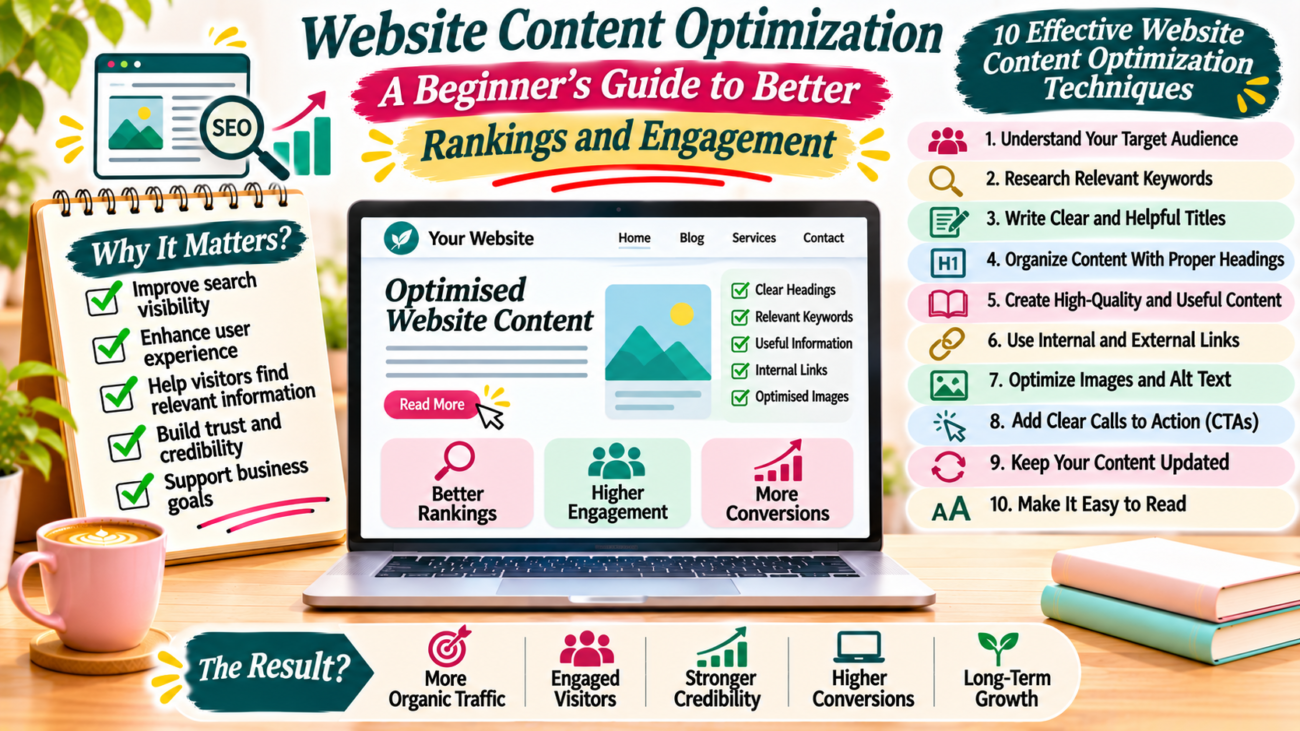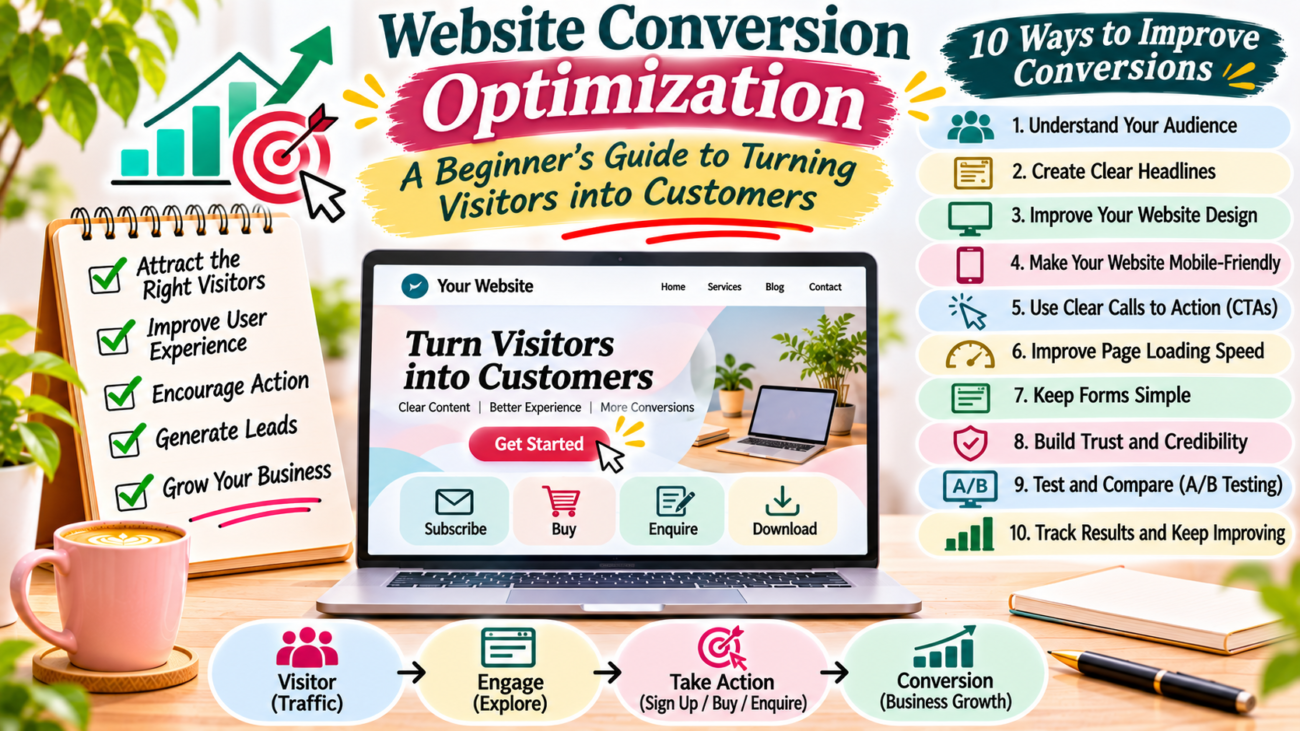

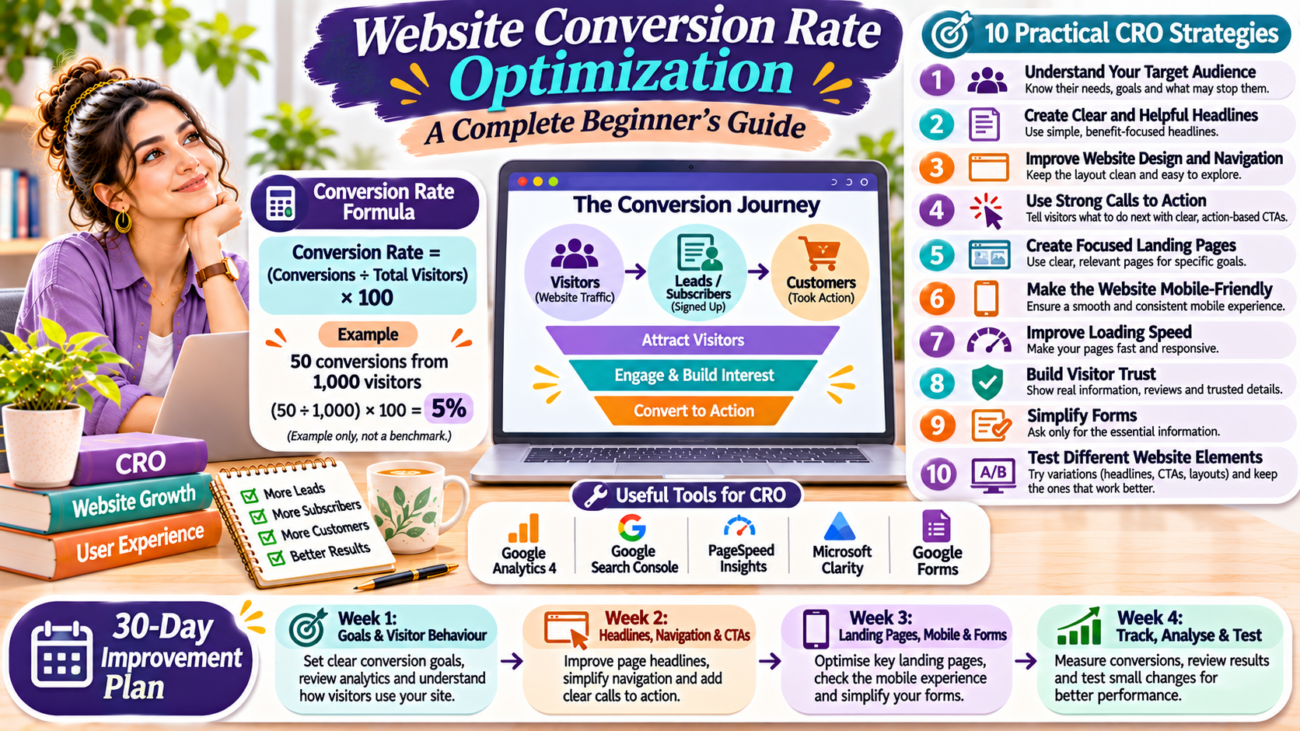
Website conversion rate optimization infographic showing the conversion formula, visitor-to-customer journey, and 10 CRO strategies, including clear headlines, strong calls to action, landing pages, mobile-friendly design, website speed, trust signals, simple forms, and A/B testing.

Website Conversion Rate Optimization: A Complete Beginner’s Guide

Getting visitors to your website is important. However, website traffic alone does not guarantee business growth. You also need visitors to take meaningful actions.

For example, someone may visit your website, read your content, and leave without subscribing, contacting you, or purchasing anything. This means you have attracted a visitor, but you have not achieved your desired result.

This is where website conversion rate optimization becomes important.

Conversion rate optimization helps you improve your website so more visitors complete useful actions. These actions may include filling out a contact form, subscribing to a newsletter, downloading a resource, or purchasing a product.

You do not always need more website traffic to improve results. Sometimes, small changes to your website design, content, navigation, and calls to action can make a difference.

In this beginner-friendly guide, you will learn what conversion rate optimization means, why it matters, and how to improve your website step by step.

What Is Website Conversion Rate Optimization?

Website conversion rate optimization, also known as CRO, is the process of improving a website to increase the percentage of visitors who complete a desired action.

A conversion happens when a visitor takes an action that supports your website’s goal.

For example:

  • A visitor subscribes to your newsletter.
  • Someone fills out your contact form.
  • A customer purchases a product.
  • A reader downloads a free guide.
  • A potential client requests a service quotation.

The desired action depends on your website’s purpose.

A blog may focus on newsletter subscriptions. An online store may focus on purchases. A service website may focus on enquiries and consultation requests.

The main goal is to make it easier for visitors to take the next step.

How to Calculate Your Website Conversion Rate

You can calculate your conversion rate using a simple formula.

Conversion Rate = (Number of Conversions ÷ Total Visitors) × 100

For example, imagine your website receives 1,000 visitors in one month. Out of these visitors, 50 people complete your desired action.

Your conversion rate would be:

(50 ÷ 1,000) × 100 = 5%

<text color=”secondary” size=”xs”>Example calculation, not an industry benchmark.</text>

This calculation helps you understand how effectively your website turns visitors into leads, subscribers, or customers.

However, make sure you compare the same type of data. For example, do not compare conversions with sessions in one report and unique visitors in another without understanding the difference.

Why Is Conversion Rate Optimization Important?

Website conversion rate optimization can help you make better use of your existing website traffic.

Here are some important benefits.

1. Makes Better Use of Website Traffic

Attracting visitors takes time and effort. CRO helps you improve the experience so more visitors have an opportunity to complete your desired actions.

2. Improves User Experience

A clear website layout, useful content, and simple navigation help visitors find information without confusion.

3. Helps Generate More Leads

If you run a service business, a clear contact form and strong call to action can encourage interested visitors to contact you.

4. Supports Business Growth

More relevant enquiries, subscriptions, or purchases can support your business goals.

5. Helps You Understand Visitor Behaviour

Analytics and testing can show which pages work well and where visitors experience difficulties.

10 Practical Website Conversion Rate Optimization Strategies

You do not need to redesign your entire website to begin improving conversions. Start with these practical strategies.

1. Understand Your Target Audience

Before changing your website, understand who visits it and what they need.

Ask yourself:

  • Who is my ideal visitor?
  • What problem are they trying to solve?
  • What information do they expect?
  • What action do I want them to take?
  • What might stop them from taking that action?

For example, visitors to a digital marketing website may want beginner-friendly SEO guides, practical tips, or help with online growth.

If your content does not match their needs, they may leave without exploring further.

Use customer feedback, website analytics, and frequently asked questions to understand your audience.

2. Create Clear and Helpful Headlines

Your headline is one of the first things visitors notice.

It should explain what your page offers and why someone should continue reading.

Avoid confusing or overly general headlines.

For example:

A useful headline tells visitors what they can expect.

You can also add a short supporting sentence that explains the main benefit of your product, service, or content.

3. Improve Your Website Design and Navigation

Visitors should be able to find important information easily.

A confusing layout can make people leave before they discover what you offer.

Improve your website navigation by:

  • Keeping the menu simple.
  • Using clear page names.
  • Making important buttons easy to find.
  • Avoiding unnecessary pop-ups.
  • Using readable fonts.
  • Maintaining consistent design across pages.

For example, a business website may include Home, About, Services, Blog, and Contact pages.

Keep the design clean and focus on helping visitors find the information they need.

4. Use Strong Calls to Action

A call to action, or CTA, tells visitors what to do next.

Examples include:

  • Subscribe to Our Newsletter.
  • Download the Free Guide.
  • Contact Our Team.
  • Explore Our Services.
  • Read the Complete Guide.

Place your CTA where it makes sense within the page.

For example, a blog article about content marketing can include a newsletter subscription invitation near the end.

Use clear wording that explains the next step. Avoid vague phrases that do not tell visitors what will happen after they click.

You can learn more in our supporting article on How to Write Effective Calls to Action (CTA) for Your Website.

5. Create Landing Pages for Specific Goals

A landing page is a page designed around a particular marketing goal.

For example, you may create a landing page to collect newsletter subscribers, promote a free guide, or generate service enquiries.

A useful landing page usually includes:

  • A clear headline.
  • A short explanation of the offer.
  • Relevant benefits.
  • A suitable image or visual.
  • A clear call to action.
  • A simple form, if required.

Avoid adding too many unrelated links or distractions.

The page should help visitors understand the offer and decide whether they want to take the next step.

Read our guide on How to Create a Landing Page That Converts Visitors into Leads.

6. Make Your Website Mobile-Friendly

Many visitors access websites through smartphones.

If your website does not work well on mobile devices, visitors may struggle to read content, click buttons, or complete forms.

Check these important elements:

  • Is the text easy to read?
  • Do images fit the screen?
  • Are buttons large enough to tap?
  • Does the menu work properly?
  • Are forms easy to complete?
  • Does the page load smoothly?

If you use WordPress and Elementor, review your pages using the mobile responsive settings.

Test important pages on an actual smartphone as well.

7. Improve Website Loading Speed

Slow pages can interrupt the browsing experience.

Visitors may leave if a page takes too long to load or important elements do not appear correctly.

Try these improvements:

  • Compress large images.
  • Use modern image formats where suitable.
  • Remove unnecessary plugins.
  • Choose reliable hosting.
  • Use appropriate caching.
  • Reduce unnecessary scripts and animations.

You can check your website with Google PageSpeed Insights.

Remember that website speed is only one part of the user experience. Your content, navigation, and page layout also matter.

8. Build Trust With Your Visitors

People are more likely to take action when they understand who you are and what they can expect.

Your website should provide clear and accurate information.

You can build trust by including:

  • A detailed About page.
  • Accurate business contact details.
  • Clear service descriptions.
  • Transparent pricing, where applicable.
  • Genuine customer reviews, with permission.
  • Relevant examples of your work.
  • A privacy policy and suitable terms.

Never publish fake testimonials, misleading claims, or unsupported results.

If visitors cannot understand who operates your website or how to contact you, they may hesitate to share their information.

9. Make Forms Simple and Easy to Complete

Long forms can discourage visitors from submitting their information.

Only request details that you genuinely need.

For example, a basic contact form may ask for:

  • Name.
  • Email address.
  • Message.

You can request additional information when it is necessary for your service.

Also, use clear field labels and helpful error messages. Make sure visitors know when their form submission is successful.

If you collect personal information, explain how you use it through an appropriate privacy notice.

10. Test Different Website Elements

You should not assume that every website change will improve conversions.

Testing helps you compare different versions and understand what works better.

You can test:

  • Headlines.
  • Button wording.
  • Button placement.
  • Images.
  • Page layouts.
  • Form length.
  • Supporting text.

For example, you could compare two CTA button labels: “Contact Us” and “Request a Consultation”.

Measure the results using the same conversion goal and a consistent method.

Avoid changing many elements at once. Otherwise, it becomes difficult to understand which change affected the results.

Best Free Tools for Website Conversion Rate Optimization

You can begin analysing your website without purchasing expensive tools.

ToolHow It Helps
Google Analytics 4Tracks website activity and conversions
Google Search ConsoleMonitors search performance
Google PageSpeed InsightsChecks website speed and performance
Microsoft ClarityProvides session recordings and heatmaps
Google FormsHelps create simple forms and surveys

Some tools offer additional paid features. Start with the free features that match your requirements.

Common Conversion Rate Optimization Mistakes to Avoid

1. Focusing Only on Website Traffic

More visitors do not automatically mean more customers or leads.

Pay attention to whether visitors complete your desired actions.

2. Using Too Many Pop-Ups

Frequent pop-ups can interrupt visitors and make your website difficult to use.

Use them carefully and avoid blocking important content.

3. Creating Confusing Calls to Action

Visitors should understand what happens when they click a button.

Use direct and meaningful wording.

4. Ignoring Mobile Users

A website that works on a computer may not work equally well on a smartphone.

Always check your mobile layout and forms.

5. Making Changes Without Checking Results

Do not assume that a new design or button will improve performance.

Track results and test changes before deciding what to keep.

A Simple 30-Day Website Conversion Improvement Plan

If you are new to CRO, use this simple plan to organise your work.

WeekTasks
Week 1Identify your website goals and review visitor behaviour
Week 2Improve headlines, navigation, and calls to action
Week 3Review landing pages, mobile design, and contact forms
Week 4Track conversions, test improvements, and review results

Start with one important page rather than changing your entire website at once.

This makes it easier to understand the effect of each improvement.

Website conversion rate optimization helps you turn more of your existing visitors into leads, subscribers, and customers.

You can begin with simple improvements. Understand your audience, write clear headlines, improve navigation, use helpful calls to action, and make your website mobile-friendly.

Also, track visitor behaviour and test changes instead of relying on assumptions.

Remember, every website has different goals and audiences. What works for one website may not work for another.

Start with one important page, identify a problem, and make one useful improvement. Over time, these small steps can help create a better website experience and support your online growth.
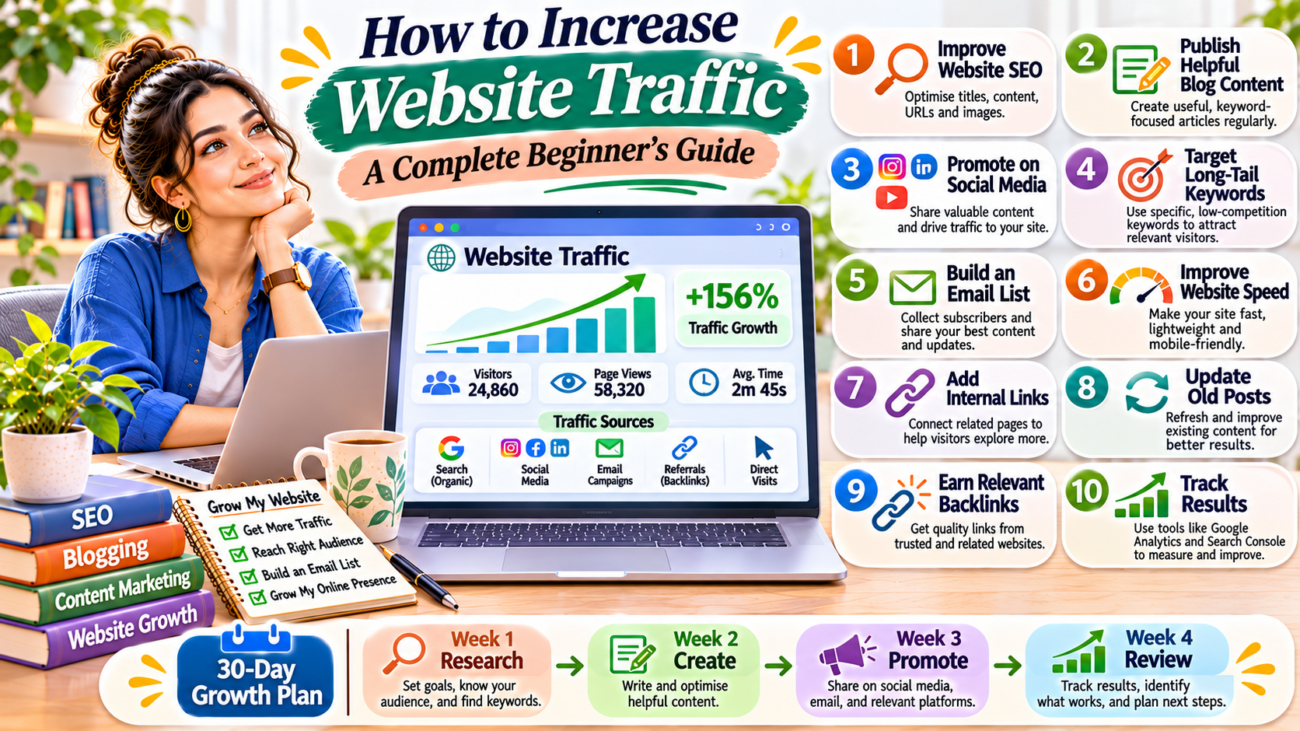
Website traffic growth infographic showing 10 strategies, including SEO, blogging, social media promotion, long-tail keywords, email marketing, website speed, internal linking, content updates, backlinks, and analytics.

How to Increase Website Traffic: A Complete Beginner’s Guide

Building a website is an important first step towards growing your online presence. However, publishing a website does not automatically bring visitors. You also need to help people discover your pages and give them useful reasons to return.

If you are a blogger, freelancer, content creator, or small business owner, website traffic can help you reach more people. It can also create opportunities to build an audience, generate leads, and grow your online business.

The good news is that you do not always need paid advertising to attract visitors. You can use search engine optimisation, content marketing, social media, and email marketing to improve your website visibility.

In this guide, you will learn how to increase website traffic with simple and practical strategies. These methods are suitable for beginners who want to grow their websites gradually.

What Is Website Traffic?

Website traffic refers to the number of visits people make to your website. Each visit represents a session, while one visitor may make several visits over time.

For example, if someone finds your blog through Google and reads an article, that visit contributes to your website traffic.

Website traffic can come from different sources, including:

  • Search engines such as Google.
  • Social media platforms.
  • Direct visits.
  • Email newsletters.
  • Links from other websites.
  • Paid advertisements.

Understanding where your visitors come from helps you identify which marketing activities are working.

Why Is Website Traffic Important?

Website traffic matters because it connects your content, products, or services with potential audiences.

Here are some important benefits.

1. Increases Brand Awareness

More relevant visitors can help more people discover your website and understand what you offer.

2. Helps You Build an Audience

Useful articles and resources can encourage visitors to explore more pages and return for future content.

3. Creates Business Opportunities

For businesses and freelancers, relevant website visitors may become customers, clients, or leads.

4. Supports Content Growth

Traffic data helps you understand which topics attract attention. You can use this information to plan future articles.

5. Helps You Understand Your Audience

Website analytics can show which pages people visit, where they come from, and how they interact with your content.

Remember, traffic quality matters. A smaller audience interested in your topic may be more valuable than a large number of visitors who leave without finding what they need.

How to Increase Website Traffic: 10 Practical Strategies

You do not need to use every marketing channel at once. Start with the strategies that match your website and audience.

1. Improve Your Website SEO

Search engine optimisation is one of the most useful ways to attract organic traffic.

When people search for information related to your website, well-organised and helpful pages have an opportunity to appear in search results.

Start with these SEO practices:

  • Research relevant keywords.
  • Write clear SEO titles.
  • Create useful meta descriptions.
  • Organise articles with headings.
  • Use descriptive URLs.
  • Add relevant internal links.
  • Optimise images.
  • Make your website mobile-friendly.

For example, if you write about digital marketing, create helpful guides around topics your audience searches for.

You can also read our guide on SEO for Beginners to understand the basic optimisation process.

2. Publish Helpful and Consistent Blog Content

Blogging can help your website attract visitors who are looking for answers, ideas, and practical guidance.

However, publishing many articles without a clear purpose may not produce useful results.

Instead, focus on creating content that solves real problems.

Follow these steps:

  1. Understand your target audience.
  2. Research topics they want to learn about.
  3. Choose a relevant primary keyword.
  4. Create a clear article structure.
  5. Write useful and original information.
  6. Add relevant examples and resources.
  7. Review and update the article when needed.

For example, a website about blogging can publish articles about content planning, blog writing, keyword research, and website growth.

You can also connect related articles through internal links. This encourages readers to explore more of your website.

3. Use Social Media to Promote Your Website

Social media platforms can help you reach people who may not discover your website through search engines.

Choose platforms that match your audience and content style.

For example:

  • Instagram: Share educational posts, carousels, and visual tips.
  • Facebook: Participate in relevant communities and share useful resources.
  • LinkedIn: Publish professional insights and industry-related articles.
  • Pinterest: Share visual content that links to relevant blog posts.

Do not simply post a website link without context. Give people a reason to click.

For example, if you publish an article about keyword research, create a short post explaining one useful keyword research tip. Then invite readers to visit the full guide.

For more ideas, read our upcoming guide on Driving Website Traffic Using Social Media.

4. Focus on Long-Tail Keywords

Long-tail keywords are specific search phrases that usually contain more detail than broad keywords.

For example:

  • Broad keyword: Website traffic.
  • Long-tail keyword: How to increase website traffic for a new blog.

Specific search phrases can help you understand what information people want.

Use keyword research tools and Google search suggestions to discover relevant topics.

When selecting keywords, check their relevance, search intent, and competition. Then create content that answers the searcher’s question.

Our guide on how keyword research works explains this process in more detail.

5. Build an Email Subscriber List

Email marketing gives you a direct way to communicate with people who choose to receive updates from your website.

You can use email newsletters to share:

  • New blog articles.
  • Useful resources.
  • Practical tips.
  • Website updates.
  • Helpful guides.

Start by adding a simple newsletter subscription form to your website.

Offer a useful resource, such as a checklist or beginner’s guide, if it genuinely helps your audience.

Always obtain permission before sending marketing emails. Include a clear unsubscribe option and follow applicable email privacy rules.

6. Improve Your Website Loading Speed

A website that loads slowly can create a poor browsing experience.

Visitors may leave before they find the information they need.

You can improve website performance by:

  • Compressing images.
  • Using reliable hosting.
  • Choosing a lightweight theme.
  • Removing unnecessary plugins.
  • Enabling suitable caching.
  • Reducing unnecessary scripts and animations.

Use Google PageSpeed Insights to check your website and explore improvement suggestions.

A faster website supports a smoother user experience, although speed improvements alone do not guarantee higher search rankings.

7. Use Internal Linking

Internal links connect different pages on your website.

They help visitors discover related content and make your website easier to navigate.

For example, an article about website traffic can link to:

  • SEO for beginners.
  • Keyword research.
  • On-page SEO.
  • Content marketing strategies.

Use descriptive anchor text so readers understand what the linked page covers.

Do not add links randomly. Each internal link should provide useful additional information.

8. Update Old Blog Posts

You do not always need to publish a new article to improve your website.

Sometimes, updating existing content can be a useful way to maintain quality and relevance.

Review older articles and check:

  • Are the facts still correct?
  • Are any links broken?
  • Can you add more useful examples?
  • Are the images still relevant?
  • Does the article answer the searcher’s question?
  • Can you improve the title or introduction?

Use Google Search Console to identify pages that receive search impressions or clicks. Prioritise updates based on relevance and performance.

Do not change dates or rewrite content without making meaningful improvements.

9. Build Relevant Backlinks

A backlink is a link from another website to your website.

Relevant backlinks can help people discover your content and may contribute to your website’s reputation.

You can work towards earning backlinks by:

  • Publishing original research.
  • Creating useful guides.
  • Writing guest articles for relevant websites.
  • Building relationships with other creators.
  • Sharing helpful resources with industry websites.

Focus on relevance and quality. Avoid buying spammy links or participating in link schemes.

10. Track Website Traffic and Improve Your Strategy

You cannot improve your marketing strategy effectively if you never review the results.

Use analytics tools to understand how people discover and use your website.

Two useful tools are:

Google Search Console: Shows search queries, clicks, impressions, and information about how your website performs in Google Search.

Google Analytics 4: Helps you understand website visitors, traffic sources, and user activity.

Review your results regularly.

Look for:

  • Pages attracting organic traffic.
  • Articles receiving search impressions.
  • Social platforms sending visitors.
  • Pages that need improvement.
  • Content topics that interest your audience.

Use these insights to decide what to create or update next.

Best Free Tools to Increase Website Traffic

You can start improving your website without purchasing expensive marketing tools.

ToolHow It Helps
Google Search ConsoleMonitors organic search performance
Google Analytics 4Tracks website visitors and traffic sources
Google TrendsExplores interest in different topics
Google Keyword PlannerFinds keyword ideas
Google PageSpeed InsightsChecks website performance
CanvaHelps create social media graphics
MailchimpSupports email marketing and newsletters

Some tools offer paid plans or limited free features. Choose tools based on your actual requirements.

Common Mistakes That Can Limit Website Traffic

While trying to grow a website, beginners often make mistakes that waste time and effort.

1. Publishing Without Keyword Research

Writing about random topics may make it difficult to reach your intended audience.

Research relevant topics before creating new articles.

2. Ignoring Social Media Promotion

Publishing a blog post is only one part of content marketing. Share useful content through channels where your audience spends time.

3. Focusing Only on Traffic Numbers

A high number of visits does not always mean success. Pay attention to relevant visitors, engagement, leads, and other goals.

4. Expecting Instant Results

SEO and content marketing usually require consistent effort. Rankings and traffic can change over time.

5. Ignoring Website Performance

A difficult-to-use website may discourage visitors from exploring more pages.

Check mobile usability, loading performance, and navigation regularly.

A Simple 30-Day Website Traffic Growth Plan

If you are a beginner, follow this simple plan to organise your first month of work.

TimeTasks
Week 1Review your website, understand your audience, and research keywords
Week 2Publish useful content and improve existing blog posts
Week 3Share articles on relevant social media platforms and add internal links
Week 4Review Google Search Console and Analytics data, then plan improvements

You do not need to complete every task perfectly. The important thing is to build a consistent routine.

Growing website traffic takes time, planning, and regular improvement. You need to help people discover your website and provide information that is worth reading.

Start with SEO and useful blog content. Then promote your articles through social media, build an email audience, improve website performance, and track your results.

Most importantly, focus on attracting the right visitors rather than chasing traffic numbers alone.

Every website grows differently. Test your strategies, learn from your analytics, and improve your content based on what your audience needs.

Start today by choosing one important article on your website and improving its SEO, content, and internal links.

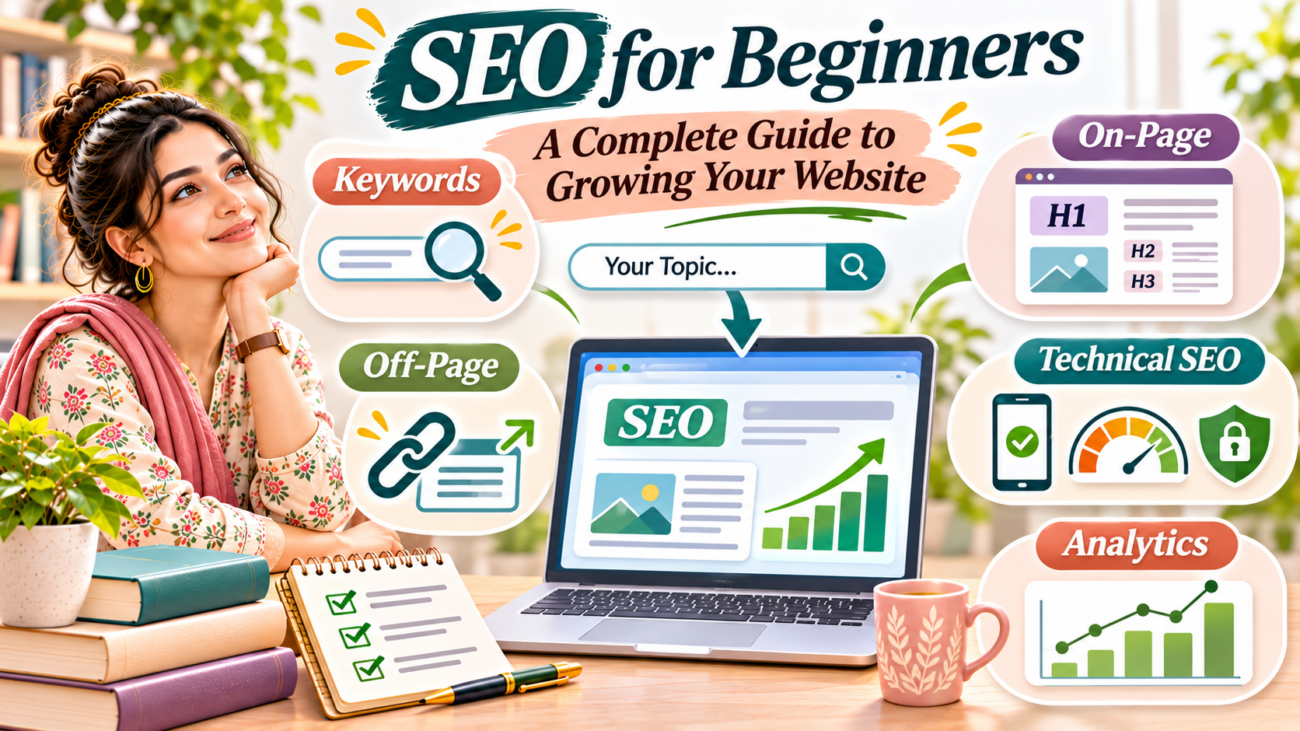
SEO for beginners infographic illustrating keyword research, on-page SEO, off-page SEO, technical SEO, website analytics and strategies to grow website visibility.

SEO for Beginners: A Complete Guide to Growing Your Website

Have you ever wondered why some websites appear on the first page of Google while others remain difficult to find? The answer often lies in Search Engine Optimization, also known as SEO.

If you have a website or blog, SEO can help more people discover your content. It improves your chances of appearing in search results when people look for information, products, or services related to your topic.

However, SEO can feel confusing when you are just starting. There are many terms, tools, and techniques to understand. The good news is that you do not need advanced technical knowledge to begin.

This SEO for beginners guide explains the basics in simple language. You will learn how search engines work, how to choose keywords, how to optimise your website, and how to measure your progress.

What Is SEO?

Search Engine Optimization (SEO) is the process of improving a website so that search engines can understand its content and show it to people searching for relevant information.

For example, imagine you write a blog post about starting a blog. Someone searches Google for “how to start a blog for beginners”. If your article is useful, relevant, and properly optimised, it may appear in the search results.

SEO helps your website attract organic traffic. Organic traffic means visitors who find your website through unpaid search results.

SEO does not guarantee a first-page ranking. Instead, it helps search engines understand your website and improves the opportunity for your content to reach the right audience.

Why Is SEO Important for Your Website?

SEO is important because it helps people find your website without depending only on paid advertisements or social media promotion.

Here are some key benefits:

1. Increases Website Visibility

SEO helps your pages appear in relevant search results. When people search for topics related to your content, your website has an opportunity to reach them.

2. Brings Organic Traffic

Organic traffic comes from unpaid search results. By creating useful content and targeting relevant keywords, you can attract visitors who are already interested in your topic.

3. Builds Trust and Credibility

People often use search engines to find reliable information. Helpful content, clear website information, and a good user experience can help build trust with visitors.

4. Supports Long-Term Growth

A useful article can continue attracting visitors after publication. Although rankings can change, well-maintained content may bring traffic over a long period.

5. Improves User Experience

Good SEO also involves making your website easy to navigate, mobile-friendly, and quick to use. These improvements help visitors find information more comfortably.

How Do Search Engines Work?

Before learning SEO techniques, it is useful to understand how search engines discover and display web pages.

Search engines such as Google generally follow three main stages.

1. Crawling

Search engines use automated programs called crawlers to discover pages across the internet. They follow links and find new or updated content.

2. Indexing

After discovering a page, a search engine may analyse its content and store information about it in an index. This helps the search engine retrieve the page when someone searches for a related topic.

3. Ranking

When a person enters a search query, the search engine organises relevant pages to provide useful results. It considers many factors, including relevance, content quality, usability, and other signals.

Remember, crawling and indexing do not guarantee that a page will appear prominently in search results.

You can learn more from Google Search Central.

Types of SEO You Should Know

SEO includes several areas. Beginners should understand these three main types.

1. On-Page SEO

On-page SEO means improving the content and elements within your website pages.

Important on-page SEO practices include:

  • Using a relevant focus keyphrase.
  • Writing clear SEO titles and meta descriptions.
  • Creating useful headings.
  • Organising content into short paragraphs.
  • Adding descriptive image alt text.
  • Linking to relevant pages on your website.
  • Using descriptive URLs.

For example, if your article is about content writing, use that topic naturally in the title, introduction, headings, and relevant sections.

2. Off-Page SEO

Off-page SEO includes activities outside your website that can help build its reputation and authority.

Some common practices include:

  • Earning relevant backlinks from trustworthy websites.
  • Creating useful content that others want to reference.
  • Building professional relationships within your industry.
  • Sharing your content through relevant communities.

A backlink is a link from another website to your website. However, quality and relevance matter more than simply collecting a large number of links.

Avoid buying spammy backlinks or participating in link schemes.

3. Technical SEO

Technical SEO focuses on helping search engines access, crawl, and understand your website.

Important areas include:

  • Website loading speed.
  • Mobile-friendly design.
  • Secure HTTPS connection.
  • XML sitemap.
  • Clear website structure.
  • Proper indexing settings.
  • Fixing broken links and technical errors.

You do not need to master every technical detail immediately. Start with the basic checks and improve your website gradually.

How to Start SEO: 8 Simple Steps for Beginners

Now that you understand the basics, follow these practical steps to begin improving your website.

Step 1: Understand Your Target Audience

First, identify the people you want to reach.

Think about their interests, questions, problems, and goals. This will help you create content that matches what they are looking for.

For example, if your website focuses on blogging and digital marketing, your audience may include students, beginner bloggers, freelancers, and small business owners.

Try to understand:

  • What information do they search for?
  • What problems do they want to solve?
  • Which topics are relevant to them?
  • What type of content would help them?

When you understand your audience, choosing topics and keywords becomes easier.

Step 2: Learn Keyword Research

Keyword research is the process of finding the words and phrases people enter into search engines.

For example, someone interested in blogging may search for:

  • How to start a blog.
  • Blogging tips for beginners.
  • How to write a blog post.
  • Best blogging platforms.

These phrases can help you understand what your audience wants to learn.

Start with these simple methods:

  1. Write down topics related to your website.
  2. Search for those topics on Google.
  3. Observe Google’s autocomplete suggestions.
  4. Check the related searches at the bottom of the results page.
  5. Use keyword research tools to explore search terms.

Choose keywords that match your content and audience. Do not select a keyword only because it appears to have high search volume.

Read our supporting guide: How Does Keyword Research Work? A Beginner’s Guide.

Step 3: Create Helpful and Original Content

Content plays an important role in SEO. Your website should provide information that genuinely helps visitors.

Before writing an article, understand the search intent. Search intent means the reason behind a person’s search.

For example:

  • Informational intent: “What is SEO?”
  • Navigational intent: “Google Search Console login”
  • Commercial investigation: “Best SEO tools for beginners”
  • Transactional intent: “Buy SEO software”

Create content that answers the searcher’s question clearly.

Follow these writing tips:

  • Use a clear and informative title.
  • Start with an introduction that explains the topic.
  • Divide the article into useful sections.
  • Include relevant examples.
  • Avoid unnecessary repetition.
  • Update information when needed.

Helpful content should be written for people first, not just for search engines.

Step 4: Optimise Your Website Pages

Once you create content, optimise the important page elements.

Pay attention to these areas:

SEO Title: Write a clear title that explains what the page covers. Include your main keyphrase naturally.

Meta Description: Add a short summary that encourages people to visit your page. It should accurately describe the content.

URL Slug: Keep your URL short, readable, and relevant to the topic.

Headings: Use one main H1 heading and organise sections with H2 and H3 headings.

Images: Use relevant images and descriptive alt text. Compress images to avoid unnecessarily large file sizes.

Internal Links: Link to other relevant pages on your website to help readers discover more information.

These small improvements make your content easier to understand for both visitors and search engines.

Step 5: Improve Your Website Structure

A clear website structure helps visitors find information easily.

Organise your website into relevant categories and topics. For example, a digital marketing website may have these main categories:

  • Content Writing & Blogging
  • SEO & Website Growth
  • Digital Marketing & Social Media
  • Online Income & Freelancing

Create relevant links between related articles. Your main guides can connect to supporting articles, while supporting articles can link back to the main guide.

This approach creates a useful internal linking structure and helps visitors explore related information.

Step 6: Make Your Website Mobile-Friendly

Many people browse websites using smartphones. Therefore, your website should work properly on different screen sizes.

Check the following:

  • Text should be easy to read.
  • Buttons should be easy to tap.
  • Images should fit the screen.
  • Menus should work correctly.
  • Pages should not require unnecessary horizontal scrolling.

If you use WordPress and Elementor, preview your pages on desktop, tablet, and mobile before publishing.

Step 7: Improve Website Speed

A slow website can make visitors leave before they find the information they need.

You can improve website performance by:

  • Compressing images.
  • Using a reliable hosting provider.
  • Removing unnecessary plugins.
  • Choosing a lightweight theme.
  • Using caching where appropriate.
  • Reducing unnecessary scripts and animations.

You can test your website using Google PageSpeed Insights.

Check the recommendations and fix the most important issues first.

Step 8: Track Your SEO Performance

SEO is an ongoing process. You should regularly check how your website performs.

Two useful free tools are:

Google Search Console: Helps you understand how your website appears in Google Search. You can check search queries, clicks, impressions, indexing information, and certain website issues.

Google Analytics 4: Helps you understand how visitors interact with your website, including traffic sources and user activity.

Review your results regularly. Look for pages that receive impressions but few clicks, articles that attract visitors, and topics that may need improvement.

Best Free SEO Tools for Beginners

You do not need to purchase expensive software when you are starting. Several free tools can help you understand and improve your website.

SEO ToolHow It Helps
Google Search ConsoleMonitors search performance and indexing
Google Analytics 4Tracks website traffic and user activity
Google TrendsExplores interest in search topics
Google Keyword PlannerHelps research keyword ideas
PageSpeed InsightsChecks website performance
Yoast SEOProvides on-page SEO and readability guidance for WordPress

Each tool has a different purpose. Start with Google Search Console and Google Analytics, then explore other tools as your needs grow.

Common SEO Mistakes Beginners Should Avoid

Learning SEO also means understanding what not to do. Avoid these common mistakes:

1. Keyword Stuffing

Repeating the same keyword too many times can make your article difficult to read. Use your keyphrase naturally and include related terms where they make sense.

2. Publishing Thin Content

Short content is not automatically bad. However, a page that does not answer the reader’s question may provide little value. Focus on usefulness rather than writing only to reach a word count.

3. Ignoring Mobile Users

A website that works poorly on smartphones can create a frustrating experience. Always check your pages on mobile devices.

4. Forgetting Internal Links

Internal links help visitors discover related content. Add relevant links naturally within your articles.

5. Expecting Instant Results

SEO takes time. Search engines need to discover and understand your pages, and rankings can change. Focus on consistent improvements instead of expecting overnight success.

6. Copying Content from Other Websites

Publishing copied content does not help you build a valuable website. Create original, useful content and add your own explanations, examples, and insights.

A Simple 30-Day SEO Plan for Beginners

If you are unsure where to start, use this simple 30-day plan.

TimeSEO Tasks
Week 1Understand your audience, review your website, and research keywords
Week 2Optimise important pages, titles, descriptions, and headings
Week 3Publish helpful content, add images, and improve internal links
Week 4Set up or review Google Search Console, check performance, and identify improvements

You do not need to complete every task perfectly. The goal is to build a consistent SEO routine and improve your website step by step.

SEO may seem complicated at first, but beginners can learn it by focusing on the basics. Start by understanding your audience, researching relevant keywords, and publishing helpful content.

Next, improve your website pages, create a clear structure, and make sure your website works well on mobile devices. Use tools such as Google Search Console and Google Analytics to understand your progress.

Most importantly, remember that SEO is not about tricking search engines. It is about helping people find useful information.

Start with small improvements, stay consistent, and keep learning. Over time, these efforts can help your website build visibility and attract more relevant visitors.

Your next step: Learn how keyword research works and use it to plan your next blog post.

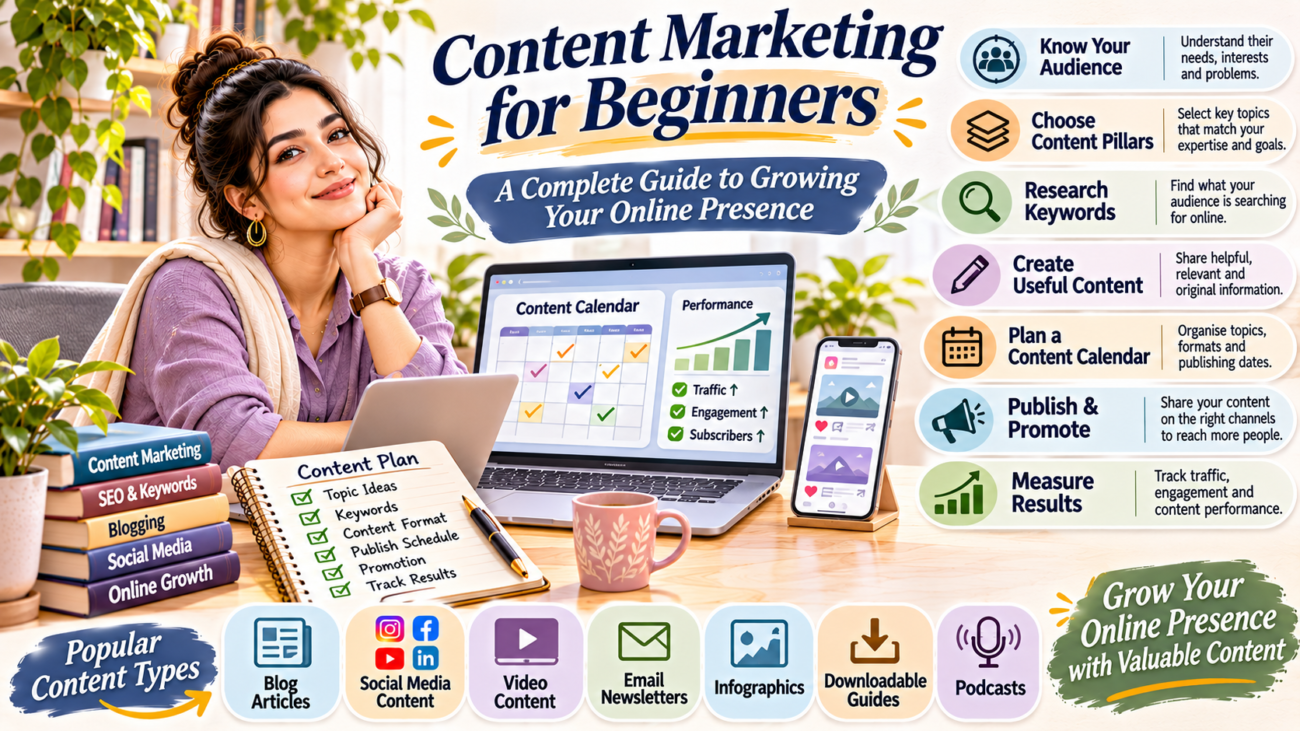
Content marketing for beginners infographic showing audience research, content pillars, keyword research, content creation, content calendar, promotion, performance tracking and popular content formats.

Content Marketing for Beginners: A Complete Guide to Growing Your Online Presence

Content marketing for beginners is one of the best ways to attract an audience, build trust, and grow your online presence. Whether you are a blogger, freelancer, student, content creator, or small business owner, useful content can help people discover your work and understand what you offer.

Today, people search online for answers, ideas, products, and services. They read blog posts, watch videos, explore social media pages, and subscribe to newsletters. This creates an opportunity for individuals and businesses to connect with their audience through valuable information.

However, successful content marketing is not just about publishing posts every day. You need to understand your audience, choose the right content formats, plan your topics, and measure your results.

If you are new to this field, do not worry. This guide explains content marketing for beginners in simple steps and shows you how to create a practical strategy for long-term growth.

What Is Content Marketing?

Content marketing is a digital marketing approach that involves creating and sharing useful, relevant, and consistent content to attract and engage a specific audience.

Instead of directly asking people to buy something, you provide information that helps them understand a topic, solve a problem, or make a decision.

For example:

  • A blogger publishes articles about writing and blogging.
  • A digital marketer shares SEO tips and tutorials.
  • A fitness business creates educational videos about exercise.
  • A small business publishes guides about its products.
  • A freelancer shares project examples and professional advice.

Each example uses content to connect with people and build trust.

Content marketing can include blog articles, social media posts, videos, podcasts, newsletters, infographics, and downloadable guides.

The main purpose is to provide value while gradually building a relationship with your audience.

Why Is Content Marketing Important?

Content marketing can support your online growth in several ways. It helps people discover your brand and gives them useful reasons to return.

1. Builds Trust and Credibility

People are more likely to trust a brand that regularly shares helpful information.

For example, if you publish practical blogging tips, readers may begin to recognise your website as a useful learning resource.

Over time, valuable content can strengthen your reputation.

2. Improves Website Visibility

Publishing useful articles can help search engines understand the topics covered by your website.

When your content matches what people are searching for, it may appear in relevant search results.

However, search rankings are not guaranteed. Content quality, relevance, competition, and website performance also matter.

3. Attracts the Right Audience

Content allows you to reach people who are already interested in your subject.

For example, a guide about starting a blog can attract beginners who want to create their own websites.

This makes it easier to connect with an audience that has a genuine interest in your work.

4. Supports Business Growth

Businesses can use content to explain their services, answer customer questions, and demonstrate product value.

Helpful articles, videos, and case studies can support customers as they research different options.

5. Creates Long-Term Value

A useful blog post can continue attracting visitors after its publication.

Similarly, an educational video or downloadable guide may remain useful for a long time.

This makes content a valuable part of a long-term digital marketing plan.

7 Popular Types of Content Marketing

There is no single content format that works for everyone. Choose formats that match your skills, audience, and marketing goals.

1. Blog Articles

Blogging is one of the most common forms of content marketing.

You can publish tutorials, beginner guides, product explanations, industry insights, and problem-solving articles.

For example, a digital marketing website can publish topics such as:

  • SEO tips for beginners.
  • How to write a blog post.
  • Social media marketing strategies.
  • Blogging tools for new writers.

Blog articles can also support your website’s SEO strategy.

2. Social Media Content

Social media helps you share information and communicate directly with your audience.

You can create:

  • Educational posts.
  • Informative carousels.
  • Short videos.
  • Industry updates.
  • Behind-the-scenes content.
  • Questions and polls.

Choose platforms based on your audience. For example, LinkedIn can support professional content, while Instagram can be useful for visual storytelling.

3. Video Content

Videos can explain topics in a visual and engaging way.

You can create tutorials, demonstrations, product explanations, interviews, or short educational videos.

For beginners, a smartphone and a simple recording setup may be enough to get started.

Focus on clear information rather than expensive equipment.

4. Email Newsletters

Email newsletters allow you to share information directly with subscribers.

You can send new blog articles, useful tips, business updates, resources, and announcements.

Unlike social media followers, an email list gives you a direct communication channel with people who have chosen to receive your messages.

Always get permission before sending marketing emails.

5. Infographics

Infographics present information through images, short text, charts, and visual explanations.

They are useful when you want to explain processes, comparisons, statistics, or step-by-step information.

For example, you can create an infographic showing the basic steps of keyword research.

6. E-books and Downloadable Guides

E-books, checklists, templates, and worksheets provide detailed information in a downloadable format.

You can use them to help your audience learn a topic in more depth.

For example, a blogger could create a free beginner’s checklist for starting a website.

7. Podcasts

Podcasts allow you to share information through audio.

You can discuss industry topics, interview professionals, answer questions, or share personal experiences.

Podcasts may be useful if your audience enjoys listening while travelling, working, or completing other activities.

How to Create a Content Marketing Strategy Step by Step

Creating content without a plan can waste time and make your marketing activities inconsistent.

A simple content marketing strategy helps you decide what to publish, who you want to reach, and how to measure success.

Step 1: Set Clear Content Marketing Goals

Start by deciding what you want your content to achieve.

Your goals may include:

  • Increasing website traffic.
  • Improving brand awareness.
  • Growing social media engagement.
  • Generating business enquiries.
  • Building an email subscriber list.
  • Attracting freelance clients.
  • Educating your audience.

Choose one or two main goals when you begin.

For example, a new blog may focus on increasing relevant website traffic and building an email subscriber list.

Clear goals make it easier to select the right content and track progress.

Step 2: Understand Your Target Audience

Your target audience is the group of people you want to reach through your content.

Learn about their interests, needs, challenges, and questions.

For example, a website about blogging and digital marketing may target:

  • Beginner bloggers.
  • Students.
  • Freelancers.
  • Content writers.
  • Small business owners.
  • Digital creators.

Think about the questions these people ask online.

You can discover content ideas by reviewing search suggestions, relevant online communities, comments, and customer questions.

When you understand your audience, you can create content that solves real problems.

Step 3: Choose Your Main Content Topics

Select a few main topics that match your website or brand.

These topics are often called content pillars.

For example, a digital marketing website may focus on:

  1. Content Writing and Blogging.
  2. SEO and Website Growth.
  3. Digital Marketing and Social Media.
  4. Online Income and Freelancing.

Each pillar can contain several related articles.

This structure helps you organise your website and create useful internal links between related posts.

Step 4: Research Keywords and Content Ideas

Keyword research helps you understand what people search for online.

Start with broad topics and explore specific questions related to them.

For example, under content marketing, people may search for:

  • Content marketing for beginners.
  • How to create a content marketing strategy.
  • Content marketing ideas for small businesses.
  • How to measure content marketing results.
  • Best content formats for beginners.

You can use tools such as:

Choose topics based on audience needs, search intent, and your ability to provide useful information.

Step 5: Select the Right Content Formats

Different topics work better with different formats.

For example:

Content TopicSuitable Format
Beginner SEO tipsBlog article or carousel
Product demonstrationVideo
Industry updatesSocial media post
Step-by-step tutorialBlog or video
Quick comparisonInfographic
Weekly tipsEmail newsletter

You do not need to create every type of content.

Start with one main format, such as blog articles, and repurpose selected information into social media posts or short videos.

Step 6: Create a Content Calendar

A content calendar helps you plan your publishing schedule.

It also prevents last-minute confusion and makes it easier to maintain consistency.

Your calendar can include:

  • Content title.
  • Target keyword.
  • Content format.
  • Publishing date.
  • Main platform.
  • Content status.
  • Assigned tasks.

For example:

DayContent Activity
MondayPublish a blog article
TuesdayShare an educational social media post
WednesdayResearch new content ideas
ThursdayShare a useful tip or infographic
FridayReview content performance

Adjust this schedule according to your time and resources.

A realistic schedule is better than a plan that becomes difficult to maintain.

Step 7: Publish and Promote Your Content

Publishing an article is only one part of content marketing.

You also need to help people discover it.

You can promote your content through:

  • Social media profiles.
  • Email newsletters.
  • Relevant online communities.
  • Professional networks.
  • Internal links from related articles.
  • Your website’s homepage or resource pages.

Avoid sharing irrelevant promotional messages in communities. Always follow platform rules and provide value.

Step 8: Measure and Improve Your Results

Review your content performance to understand what works.

Useful measurements depend on your goals.

For example, if an article receives search impressions but very few clicks, you may need to improve its title or description. If a social media topic receives meaningful engagement, you can explore related content ideas.

How to Create Content That Your Audience Wants to Read

Good content starts with understanding your reader.

Follow these practical tips:

Solve a Real Problem

Choose topics that answer genuine questions. Do not publish articles simply to fill your website.

Use Simple Language

Write in a way that your audience can understand. Explain technical terms when necessary.

Make Content Easy to Read

Use descriptive headings, short paragraphs, lists, and relevant examples.

Provide Useful Information

Give readers practical steps, clear explanations, and relevant resources.

Keep Information Updated

Review older articles and update information when tools, platforms, or recommendations change.

Add a Clear Next Step

At the end of your content, guide readers towards a relevant action. They may explore another article, subscribe to your newsletter, or contact your business.

Common Content Marketing Mistakes Beginners Should Avoid

Even a simple content strategy can become ineffective if you make common mistakes.

1. Publishing Without a Clear Goal

Random content makes it difficult to measure progress. Decide what each piece of content should achieve.

2. Ignoring Audience Needs

Do not focus only on topics you want to discuss. Consider what your readers actually need to learn.

3. Trying to Use Every Platform

Managing too many channels can reduce content quality and consistency. Start with the platforms that matter most to your audience.

4. Focusing Only on Promotion

If every post promotes a product or service, people may lose interest. Balance promotional content with helpful information.

5. Ignoring SEO

If you publish blog articles, use relevant keywords, descriptive headings, useful internal links, and clear page titles.

6. Not Reviewing Performance

Without reviewing results, you may continue creating content that does not support your goals. Check your progress and make changes when needed.

A Simple 30-Day Content Marketing Plan for Beginners

If you are starting from zero, use this beginner-friendly plan.

TimelineActivities
Week 1Set goals, identify your audience, and select your main content topics.
Week 2Research keywords, prepare content ideas, and create a content calendar.
Week 3Publish useful content and share it on relevant platforms.
Week 4Review performance, identify successful topics, and plan improvements.

You do not need to publish every day. Focus on creating useful content that you can maintain consistently.

Content marketing for beginners does not need to be complicated. Start by understanding your audience, choosing clear goals, and creating content that solves real problems.

Start small, keep learning, and improve your strategy with every piece of content you publish.

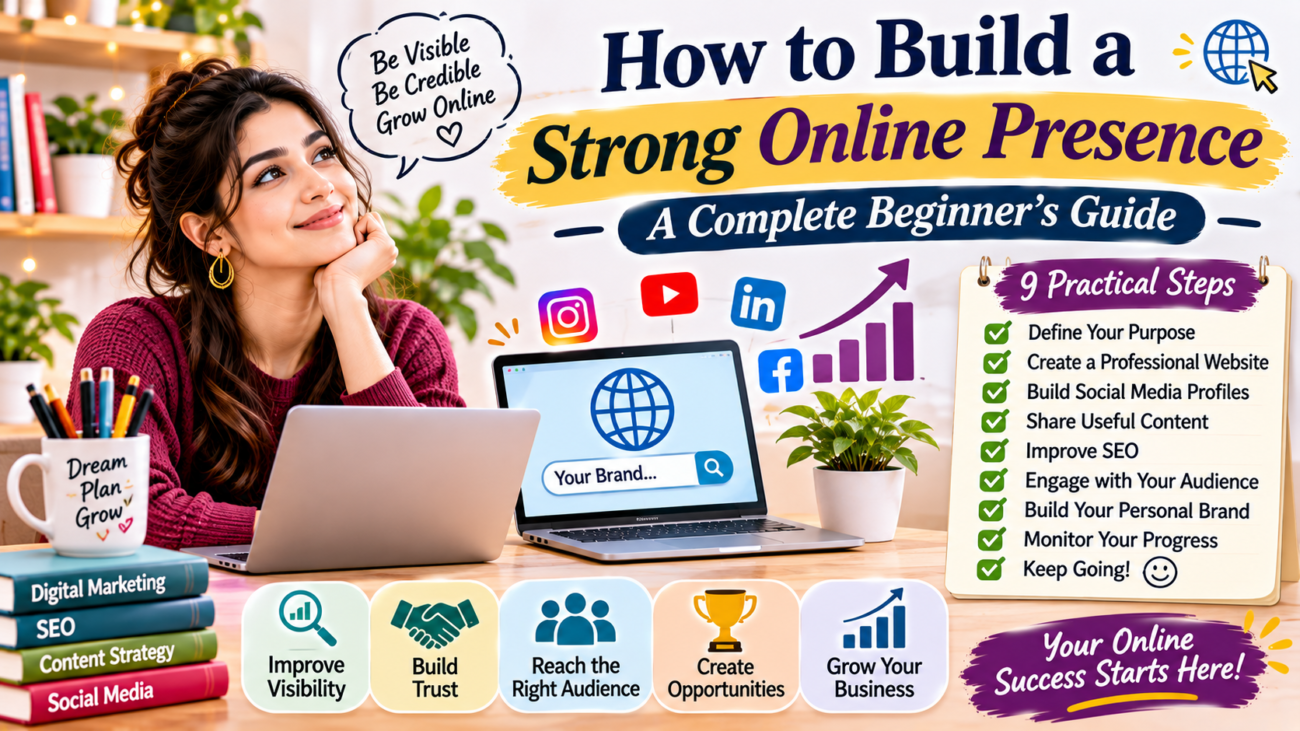
How to build a strong online presence through website development, social media marketing, content creation, SEO, email marketing, audience engagement and performance tracking.

How to Build a Strong Online Presence: A Complete Beginner’s Guide

Building a strong online presence is one of the best ways to grow your personal brand, business, or professional career. Today, people search online before choosing a service, buying a product, or connecting with a professional. Therefore, having a website and active social media profiles can help people discover and trust you.

However, creating an online presence is not just about opening social media accounts. You need a clear strategy, useful content, search engine optimisation, and regular communication with your audience.

If you are a beginner, do not worry. You can start with simple steps and improve your digital presence over time. This guide explains how to build a strong online presence and create a reliable foundation for long-term online growth.

What Does It Mean to Build a Strong Online Presence?

An online presence refers to how you, your brand, or your business appears on the internet. It includes your website, social media accounts, blog posts, business listings, and other digital platforms.

For example, when someone searches for your name or business, they may find your website, LinkedIn profile, Instagram page, or published articles. These results create an impression of your identity and credibility.

A strong online presence makes it easier for people to:

  • Discover your brand or business.
  • Understand your products and services.
  • Read your content and learn from your experience.
  • Contact you for professional opportunities.
  • Build trust before making a decision.

In simple words, your online presence helps people understand who you are and what you offer.

Why Is Building a Strong Online Presence Important?

Having a strong digital presence can create several opportunities. Whether you are a student, freelancer, blogger, creator, or business owner, it helps you connect with the right audience.

1. Improves Online Visibility

A website and well-maintained social media profiles make it easier for people to find you. When you publish useful content and follow basic SEO practices, your pages may also appear in relevant search results.

2. Builds Trust and Credibility

People often check websites and social media profiles before contacting a professional or business. A complete profile, helpful information, and consistent branding can create a positive impression.

3. Creates Professional Opportunities

A good digital presence can help freelancers attract clients, students showcase their skills, and professionals connect with employers.

4. Supports Business Growth

Businesses can use websites, social media, email marketing, and search engines to reach potential customers. These platforms also help them communicate with existing customers.

5. Gives You Long-Term Control

Social media platforms can change their rules and reach. However, your website and email list give you more control over your content and audience relationships.

9 Steps to Build a Strong Online Presence

You do not need to use every digital platform immediately. Instead, start with the basics and follow these practical steps.

Step 1: Define Your Online Goals and Target Audience

Before creating a website or social media account, decide what you want to achieve.

For example, your goal may be to:

  • Build a personal brand.
  • Promote a small business.
  • Find freelance clients.
  • Share educational content.
  • Grow a blog.
  • Showcase your professional skills.

Next, identify your target audience. Think about their interests, problems, needs, and online habits.

For example, a beginner-friendly digital marketing blog may target students, freelancers, bloggers, and small business owners.

When you understand your audience, you can create content that answers their questions. As a result, your online activities become more focused.

Step 2: Create a Professional Website

A website is one of the most important parts of a strong online presence. It acts as your central digital platform where visitors can learn about you, explore your content, and contact you.

Your website should include important pages such as:

  • Home: Introduce your website, brand, or business.
  • About: Explain who you are and what you do.
  • Services: Describe the services you offer, if applicable.
  • Blog: Share useful articles and information.
  • Contact: Provide a simple way for visitors to reach you.

Choose a domain name that is easy to remember. Also, use a clean design that works well on mobile devices.

You do not need an expensive website to begin. A simple, organised, and helpful website is a good starting point.

If you want to learn more, read our guide on How to Create a Professional Website for Your Online Presence.

Step 3: Build Your Personal Brand on Social Media

Social media helps you connect with people and share your work. However, you do not need to create an account on every platform.

Choose platforms according to your audience and goals.

For example:

  • Instagram: Useful for visual content, creators, and lifestyle brands.
  • Facebook: Helpful for communities, local businesses, and customer communication.
  • LinkedIn: Suitable for professionals, freelancers, and B2B networking.
  • YouTube: Useful for tutorials, educational videos, and long-term video content.
  • Pinterest: Helpful for visual discovery, blogging, and creative ideas.

Keep your profile information consistent. Use a clear profile picture, a suitable username, and a short description of what you offer.

Share content regularly and respond to comments. Most importantly, focus on building genuine relationships rather than collecting followers.

Explore our related guide: How to Build Your Personal Brand on Social Media.

Step 4: Create Valuable and Helpful Content

Content gives people a reason to visit your website and follow your social media accounts.

You can create different types of content depending on your skills and audience.

Some useful content formats include:

  • Blog articles and how-to guides.
  • Educational social media posts.
  • Short videos and tutorials.
  • Infographics and checklists.
  • Case studies and personal experiences.
  • Product or service explanations.

For example, if your website focuses on digital marketing, you can publish articles about SEO, blogging, content writing, and social media marketing.

Try to answer real questions instead of publishing content only to promote yourself.

Before creating content, ask yourself three questions:

  1. What problem does my audience have?
  2. What useful information can I provide?
  3. What action should readers take after viewing my content?

A simple content plan can help you stay consistent. You can also read our guide on How to Create a Content Strategy.

Step 5: Use SEO to Improve Your Online Visibility

Search engine optimisation (SEO) helps search engines understand your website content. It can also improve the chances of your pages appearing when people search for relevant information.

If you want to build a strong online presence, SEO should be part of your long-term strategy.

Start with these basic SEO practices:

  • Research relevant keywords before writing articles.
  • Use descriptive page titles and meta descriptions.
  • Add your main keyword naturally to the introduction.
  • Organise content with clear H2 and H3 headings.
  • Write useful and original information.
  • Add descriptive image alt text.
  • Link to relevant pages on your website.
  • Make sure your website works well on mobile devices.

For example, if you write about blogging for beginners, use relevant phrases naturally throughout the article. Avoid repeating the same keyword unnecessarily.

You can use Google Search Central to understand Google’s SEO guidelines.

For more information, read our beginner’s guide to SEO for Beginners.

Step 6: Maintain Consistent Branding

Your website and social media profiles should create a recognisable identity.

Consistency helps people identify your brand across different platforms.

Focus on these elements:

  • Brand name: Use the same name wherever possible.
  • Logo: Choose a simple and recognisable design.
  • Colours: Select a small set of brand colours.
  • Typography: Use readable fonts.
  • Writing style: Maintain a consistent tone.
  • Visual content: Follow a similar design approach.

You do not need complicated branding. A clear and consistent identity is more important than an overly decorative design.

Step 7: Engage With Your Online Audience

Building an online presence is not only about publishing content. You also need to communicate with people.

When someone comments on your post or sends a message, try to respond politely and helpfully.

You can build stronger relationships by:

  • Answering questions.
  • Responding to comments.
  • Participating in relevant online communities.
  • Sharing useful resources.
  • Asking for feedback.
  • Appreciating your audience’s support.

Regular communication can help people feel connected to your brand.

Remember, genuine engagement is more valuable than focusing only on likes and follower numbers.

Step 8: Start Building an Email List

Social media is useful for reaching people, but you should not depend on it completely.

Email marketing gives you another way to communicate with your audience. It allows you to share updates, helpful resources, newsletters, and new blog articles.

To begin, create a simple email subscription form on your website. Explain what subscribers will receive and ask for their permission before sending emails.

You can share:

  • New blog post notifications.
  • Weekly tips and useful resources.
  • Business updates.
  • Free guides and checklists.
  • Special announcements.

Keep your emails relevant and useful. Also, provide an easy way for subscribers to unsubscribe.

Step 9: Track Your Online Growth and Improve

You cannot improve your online strategy without checking its performance.

Use analytics tools to understand how people discover and interact with your content.

Some useful tools include:

  • Google Analytics: Helps you understand website traffic and visitor behaviour. Visit Google Analytics.
  • Google Search Console: Shows search performance, indexing information, and website search queries. Visit Google Search Console.
  • Social media insights: Help you understand reach, engagement, and audience activity.

Review your results regularly. Identify which content performs well and which pages need improvement.

Do not expect immediate results. Building a reliable online presence takes time, consistency, and continuous learning.

Common Mistakes to Avoid When Building an Online Presence

Many beginners make mistakes because they try to grow too quickly. Avoid these common problems:

1. Creating Accounts on Too Many Platforms

Managing several platforms can become difficult. Start with one or two platforms where your target audience is active.

2. Publishing Without a Content Plan

Random posting can make your brand look inconsistent. Create a simple weekly or monthly content calendar.

3. Ignoring Website SEO

A beautiful website is not enough if people cannot find it. Use basic SEO practices to improve its search visibility.

4. Copying Other Brands

You can learn from successful websites and creators, but your content should reflect your own knowledge, experience, and identity.

5. Focusing Only on Followers

A large audience does not always mean strong engagement or business growth. Focus on useful content, meaningful conversations, and relevant visitors.

6. Giving Up Too Early

Online growth takes time. Continue improving your website, content, and communication instead of expecting instant results.

A Simple 30-Day Plan to Build Your Online Presence

If you are unsure where to begin, follow this beginner-friendly plan.

TimelineTasks
Week 1Define your goals, identify your audience, choose a brand name, and plan your website.
Week 2Create essential website pages and set up one or two social media profiles.
Week 3Publish useful content, improve basic SEO, and start engaging with your audience.
Week 4Set up an email subscription form, review analytics, and plan your next month’s content.

You do not need to complete everything perfectly. The goal is to create a foundation and improve it step by step.

Final Thoughts

Learning how to build a strong online presence is an important step towards growing your personal brand, business, or professional career. You do not need advanced technical knowledge or a large budget to get started.

Begin with a clear goal, create a professional website, choose suitable social media platforms, and publish helpful content. Then, use SEO, email marketing, and audience engagement to improve your reach.

Most importantly, stay consistent. Keep learning from your results and make small improvements over time.

A strong online presence is not built in one day. It develops through useful content, genuine communication, and continuous effort.

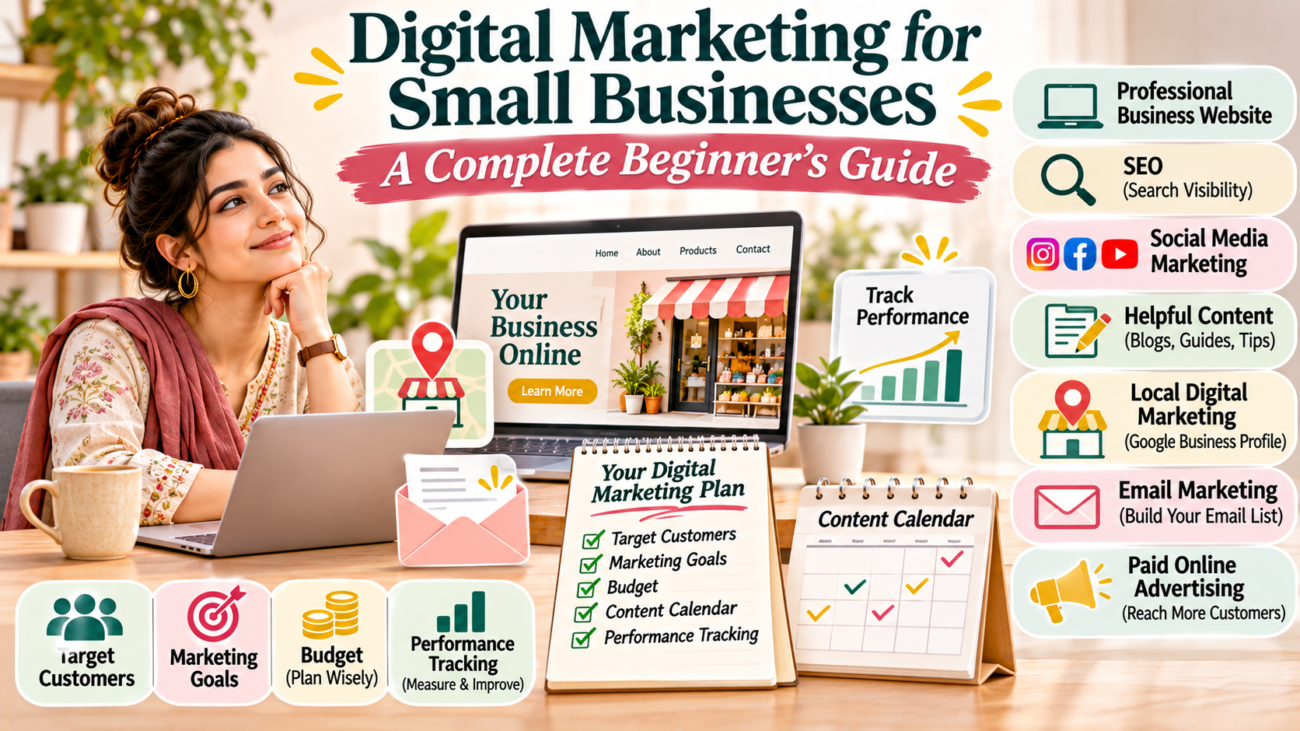
Digital marketing for small businesses featuring website development, SEO, social media marketing, content creation, local marketing, email campaigns, online advertising and performance tracking.

Digital Marketing for Small Businesses: A Complete Beginner’s Guide

Running a small business is not easy. You need to manage customers, products, services, payments, and daily operations. At the same time, you must find ways to reach new customers and grow your business.

Today, many customers search online before choosing a product or service. They visit websites, check social media pages, read reviews, and compare different businesses.

This is why digital marketing for small businesses has become important. It helps business owners connect with potential customers through online platforms.

The good news is that you do not need a large budget or a big marketing team to get started. With the right strategy, even a small business can build an online presence and attract customers.

In this beginner-friendly guide, you will learn what digital marketing means, why it matters, which channels you can use, and how to create a simple marketing strategy for your business.

What Is Digital Marketing for Small Businesses?

Digital marketing is the process of promoting a business, product, or service through online channels.

These channels help businesses communicate with people who use the internet.

For example, a local clothing store can use Instagram to share new collections. A restaurant can create a Google Business Profile so nearby customers can discover it. Similarly, a service provider can use a website to explain services and receive enquiries.

Digital marketing includes several activities:

  • Search engine optimization (SEO).
  • Social media marketing.
  • Content marketing.
  • Email marketing.
  • Online advertising.
  • Local search marketing.
  • Website marketing.

Each channel serves a different purpose. Therefore, small businesses should select the channels that match their goals and customers.

Why Is Digital Marketing Important for Small Businesses?

Digital marketing gives small businesses more ways to reach potential customers. It also helps them compete in an increasingly online marketplace.

Here are some important benefits.

1. Helps You Reach More Customers

Traditional marketing often focuses on a particular location or audience. However, online platforms can help businesses reach people in different areas.

For example, a local bakery can attract nearby customers through local search. An online store can reach buyers across different cities.

2. Builds Brand Awareness

Customers need to recognise your business before they consider buying from you.

Social media posts, website content, videos, and online listings can help people become familiar with your brand.

Over time, consistent communication can make your business easier to recognise.

3. Supports Customer Relationships

Digital marketing gives customers different ways to communicate with your business.

They can send messages, ask questions, read updates, and share feedback.

As a result, you can understand customer needs and improve your services.

4. Helps You Understand Marketing Performance

Many digital platforms provide performance data.

For example, you can review website visits, social media engagement, advertising clicks, and customer enquiries.

These insights help you understand which activities are useful and where you may need to improve.

5. Offers Flexible Budget Options

Small businesses do not always need expensive marketing campaigns.

You can begin with a basic website, useful social media content, and local search optimisation.

Later, you can consider paid advertising when your business goals and budget allow it.

7 Digital Marketing Strategies for Small Businesses

You do not need to use every digital marketing channel at once. Start with a few useful strategies and improve them over time.

1. Create a Professional Business Website

Your website can act as the online home of your business.

It gives potential customers a place to learn about your products, services, business information, and contact details.

A useful business website should include:

  • A clear homepage.
  • An About Us page.
  • Products or services information.
  • Contact details.
  • Customer enquiry options.
  • Mobile-friendly design.
  • Clear navigation.

Also, make sure your website loads properly and provides useful information.

A professional website can support your other marketing activities because you can direct visitors to it from social media, email campaigns, and online advertisements.

2. Improve Your Website’s SEO

Search engine optimization helps your website appear in relevant search results.

For example, a local photography business may want to appear when people search for photographers in its service area.

Start with these basic SEO activities:

  • Research relevant keywords.
  • Write useful website content.
  • Create descriptive page titles.
  • Use clear headings.
  • Optimise image alt text.
  • Add internal links.
  • Improve website speed.
  • Make your website mobile-friendly.

SEO takes time. However, consistent improvements can help search engines understand your website and its content.

3. Use Social Media Marketing

Social media platforms help businesses communicate with their audiences and share regular updates.

Choose platforms based on your customers and the type of content you can create.

For example:

  • Instagram can help visual businesses showcase products.
  • Facebook can support local community engagement.
  • LinkedIn can help B2B companies connect with professionals.
  • YouTube can help businesses publish tutorials and demonstrations.

You do not need to post everywhere. Instead, select one or two suitable platforms and maintain a consistent schedule.

Share useful information, product updates, customer stories, and educational content.

4. Create Helpful Content

Content marketing involves creating useful information that helps your audience understand a topic, solve a problem, or make a decision.

Small businesses can create:

  • Blog articles.
  • How-to guides.
  • Product demonstrations.
  • Short videos.
  • Infographics.
  • Customer guides.
  • Frequently asked questions.

For example, a skincare business can publish an article about basic skincare routines. A furniture store can share tips for choosing furniture for small rooms.

Helpful content can build trust and support your SEO strategy.

5. Use Local Digital Marketing

Local marketing is especially useful for businesses that serve customers in a particular area.

Create and maintain a Google Business Profile with accurate business information.

Add details such as:

  • Business name.
  • Address.
  • Phone number.
  • Website.
  • Opening hours.
  • Business category.
  • Photos.
  • Products or services.

Keep your information updated. Also, encourage genuine customer reviews and respond to feedback professionally.

Local SEO can help nearby customers discover your business when they search for relevant products or services.

6. Build an Email List

Email marketing helps businesses communicate with people who have chosen to receive their updates.

You can use email to share:

  • New product announcements.
  • Business updates.
  • Helpful tips.
  • New blog posts.
  • Event information.
  • Special announcements.

Start by collecting email addresses with permission. Then send useful messages at a reasonable frequency.

Avoid sending too many promotional emails. Give subscribers a clear option to unsubscribe.

7. Try Paid Online Advertising

Paid advertising can help businesses reach specific audiences through online platforms.

Common options include:

  • Google Ads.
  • Facebook Ads.
  • Instagram Ads.
  • YouTube Ads.
  • LinkedIn Ads.

For example, a local service business may run a search campaign to reach people looking for its services.

However, advertising requires planning. Set a budget, choose a clear goal, and monitor campaign performance.

Start with a manageable budget. Do not increase spending until you understand the results.

How to Create a Digital Marketing Plan for Your Small Business

A marketing plan helps you organise your activities and use your time and budget wisely.

Follow these steps.

Step 1: Set Your Business Goals

First, decide what you want to achieve.

Your goals may include:

  • Increasing brand awareness.
  • Getting more website visitors.
  • Generating customer enquiries.
  • Growing social media followers.
  • Increasing online sales.
  • Reaching customers in a new location.

Choose goals that support your business needs.

Step 2: Identify Your Target Customers

Understand who is most likely to buy your products or services.

Consider their age, location, interests, needs, and buying habits.

For example, a business selling office supplies may target students, professionals, and small offices.

Knowing your audience helps you select suitable marketing channels.

Step 3: Choose Your Marketing Channels

Select channels that your business can manage consistently.

A small local business might begin with a website, Google Business Profile, and Instagram page.

An online business may focus more on SEO, content marketing, email, and online advertising.

Your choices should depend on your customers, budget, and available resources.

Step 4: Create a Content Calendar

Plan what you will publish and when.

A simple content calendar can include:

DayContent IdeaPlatform
MondayProduct introductionInstagram
WednesdayHelpful customer tipFacebook
FridayCustomer question or guideWebsite
SaturdayBehind-the-scenes updateInstagram

This is only an example. Adjust the schedule to suit your business.

Step 5: Set a Marketing Budget

Decide how much you can spend each month.

Your budget may cover website hosting, design, content creation, advertising, and marketing tools.

Keep track of your spending. Review the results before increasing your budget.

Step 6: Track and Improve Your Results

Review your marketing performance regularly.

Look at website visits, enquiries, social media engagement, email activity, and sales.

Use the information to identify what works well and what needs improvement.

Common Digital Marketing Mistakes Small Businesses Should Avoid

Digital marketing can become difficult when businesses work without a clear plan.

Avoid these common mistakes:

Trying Every Platform at Once

Managing too many channels can reduce content quality and consistency. Start with the platforms that suit your audience.

Ignoring Website Quality

A slow or confusing website can make visitors leave. Keep your website simple, useful, and mobile-friendly.

Posting Without a Strategy

Random posts may not support your business goals. Plan content around customer needs and business priorities.

Expecting Immediate Results

SEO, content marketing, and brand building take time. Give your activities enough time to produce useful information.

Not Tracking Performance

Without reviewing results, you may continue spending time or money on activities that do not support your goals.

Ignoring Customer Feedback

Customer questions and reviews can show you where your business needs improvement. Respond politely and use feedback to improve your service.

How Much Should a Small Business Spend on Digital Marketing?

There is no single budget that works for every small business.

Your spending depends on your industry, goals, competition, location, and available resources.

A business starting with a limited budget can focus on basic activities first:

  • Build a simple website.
  • Create useful social media content.
  • Set up a Google Business Profile.
  • Improve important website pages.
  • Collect customer feedback.
  • Track website and social media performance.

As your business grows, you can invest in professional content, marketing tools, and paid campaigns.

The important thing is to understand what you are spending and what results you are getting.

Digital marketing can help small businesses build an online presence, reach potential customers, and develop stronger customer relationships.

However, success does not depend on using every marketing channel. It depends on choosing the right activities and following a consistent plan.

Start with a professional website, improve your local presence, and share useful content on suitable social media platforms.

Next, learn about SEO, email marketing, and paid advertising as your business grows.

Most importantly, understand your customers and review your results regularly.

With patience and practical planning, digital marketing can become an important part of your small business growth strategy.

Influencer marketing infographic showing brand collaborations, nano, micro, macro and mega influencers, audience engagement, brand awareness and steps to create an effective influencer marketing strategy.

Influencer Marketing for Beginners: A Complete Guide to Growing Your Brand

Social media has changed how businesses connect with customers. Today, people do not only follow brands. They also follow creators who share useful information, product reviews, recommendations, and everyday experiences.

This has created new opportunities for businesses to reach their target audiences.

One popular strategy is influencer marketing. It allows brands to work with social media creators who have built an audience around a particular interest or topic.

For example, a skincare brand may collaborate with a beauty creator to introduce a new product. Similarly, a digital marketing company may work with a content creator who shares marketing tips.

Influencer marketing is not only for large companies. Small businesses, freelancers, startups, and online creators can also use it.

In this beginner-friendly guide, you will learn what influencer marketing is, how it works, its benefits, different types of influencers, and how to create an effective strategy.

What Is Influencer Marketing?

Influencer marketing is a digital marketing strategy in which a brand collaborates with a social media creator to promote a product, service, or message.

Influencers usually create content around topics such as:

  • Beauty and skincare.
  • Fashion and lifestyle.
  • Technology and gadgets.
  • Travel and food.
  • Fitness and wellness.
  • Education and digital marketing.
  • Personal finance and business.

These creators build relationships with their audiences through regular content and conversations.

When a brand works with an influencer, it can introduce its products or services to people who are already interested in that topic.

For example, a small clothing business may collaborate with a fashion creator. The creator can show how the clothes look, share styling ideas, and introduce the brand to their followers.

The main goal is to reach relevant people and encourage genuine interest.

How Does Influencer Marketing Work?

Influencer marketing usually involves three main parties:

  1. The brand: The business that wants to promote its product or service.
  2. The influencer: The creator who produces content and connects with an audience.
  3. The audience: People who watch, read, or interact with the creator’s content.

The process starts when a brand identifies a suitable creator.

Both parties then discuss the campaign goals, content requirements, timeline, payment, and other conditions.

The influencer creates content according to the agreed plan. After publishing, the brand reviews the campaign performance.

For example, a restaurant may collaborate with a local food creator to introduce its new menu. The creator shares photographs, a short video, and an honest experience with their audience.

This helps the restaurant reach people who are interested in food and local dining experiences.

Why Is Influencer Marketing Important?

Influencer marketing can help businesses reach new audiences and communicate their messages through creators.

Here are some important benefits.

1. Reaches a Relevant Audience

Influencers often create content for a specific group of people.

For example, a fitness creator may have an audience interested in exercise, healthy routines, and sports products.

A fitness brand can collaborate with that creator to reach people who are already interested in its industry.

2. Builds Brand Awareness

Working with creators can introduce your business to people who may not know about it.

When an influencer shares your product or service, their audience gets an opportunity to discover your brand.

This can help increase brand visibility.

3. Creates Engaging Content

Influencers understand the content formats that their audiences enjoy.

They may create product demonstrations, tutorials, reviews, photographs, or short videos.

Brands can use these creative ideas to communicate their messages in an interesting way.

4. Builds Relationships With Potential Customers

People often follow creators because they enjoy their content and opinions.

A relevant collaboration can help a brand start conversations with potential customers.

However, trust depends on honest communication. Influencers should clearly disclose paid partnerships and share genuine experiences.

5. Supports Different Marketing Goals

Influencer campaigns can support several business goals, including:

  • Introducing a new product.
  • Increasing brand awareness.
  • Promoting an event.
  • Generating website visits.
  • Encouraging product enquiries.
  • Supporting a product launch.
  • Creating user-generated content.

Choose a goal before starting your campaign. It will help you select the right influencer and measure the results.

Types of Influencers You Should Know

Not every influencer has the same audience size or content style.

Influencers are commonly grouped by their follower count. The exact ranges can vary between platforms and marketing agencies.

1. Nano Influencers

Nano influencers generally have smaller audiences, often around 1,000 to 10,000 followers.

They may focus on a local area, personal interest, or specific community.

Small businesses can consider working with nano influencers when they want to reach a focused audience.

2. Micro Influencers

Micro influencers commonly have around 10,000 to 100,000 followers.

They often focus on a particular subject, such as beauty, technology, travel, or education.

They can be useful for brands that want to reach a specific audience rather than a very broad group.

3. Macro Influencers

Macro influencers generally have around 100,000 to 1 million followers.

They often have wider reach and may create content for larger communities.

Businesses with bigger campaign budgets may consider working with these creators.

4. Mega Influencers

Mega influencers usually have more than 1 million followers.

They may include celebrities, well-known public figures, and major online creators.

These partnerships can provide broad visibility, but they may require larger budgets.

Remember, follower count alone does not determine an influencer’s value. Audience relevance, engagement quality, content style, and credibility also matter.

How to Create an Influencer Marketing Strategy

A successful campaign needs planning. Follow these steps to build a practical influencer marketing strategy.

Step 1. Define Your Marketing Goals

Start by deciding what you want to achieve.

Do you want to increase brand awareness, promote a product, attract website visitors, or generate sales?

Write down one main goal and a few supporting objectives.

For example, a new online clothing store may want to introduce its brand to people interested in affordable fashion.

A clear goal makes campaign planning easier.

Step 2. Understand Your Target Audience

Before choosing an influencer, understand the people you want to reach.

Consider their:

  • Age group.
  • Interests.
  • Location.
  • Shopping habits.
  • Social media preferences.
  • Common problems and needs.

For example, a local restaurant may want to reach people living nearby. In this case, a local food creator may be more suitable than a creator with a large international audience.

Step 3. Find the Right Influencers

Look for creators whose content matches your brand.

Check their profiles, recent posts, audience interactions, and previous collaborations.

You can discover influencers through:

  • Instagram searches.
  • YouTube searches.
  • TikTok searches.
  • Relevant hashtags.
  • Industry communities.
  • Creator marketplaces.
  • Recommendations from customers.

Do not choose someone only because they have many followers.

Instead, focus on whether their audience is relevant to your business.

Step 4. Review Engagement and Content Quality

Follower count does not tell the complete story.

Review how people interact with the influencer’s content.

Look at:

  • Genuine comments.
  • Relevant audience questions.
  • Video views.
  • Shares and saves, where available.
  • Content quality.
  • Consistency of posting.

Be careful of suspicious follower growth or repeated irrelevant comments.

You can also ask for audience insights when discussing a professional collaboration.

Step 5. Set Your Campaign Budget

Influencer collaboration costs can vary.

The price may depend on the creator’s audience size, platform, content format, production effort, usage rights, and campaign duration.

Possible collaboration arrangements include:

  • Paid sponsored posts.
  • Product gifting.
  • Affiliate partnerships.
  • Event collaborations.
  • Long-term brand partnerships.

Agree on payment, deliverables, deadlines, usage rights, and disclosure requirements before the campaign begins.

Step 6. Create a Clear Campaign Brief

A campaign brief explains what the influencer needs to know.

Include:

  • Brand introduction.
  • Campaign objective.
  • Target audience.
  • Product or service details.
  • Required content format.
  • Key information to communicate.
  • Publishing timeline.
  • Payment and deliverables.
  • Disclosure instructions.

Give creators enough creative freedom to communicate naturally.

At the same time, make sure they understand important brand information and campaign requirements.

Step 7. Launch the Campaign

Once both parties approve the plan, the influencer can create and publish the agreed content.

Check that the content:

  • Represents the brand accurately.
  • Follows the agreed brief.
  • Uses the correct links or campaign details.
  • Includes clear advertising disclosures where required.
  • Matches the publishing schedule.

Avoid making unverified product claims or asking creators to give dishonest reviews.

Step 8. Measure the Results

After the campaign goes live, review its performance.

Compare the results with your original goal.

For example, if your goal was brand awareness, review reach, impressions, and relevant engagement.

If your goal was website traffic, track link clicks and visits.

Use these findings to improve future campaigns.

Which Social Media Platforms Are Best for Influencer Marketing?

The right platform depends on your audience and campaign goals.

PlatformSuitable Content
InstagramReels, Stories, photographs, and product features
YouTubeTutorials, reviews, demonstrations, and detailed videos
TikTokShort videos, trends, and creative storytelling
FacebookCommunity content, videos, and local promotions
LinkedInProfessional insights, B2B content, and industry discussions
PinterestVisual inspiration, lifestyle ideas, and product discovery

You do not need to use every platform.

Start where your target audience is most active.

How to Measure Influencer Marketing Performance

Tracking campaign performance helps you understand whether your collaboration is useful.

Here are some important metrics.

Reach and Impressions

Reach shows how many unique accounts saw the content.

Impressions show how many times the content was displayed.

These metrics are useful for measuring campaign visibility.

Engagement Rate

Engagement includes actions such as likes, comments, shares, and saves.

A simple engagement rate calculation is:

Engagement Rate = (Total Engagements ÷ Total Followers) × 100

This is one common calculation method. Other methods use reach or impressions as the base.

Website Traffic

Use trackable links or campaign-specific URLs to understand how many visitors arrive through an influencer’s content.

Conversions

Conversions may include purchases, enquiries, registrations, or newsletter subscriptions.

Choose the conversion that matches your campaign goal.

Return on Investment

Return on investment, or ROI, helps you compare campaign returns with campaign costs.

A simple formula is:

ROI = ((Revenue − Campaign Cost) ÷ Campaign Cost) × 100

For example, if a campaign generates ₹30,000 in revenue and costs ₹10,000, the ROI is 200%.

This example assumes the full ₹30,000 is attributable to the campaign. In real campaigns, use reliable tracking and consider other business costs.

Common Influencer Marketing Mistakes to Avoid

Influencer campaigns can become less effective when brands focus on the wrong things.

Avoid these common mistakes:

  • Choosing influencers only by follower count.
  • Ignoring audience relevance.
  • Starting a campaign without clear goals.
  • Failing to agree on deliverables.
  • Ignoring advertising disclosures.
  • Expecting immediate sales from every collaboration.
  • Not tracking campaign performance.
  • Working with creators whose values do not match the brand.

Take time to research creators and plan your campaign before spending money.

Influencer marketing gives businesses an opportunity to connect with audiences through creators they already follow.

However, successful collaborations need more than a large follower count. They require relevant audiences, clear goals, honest communication, and proper performance tracking.

Start with a simple campaign. Choose a creator who understands your industry and can communicate your brand message naturally.

Review the results and learn from each collaboration.

With thoughtful planning, influencer marketing can become a useful part of your digital marketing strategy.

Website content optimization infographic showing keyword research, clear headings, SEO-friendly content, internal linking, image optimization, calls to action and website engagement.

Website Content Optimization: A Beginner’s Guide to Better Rankings and Engagement

Your website may have a great design, but visitors will not stay if the content does not answer their questions. Similarly, search engines need clear and useful information to understand your pages.

This is why website content optimization matters.

It helps you improve your website content so visitors can find useful information, understand your message, and take the next step. It also helps search engines understand what each page is about.

Whether you run a blog, business website, or personal portfolio, optimizing your content can improve your online presence.

In this beginner-friendly guide, you will learn what website content optimization means, why it matters, and how to improve your website content step by step.

What Is Website Content Optimization?

Website content optimization is the process of improving the text, images, headings, links, and other content on your website.

The goal is to make your pages useful for both visitors and search engines.

For example, imagine you have a blog about digital marketing. You publish an article about social media marketing. However, the article has unclear headings, missing keywords, long paragraphs, and no helpful links.

You can improve it by:

  • Adding a clear introduction.
  • Organizing information with useful headings.
  • Including relevant keywords naturally.
  • Adding helpful examples.
  • Linking to related articles.
  • Using suitable images with descriptive alt text.
  • Making the content easy to read.

These changes help visitors understand your content and make your pages more useful.

Why Is Website Content Optimization Important?

Publishing content is only the first step. You also need to make sure that people can find and understand it.

Here are some important reasons to optimize your website content.

1. Helps Improve Search Visibility

Search engines use different signals to understand website pages.

Clear headings, relevant information, descriptive titles, and useful internal links help search engines understand your content.

However, adding keywords alone does not guarantee better rankings. Your content should also answer the searcher’s needs.

2. Improves User Experience

Visitors usually want quick and clear answers.

If your content is difficult to read, they may leave without exploring other pages.

Short paragraphs, simple language, and clear headings make your website easier to use.

3. Helps Visitors Find Relevant Information

Internal links connect related pages on your website.

For example, an article about SEO can link to your guides on keyword research, on-page SEO, and internal linking.

As a result, visitors can explore more useful information without searching for every topic separately.

4. Builds Trust and Credibility

Helpful content can make your website more trustworthy.

You can build credibility by sharing accurate information, explaining concepts clearly, providing useful examples, and linking to reliable sources.

Avoid making claims that you cannot support.

5. Supports Business and Marketing Goals

Your website content should guide visitors towards useful actions.

Depending on your goals, these actions may include:

  • Reading another blog post.
  • Subscribing to a newsletter.
  • Downloading a free resource.
  • Exploring your services.
  • Contacting your business.
  • Purchasing a product.

Clear content and relevant calls to action help visitors understand what to do next.

10 Effective Website Content Optimization Techniques

You do not need advanced technical skills to start improving your website. Follow these practical techniques.

1. Understand Your Target Audience

Before writing or updating content, understand who you want to reach.

Think about your audience’s interests, questions, and problems.

For example, a beginner visiting a digital marketing website may want to learn:

  • How to start a blog.
  • How to find keywords.
  • How to improve website traffic.
  • How to use social media.
  • How to earn money through freelancing.

Create content that answers these questions.

When you understand your audience, it becomes easier to choose useful topics and explain them in the right way.

2. Research Relevant Keywords

Keyword research helps you understand what people search for online.

Choose a primary keyword for each important page. Then, identify related terms that support the main topic.

For example, if your primary keyword is “website content optimization”, related keywords may include:

  • Content optimization techniques.
  • Website SEO content.
  • Improve website content.
  • SEO content strategy.
  • Content improvement tips.

Use keywords naturally in your title, introduction, headings, and body text.

Do not repeat the same keyword unnecessarily. Focus on explaining the topic clearly.

3. Write Clear and Helpful Titles

Your page title gives visitors an idea of what they will find.

A good title should be clear, relevant, and easy to understand.

For example:

Instead of writing:

“Some Important Things About Website Content”

Try:

“Website Content Optimization: 10 Practical Ways to Improve Your Pages”

The second title explains the topic and gives readers a clear reason to visit.

Keep your SEO title concise and include your primary keyphrase naturally.

4. Organize Content With Proper Headings

Headings make your content easier to scan.

They also help readers understand how different sections connect.

Use one main H1 heading for the article title. Then, use H2 headings for major sections and H3 headings for smaller topics within those sections.

For example:

  • H1: Website Content Optimization
  • H2: Why Content Optimization Matters
  • H2: Effective Optimization Techniques
  • H3: Understand Your Audience
  • H3: Research Relevant Keywords

Avoid using headings only to make text look bigger. Each heading should introduce the information that follows.

5. Improve Content Readability

Readers should understand your content without struggling through long sentences or complicated words.

Follow these simple practices:

  • Use short and clear sentences.
  • Keep paragraphs focused on one idea.
  • Explain technical terms in simple language.
  • Use bullet points when listing information.
  • Add examples to explain difficult topics.
  • Use transition words naturally.

For example, instead of writing a long paragraph about keyword research, divide the explanation into smaller sections.

Tools such as Yoast SEO can help you review sentence length, passive voice, paragraph length, and transition words.

However, readability tools should support your writing, not control every sentence.

6. Add Relevant Internal Links

Internal links connect one page of your website to another.

They help visitors discover related content and make your website easier to navigate.

For example, in an article about website content optimization, you can link to:

  • Your guide to SEO for beginners.
  • Your article about keyword research.
  • Your guide to internal linking.
  • Your article about content writing.

Use descriptive anchor text so readers understand what they will find after clicking.

Avoid adding unrelated links just to increase the number of links on a page.

7. Include Reliable External Links

External links connect your content to useful resources on other websites.

For example, if you explain how Google Search works, you can link to official Google documentation.

Useful sources may include:

  • Google Search Central.
  • Google Analytics documentation.
  • WordPress documentation.
  • Official tool guides.

Choose trustworthy and relevant sources. External links should help readers learn more about the topic.

8. Optimize Images and Other Media

Images can make your website content more interesting and easier to understand.

However, large or poorly described images can create problems.

Follow these practices:

  • Use relevant images.
  • Compress images before uploading.
  • Choose suitable image dimensions.
  • Use descriptive file names.
  • Add meaningful alt text.
  • Avoid using unnecessary decorative images.

Alt text describes an image for visitors who use screen readers. It also helps search engines understand the image.

For example:

Image file name: website-content-optimization.jpg

Alt text: “Website content optimization checklist displayed on a laptop.”

Use your primary keyphrase in alt text only when it naturally describes the image.

9. Add Clear Calls to Action

A call to action tells visitors what they can do next.

Without a clear next step, visitors may finish reading and leave your website.

Examples include:

  • Read our beginner’s SEO guide.
  • Subscribe to our newsletter.
  • Explore more blogging tips.
  • Download the free content planning checklist.
  • Contact us to learn more.

Choose a call to action that matches the purpose of the page.

For example, an educational blog post can encourage readers to explore a related guide instead of pushing an unrelated product.

10. Update Old Website Content

Website content can become outdated over time.

Information, tools, examples, and recommendations may change. Therefore, review your existing pages regularly.

During a content update, check:

  • Whether the information is still accurate.
  • Whether links are working.
  • Whether examples need updating.
  • Whether the introduction is still relevant.
  • Whether headings are clear.
  • Whether images need replacement.
  • Whether the page answers the current search intent.

You do not need to rewrite every old article. Make changes where they improve accuracy, usefulness, or clarity.

How to Optimize Website Content Step by Step

If you are new to content optimization, follow this simple workflow.

StepWhat to DoMain Goal
1Identify your target audienceUnderstand reader needs
2Choose a primary keywordDefine the page topic
3Review search intentMatch the reader’s purpose
4Create a clear content structureOrganize information
5Write useful and original contentAnswer reader questions
6Add relevant links and imagesImprove navigation and context
7Review readabilityMake content easy to understand
8Publish and monitor performanceFind opportunities to improve

Start with one important page. Once you understand the process, apply it to other pages on your website.

Common Website Content Optimization Mistakes to Avoid

Even useful content can become less effective when it is poorly optimized.

Watch out for these common mistakes.

Keyword Stuffing

Repeating the same keyword too many times makes content unnatural.

Instead, use related terms where they fit and focus on answering the reader’s question.

Writing Only for Search Engines

Your content should help people first.

Do not sacrifice clarity just to include more keywords or headings.

Using Duplicate Content

Publishing the same information across multiple pages can confuse visitors and make it harder to understand the purpose of each page.

Create distinct content for each page and give it a clear focus.

Ignoring Mobile Readers

Many visitors use smartphones to browse websites.

Check that your text, images, buttons, and layouts work well on smaller screens.

Forgetting to Update Old Pages

Outdated information can reduce the usefulness of your website.

Review important pages and update them when necessary.

Useful Tools for Website Content Optimization

You can use several tools to plan, write, and improve your website content.

ToolHow It Helps
Google Search ConsoleMonitor search performance and indexing
Google AnalyticsUnderstand website traffic and user behaviour
Google Keyword PlannerResearch keyword ideas
Yoast SEOReview basic SEO and readability elements
GrammarlyCheck grammar and writing clarity
CanvaCreate blog graphics and visual content
PageSpeed InsightsReview page performance

You do not need to use every tool at once. Start with Google Search Console and Yoast SEO if you run a WordPress blog.

How to Measure Website Content Performance

After publishing optimized content, review how it performs.

Do not judge success only by keyword rankings. Look at several useful indicators.

Organic Search Clicks

Google Search Console shows how many clicks your pages receive from Google Search.

This helps you understand whether people are visiting your pages through search results.

Impressions

Impressions show how often your pages appear in search results.

A page may receive many impressions but fewer clicks. In that case, review the page title and meta description to see whether they clearly explain the content.

Click-Through Rate

Click-through rate, or CTR, measures the percentage of impressions that result in clicks.

A clear title and relevant description can help users understand why your page is useful.

Engagement and User Behaviour

Use Google Analytics to understand how visitors interact with your website.

Review relevant engagement metrics, such as engaged sessions and interactions with important links or buttons.

Conversions

If your website has a specific goal, track actions such as newsletter sign-ups, contact form submissions, or purchases.

These results help you understand whether your content supports your business goals.

Website content optimization is an ongoing process. It does not end when you publish a blog post or create a new page.

Start by understanding your audience and choosing relevant keywords. Then, organize your content with clear headings, useful links, descriptive images, and simple language.

Most importantly, focus on providing genuine value to visitors.

You do not need to optimize every page in one day. Improve one page at a time, review its performance, and make changes when needed.

With consistent effort, website content optimization can help you create a more useful website and build a stronger online presence.

Social media marketing trends in 2026 featuring AI content creation, social search, short-form videos, authentic content, micro-influencers, online communities, social commerce and data-driven

Social Media Marketing Trends in 2026: What Businesses and Creators Should Focus On

Social media is changing quickly. New features, artificial intelligence, changing user habits, and content discovery are shaping how people connect with brands online.

For businesses, bloggers, freelancers, and content creators, keeping up with these changes can create new opportunities. However, following every new trend is not always the best strategy. You need to understand which changes matter to your audience and how to use them effectively.

The social media marketing trends 2026 are focused on smarter content creation, social search, short-form videos, authentic communication, and stronger online communities.

In this guide, you will explore the major trends, understand why they matter, and learn how to apply them to your social media strategy.

Why Should You Follow Social Media Marketing Trends?

Social media platforms regularly change their features, algorithms, and content formats. Audience preferences also change over time.

A strategy that worked last year may not produce the same results today.

Following relevant trends can help you:

  • Understand changing audience behaviour.
  • Discover new ways to reach potential customers.
  • Improve your content strategy.
  • Use marketing tools more effectively.
  • Build stronger relationships with followers.
  • Stay competitive in your industry.

However, remember that a trend is useful only when it supports your goals. You do not need to join every new platform or copy every viral post.

8 Important Social Media Marketing Trends in 2026

Let’s explore eight important trends that businesses and creators should understand this year.

1. Artificial Intelligence Is Changing Content Creation

Artificial intelligence is becoming a regular part of social media marketing.

Marketers now use AI tools to brainstorm ideas, write captions, plan content, create visuals, and organise campaigns. These tools can reduce repetitive work and help small teams work more efficiently.

For example, you can use AI to:

  • Generate social media post ideas.
  • Create a monthly content calendar.
  • Draft captions for different platforms.
  • Develop image and video concepts.
  • Summarise campaign performance.
  • Explore different content formats.

However, AI should support your creativity rather than replace it.

Always review AI-generated content before publishing. Add your own experience, examples, opinions, and brand personality. This helps your content feel more useful and less generic.

2. Social Media Is Becoming a Search Platform

People do not use social media only to connect with friends or watch entertainment. They also search for products, services, tutorials, reviews, and recommendations.

For example, someone looking for a skincare routine may search on Instagram or YouTube. A person planning a trip may explore travel videos and creator recommendations.

This creates an opportunity for brands to make their content easier to discover.

You can improve social media discoverability by:

  • Using relevant keywords in captions.
  • Writing clear video titles.
  • Adding useful on-screen text.
  • Using relevant hashtags naturally.
  • Answering common audience questions.
  • Creating content around specific search topics.

Think about what your audience may search for before creating a post.

3. Short-Form Video Continues to Attract Attention

Short-form videos remain an important format across platforms such as Instagram, YouTube, and TikTok.

These videos can help creators explain ideas, demonstrate products, share tutorials, and tell short stories.

You do not always need expensive equipment to create useful videos.

Try these content ideas:

  • Quick educational tips.
  • Before-and-after demonstrations.
  • Product explanations.
  • Mini tutorials.
  • Common mistakes and solutions.
  • Behind-the-scenes clips.

Start with a clear opening that tells viewers what the video is about. Then share the main information without unnecessary delays.

Also, focus on usefulness rather than simply making videos longer or shorter.

4. Authentic Content Is Becoming More Valuable

As AI-generated and highly edited content becomes easier to create, audiences may place greater value on genuine communication.

People want to understand the people and ideas behind a brand.

Authentic content can include:

  • Real customer experiences.
  • Behind-the-scenes activities.
  • Honest product demonstrations.
  • Personal learning experiences.
  • Team introductions.
  • Practical advice based on experience.

You do not need to make every post look perfect. Instead, focus on clear communication and genuine value.

For example, a small business can share how it prepares an order or handles a customer question. A blogger can explain how they learned a new skill.

5. Micro-Influencers and Niche Creators Are Gaining Attention

Influencer marketing is not limited to celebrities or accounts with millions of followers.

Micro-influencers and niche creators often focus on specific topics and communities. Their audiences may share strong interests in areas such as fitness, technology, education, beauty, or travel.

Businesses can work with relevant creators to introduce their products or services to a focused audience.

Before choosing a creator, consider:

  • Audience relevance.
  • Content quality.
  • Engagement patterns.
  • Brand values.
  • Previous collaborations.
  • Transparency in sponsored content.

Do not select influencers based only on follower count. A smaller but relevant audience may be more useful for your campaign goals.

6. Online Communities Are Becoming More Important

Social media is moving beyond one-way communication.

People want to ask questions, share experiences, discuss common interests, and connect with others.

This makes online communities valuable for businesses and creators.

You can encourage community participation by:

  • Asking meaningful questions.
  • Responding to comments.
  • Sharing useful discussions.
  • Creating topic-based groups.
  • Hosting live sessions.
  • Encouraging members to share experiences.

For example, a digital marketing website could create a community where beginners discuss blogging, SEO, and content creation.

Focus on building genuine relationships rather than collecting followers.

7. Social Commerce Is Making Shopping More Convenient

Social commerce allows people to discover and purchase products through social media experiences.

Depending on the platform and market, users may explore product catalogues, view product demonstrations, interact with brands, and continue towards a purchase.

This creates opportunities for businesses to connect content with shopping experiences.

Useful approaches include:

  • Sharing product demonstrations.
  • Creating informative product videos.
  • Answering product questions.
  • Publishing customer experiences.
  • Providing clear product information.
  • Linking to the correct shopping destination.

Make sure your product details, availability, and claims are accurate.

8. Data-Driven Content Decisions Matter More Than Ever

Publishing regularly is useful, but posting without reviewing results can waste time.

Businesses and creators need to understand which content formats and topics support their goals.

Track useful measurements such as:

  • Reach and impressions.
  • Engagement rate.
  • Video watch time.
  • Saves and shares.
  • Profile visits.
  • Website clicks.
  • Leads and sales.

For example, if educational carousel posts receive more saves than promotional posts, you may want to create more useful learning content.

However, do not judge every post by likes alone. Choose measurements that match your content goals.

How to Apply These Trends to Your Social Media Strategy

Understanding trends is only the first step. You also need a practical plan to use them.

Follow these steps to make your strategy more effective.

Step 1: Understand Your Audience

Identify who you want to reach and what they want to learn, discover, or purchase.

Consider their age group, interests, problems, and preferred platforms.

You can use comments, messages, polls, and analytics to understand their needs.

Step 2: Choose the Right Platforms

You do not need to maintain an active presence on every social media platform.

Choose platforms where your audience spends time and where your content format works well.

For example:

  • Instagram can support visual content and short videos.
  • YouTube can support tutorials and educational videos.
  • LinkedIn can help professionals share industry knowledge.
  • Pinterest can help people discover visual ideas and resources.

Focus on a few platforms first. Expand when you have a consistent content process.

Step 3: Create a Balanced Content Plan

Do not publish only promotional posts.

Instead, use a mix of content types:

  • Educational posts.
  • Entertaining content.
  • Inspirational stories.
  • Product or service information.
  • Behind-the-scenes updates.
  • Audience questions and discussions.

A balanced plan gives people more reasons to follow and engage with your brand.

Step 4: Use AI With Human Creativity

AI tools can help with planning and production. However, your knowledge and perspective should guide the final content.

Review every caption, image, and video before publishing. Check facts, improve the wording, and make sure the content matches your brand voice.

Step 5: Review Your Performance

Check your analytics regularly.

Identify which topics attract attention, which posts generate meaningful engagement, and which platforms bring relevant visitors.

Use these insights to improve your next content calendar.

Common Social Media Marketing Mistakes to Avoid

Following trends without a clear strategy can create unnecessary work.

Avoid these common mistakes:

  • Copying viral content without understanding your audience.
  • Using AI content without checking its accuracy.
  • Publishing identical posts on every platform.
  • Focusing only on follower numbers.
  • Ignoring comments and messages.
  • Working with creators who do not match your brand.
  • Posting promotional content too often.
  • Ignoring analytics and audience feedback.

Instead, choose trends that support your brand and provide value to your audience.

Simple Social Media Trends Action Checklist

Use this checklist to apply the ideas from this guide:

  • Identify the platforms your audience uses.
  • Explore relevant social media trends.
  • Add useful keywords to your content.
  • Experiment with short-form videos.
  • Use AI to support content planning.
  • Add genuine experiences and examples.
  • Encourage audience discussions.
  • Explore relevant creator collaborations.
  • Track meaningful performance metrics.
  • Review and improve your strategy regularly.

Social media marketing in 2026 is about more than publishing frequent posts. It is about understanding how people discover content, what they trust, and how they interact with brands.

AI tools, social search, short-form videos, authentic communication, creator partnerships, and online communities offer useful opportunities.

Start with the trends that match your audience and business goals. Test new ideas, review your results, and keep improving your approach.

You do not need to follow every trend to grow online. A clear strategy, useful content, and genuine audience relationships can make a stronger difference over time.

Website conversion optimization infographic showing website design, mobile-friendly layouts, clear calls to action, lead generation, user experience and conversion growth.

Website Conversion Optimization: A Beginner’s Guide to Turning Visitors into Customers

Getting visitors to your website is important. However, traffic alone does not guarantee business growth. You also need visitors to take meaningful actions, such as purchasing a product, submitting an enquiry, signing up for a newsletter, or downloading a resource.

This is where website conversion optimization becomes important.

A well-designed website should not only attract visitors but also help them understand what you offer and what they should do next. Even small improvements to your website content, design, and navigation can make the visitor experience better.

In this beginner-friendly guide, you will learn what conversion optimization means, why it matters, and how to improve your website step by step.

What Is Website Conversion Optimization?

Website conversion optimization is the process of improving your website so that more visitors complete a desired action.

A conversion happens when a visitor takes an action that supports your website or business goals.

For example:

  • An online store visitor purchases a product.
  • A blog reader subscribes to an email newsletter.
  • A potential customer submits a contact form.
  • A visitor downloads a free guide.
  • A business owner requests a service quotation.

The desired action depends on your website’s purpose.

Conversion optimization focuses on understanding visitor behaviour and removing problems that may prevent people from taking action.

Why Is Conversion Optimization Important?

Many website owners focus mainly on increasing traffic. However, attracting more visitors is not always the best solution if your website does not encourage them to take action.

Conversion optimization helps you make better use of your existing traffic.

Here are some important benefits.

1. Make Better Use of Website Traffic

You may already receive visitors through Google, social media, or referrals. Improving your website experience can help more of those visitors complete useful actions.

2. Improve User Experience

A clear website structure, readable content, and simple navigation make it easier for people to find what they need.

As a result, visitors can understand your website without unnecessary confusion.

3. Generate More Leads

If you offer services, a well-designed contact page and clear enquiry form can encourage potential customers to get in touch.

4. Support Business Growth

More completed actions can support sales, enquiries, registrations, and other business goals.

However, conversions should be relevant and valuable. The aim is not simply to increase numbers but to attract the right actions from the right audience.

5. Understand Your Audience

By reviewing website data and collecting feedback, you can learn what visitors prefer, where they face problems, and which pages need improvement.

10 Practical Ways to Improve Website Conversions

You do not need to redesign your entire website to begin. Start with the areas that have the biggest effect on the visitor experience.

1. Understand Your Target Audience

First, identify the people you want to reach.

Think about their needs, interests, problems, and reasons for visiting your website.

For example, visitors to a beginner-focused digital marketing blog may want simple tutorials, practical examples, and free resources.

On the other hand, visitors to a business website may want service details, pricing information, and contact options.

You can understand your audience through:

  • Website analytics.
  • Customer feedback.
  • Contact form enquiries.
  • Search queries.
  • Social media comments.
  • Frequently asked questions from customers.

Use this information to create website content that matches visitor expectations.

2. Create Clear Headlines

Your headline should explain what the page offers.

When visitors arrive on a page, they should quickly understand its main purpose.

Avoid vague headlines that do not explain the benefit.

For example:

Unclear headline: Welcome to Our Website

Clear headline: Practical Digital Marketing Services to Help Your Business Grow

The second headline gives visitors a better idea of what the business offers.

Use simple words and focus on the main benefit.

3. Improve Your Website Design

A clean and organised design helps visitors focus on important information.

You do not need complicated animations or too many design elements. Instead, use a consistent layout that supports easy browsing.

Focus on these areas:

  • Keep your layout simple.
  • Use readable font sizes.
  • Choose colours with good contrast.
  • Add enough space between sections.
  • Highlight important information.
  • Avoid unnecessary pop-ups.
  • Keep buttons easy to identify.

A professional design should support your content rather than distract visitors from it.

4. Make Your Website Mobile-Friendly

Many people browse websites using smartphones. Therefore, your website should work properly on different screen sizes.

A mobile-friendly website makes it easier for visitors to read content, explore services, and complete forms.

Check the following:

  • Text should be readable without zooming.
  • Images should fit the screen.
  • Buttons should be easy to tap.
  • Menus should work properly.
  • Forms should be simple to complete.
  • Important content should not be hidden.

Test your website on both mobile and desktop devices. Fix any layout problems you find.

5. Improve Website Loading Speed

Slow websites can create a poor visitor experience. People may leave if important pages take too long to load.

You can improve website speed by:

  • Compressing large images.
  • Using suitable image formats.
  • Removing unnecessary plugins.
  • Choosing reliable hosting.
  • Reducing unused scripts.
  • Using caching where appropriate.

You can check your website performance using Google PageSpeed Insights.

The tool provides performance information and suggestions for improving your pages.

6. Write Useful and Persuasive Content

Your website content should answer visitor questions and explain why your product, service, or resource is useful.

Avoid writing only about your business. Instead, focus on what visitors need to know before taking action.

For example, a service page should explain:

  • What service you provide.
  • Who can benefit from it.
  • What problem it helps solve.
  • How the process works.
  • How visitors can contact you.

Use short paragraphs, clear headings, and relevant examples. Also, avoid making promises that you cannot support.

7. Add Clear Calls to Action

A call to action (CTA) tells visitors what to do next.

Examples include:

  • Subscribe to Our Newsletter
  • Download the Free Guide
  • Explore Our Services
  • Contact Our Team
  • Get Started Today

Place your CTA where it makes sense within the page.

For example, a service page may include a contact button after explaining the service benefits. A blog post may invite readers to download a related checklist.

Keep the action clear and avoid giving visitors too many choices at once.

8. Simplify Contact and Sign-Up Forms

Long or confusing forms can discourage visitors from completing them.

Only ask for information that you genuinely need.

For example, a basic contact form may include:

  • Name.
  • Email address.
  • Subject.
  • Message.

Explain why you need the information and what happens after someone submits the form.

Also, check that the form works properly on mobile devices and displays a clear confirmation message.

9. Build Trust With Visitors

People may hesitate before purchasing a product, submitting personal details, or contacting a business.

Your website should provide clear and honest information that helps visitors feel confident.

You can build trust by adding:

  • A detailed About page.
  • Accurate contact information.
  • Genuine customer reviews.
  • Clear service descriptions.
  • Privacy and refund policies where relevant.
  • Secure website connections.
  • Examples of your work.

Only publish real testimonials, genuine results, and accurate business information.

10. Use Analytics to Find Problems

Website analytics can help you understand how visitors interact with your pages.

For example, you can review which pages receive traffic, where visitors come from, and which pages encourage useful actions.

If a page receives many visitors but very few enquiries, review its content, CTA, layout, and contact process.

Do not make changes based on assumptions alone. Use data and visitor feedback to identify areas that need attention.

What Is a Website Conversion Rate?

Website conversion rate measures the percentage of visitors who complete a desired action.

You can calculate it using this formula:

Conversion Rate = (Number of Conversions ÷ Total Visitors) × 100

For example, suppose your website receives 2,000 visitors in a month and 100 of them submit an enquiry form.

Your conversion rate is:

100 ÷ 2,000 × 100 = 5%

This means 5% of your visitors completed the selected action.

Remember that the calculation depends on how you define and measure a visitor and a conversion. Choose a consistent method when comparing results.

How to Test Website Changes

After identifying a problem, test possible improvements instead of changing everything at once.

One useful method is A/B testing.

A/B testing compares two versions of a page or element to see which one performs better.

For example, you could compare:

  • Two different headlines.
  • Different CTA button text.
  • Two landing page layouts.
  • Different images.
  • Short and long contact forms.

Change one important element at a time where possible. Also, collect enough data before deciding which version performs better.

If your website receives very little traffic, you may need to combine basic analytics with visitor feedback and usability testing.

Common Website Conversion Mistakes to Avoid

Some website problems can make it difficult for visitors to complete an action.

Avoid these common mistakes:

  • Using unclear headlines.
  • Adding too many buttons.
  • Hiding important contact information.
  • Writing complicated website content.
  • Using large images that slow down pages.
  • Ignoring mobile visitors.
  • Creating long and confusing forms.
  • Publishing unsupported claims.
  • Failing to test website changes.
  • Ignoring visitor feedback.

Review your website regularly to identify and fix these problems.

Simple Website Conversion Optimization Checklist

Use this checklist to review your website:

  • My homepage clearly explains what I offer.
  • My website has simple navigation.
  • My content answers visitor questions.
  • My pages work well on mobile devices.
  • My website loads at a reasonable speed.
  • My CTA buttons are clear and visible.
  • My contact forms are easy to complete.
  • My website includes accurate trust information.
  • I track important website actions.
  • I review performance and improve pages regularly.

Website conversion optimization is an ongoing process. It starts with understanding your visitors and making it easier for them to take meaningful actions.

Begin with simple improvements. Make your headlines clearer, improve your mobile layout, simplify forms, and add relevant calls to action.

Then use analytics and visitor feedback to understand what works.

You do not need to change everything at once. Small, well-planned improvements can help create a better website experience and support long-term business growth.