

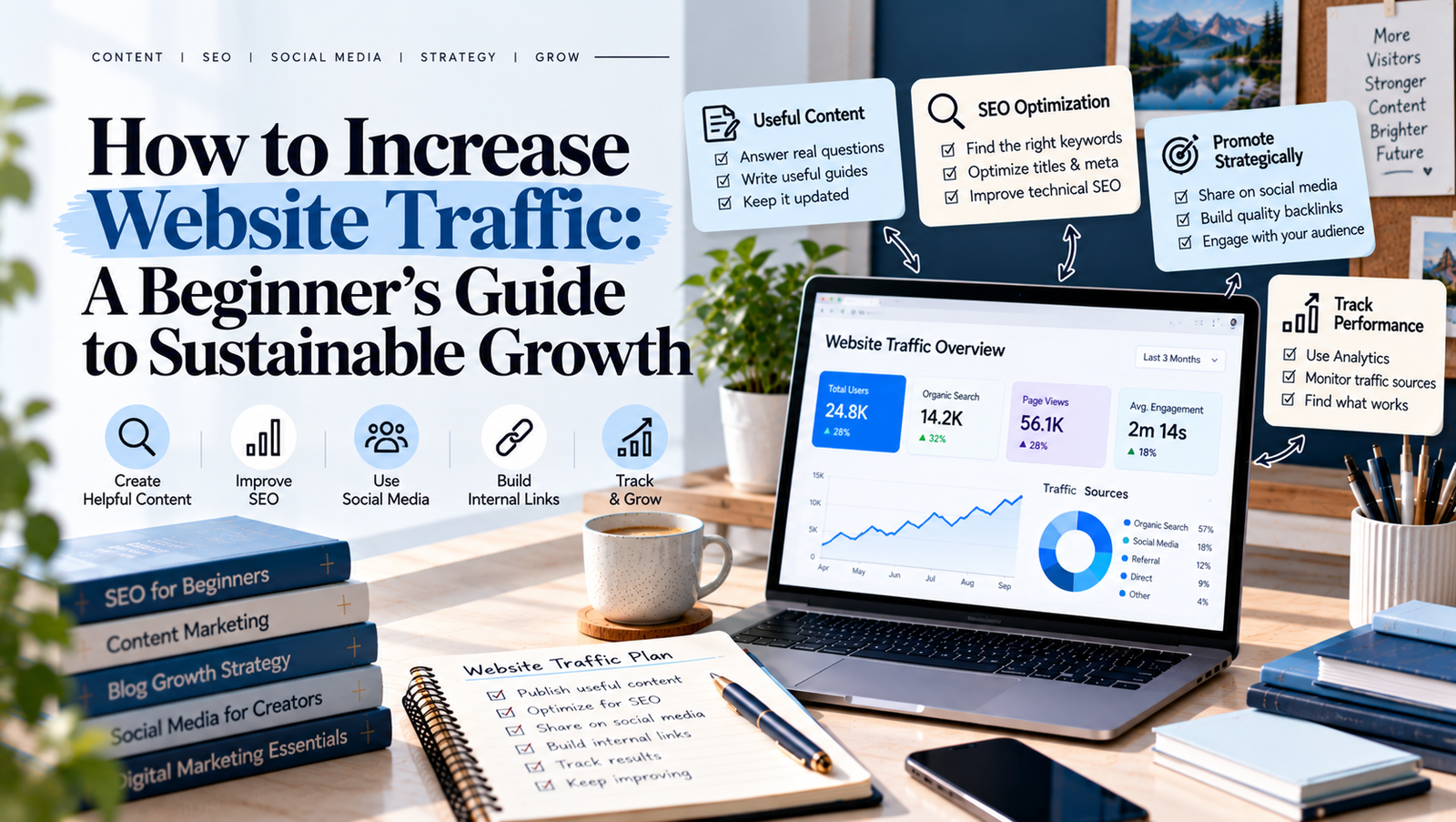
Building a website is only the beginning. The real challenge is getting people to visit it, explore your content, and return for more.
If your website receives very few visitors, you are not alone. Many beginners publish blog posts regularly but struggle to attract consistent traffic. The problem is often not a lack of effort. Instead, they may need a clearer content strategy, better SEO, or more effective ways to promote their articles.
The good news is that you do not always need paid advertising to grow your audience. You can increase website traffic by creating helpful content, understanding what people search for, improving your website, and sharing your work on the right platforms.
In this guide, you will learn practical ways to attract relevant visitors and build sustainable website growth.
What Is Website Traffic?
Website traffic refers to the people who visit your website. These visitors may arrive through Google Search, social media, links on other websites, email newsletters, or direct visits.
Understanding your traffic sources helps you identify which strategies are working.
Here are four common sources of website traffic:
- Organic traffic: Visitors who find your website through unpaid search results.
- Social traffic: Visitors who click links shared on social media platforms.
- Referral traffic: Visitors who arrive through links on other websites.
- Direct traffic: Visits recorded when people access your website directly or when the source cannot be identified.
Each source can support your growth in a different way. For example, SEO can help your articles appear in search results, while social media can introduce your content to new audiences.
A balanced approach reduces your dependence on a single traffic source.
1. Create Content People Actually Want to Read
Useful content is the foundation of sustainable website traffic. People visit websites because they want answers, solutions, ideas, or information.
Before writing a new article, think about your target audience. What problems do they face? Which questions do they ask? What information would make their work easier?
For example, if your website covers blogging and digital marketing, your audience may want to learn how to choose blog topics, improve search rankings, or create a content calendar.
Turn these needs into practical articles.
Follow these tips when creating content:
- Answer one main question in each article.
- Use clear headings to organize information.
- Include examples that readers can follow.
- Explain difficult concepts in simple language.
- Update information when it becomes outdated.
- Avoid adding unnecessary words just to make an article longer.
Also, focus on usefulness rather than publishing as often as possible. Three well-planned articles may serve your audience better than several rushed posts.
2. Use SEO to Attract Organic Traffic
Search engine optimization, or SEO, helps search engines understand your content and helps people discover relevant pages.
If you want to increase website traffic over time, make SEO part of your regular publishing process.
Choose Relevant Keywords
Keyword research helps you understand the words and phrases people use when searching online.
Start by choosing one main topic for your article. Then explore related questions and search phrases. Look for keywords that match your content and the needs of your intended audience.
For example, a broad phrase such as “SEO” may be difficult to target. A more specific phrase, such as “SEO tips for new bloggers,” may better match a beginner’s needs.
However, do not choose keywords based on competition alone. Make sure you can create a useful page that satisfies the searcher’s intent.
Optimize Your Blog Posts
Once you select a keyword, use it naturally in important places, including:
- The SEO title.
- The page URL.
- The introduction.
- Relevant headings.
- The meta description.
- Image alt text, where appropriate.
Keep your writing natural. Repeating the same keyword unnecessarily can make an article difficult to read.
You should also make your URLs clear, use descriptive headings, and provide useful internal links.
Improve Technical SEO
Your website should be easy for search engines to access and for visitors to use.
Check that your important pages can be indexed, your website works on mobile devices, and your pages load efficiently. Submit an XML sitemap through Google Search Console when appropriate.
Google’s SEO Starter Guide provides helpful guidance for improving your site’s search visibility.
Remember that SEO takes time. Rankings and traffic depend on several factors, so no single change guarantees results.
3. Publish Supporting Articles Around Main Topics
Publishing random articles can make it harder to build a clear content structure. Instead, organize your blog around a few important topics.
This approach is often called a topic cluster.
A topic cluster includes one comprehensive main article and several supporting articles that explore related questions.
For example, a main article about blog SEO could connect to supporting posts about keyword research, on-page SEO, internal linking, and website performance.
This structure offers several benefits:
- Readers can explore related topics.
- Search engines can discover connections between pages.
- You can cover a subject more thoroughly.
- Your content planning becomes more organized.
Start by selecting a main topic that closely matches your website’s purpose. Then identify three to six useful supporting topics.
Link the articles together where the links help readers. Avoid adding links simply to increase their number.
4. Improve Internal Linking
Internal links connect one page of your website to another. They help readers discover related information and help search engines understand your site’s structure.
For example, an article about writing blog posts could link to a guide on finding blog topics. A keyword research article could link to a related SEO planning guide.
To improve your internal linking:
- Identify your most important pages.
- Find related articles that naturally support them.
- Add links where readers may want more information.
- Use descriptive anchor text.
- Check that every link leads to the correct page.
Avoid generic anchor text such as “click here” when a more descriptive phrase would help readers understand the destination.
Internal links can improve content discovery, but they do not guarantee higher rankings. Their main purpose is to make your website easier to navigate and understand.
5. Share Your Content on Social Media
Search engines are not the only way to attract website visitors. Social media can help you reach people who may never have discovered your website otherwise.
Choose platforms based on your audience and content style.
For example, LinkedIn may suit professional articles and business insights. Pinterest can help people discover visual guides and evergreen content. Instagram can support short educational posts, while YouTube can introduce your ideas through videos.
You do not need to publish everywhere. Start with one or two platforms you can manage consistently.
Try these practical methods:
- Turn a blog’s main lessons into a carousel post.
- Share a useful tip and link to the complete guide.
- Create a short video explaining one idea from an article.
- Design a Pinterest graphic for a helpful tutorial.
- Answer relevant audience questions and share resources when appropriate.
Avoid posting the same message everywhere without adapting it. Each platform has different formats and audience expectations.
Most importantly, give people a reason to click. Explain what they will learn rather than simply announcing that a new article is available.
6. Update Older Blog Posts
New content can attract visitors, but your existing articles may also offer growth opportunities.
Some posts may have outdated examples, incomplete explanations, broken links, or titles that no longer match what readers search for.
Review your older articles regularly.
Start by checking their performance in Google Search Console. Look for pages that receive impressions but few clicks, pages that have lost traffic, and articles that could answer related questions more clearly.
Then make meaningful improvements.
You might update statistics, add practical examples, improve headings, fix broken links, or clarify the introduction.
Do not change a page simply because it is old. Focus on updates that improve accuracy, relevance, or usability.
After making changes, monitor the page over time. Search performance can fluctuate, so evaluate results using comparable date ranges.
7. Make Your Website Easy to Use
Attracting visitors is only part of website growth. People also need to find information easily once they arrive.
A confusing website can make readers leave before discovering your best content.
Improve the visitor experience with these simple steps:
- Use a clear navigation menu.
- Organize articles into relevant categories.
- Choose readable fonts and suitable text sizes.
- Keep paragraphs short.
- Make your website mobile-friendly.
- Fix broken links and missing pages.
- Avoid intrusive pop-ups that interrupt reading.
Your homepage should explain what your website offers and who it helps. Your blog page should make it easy to explore articles by topic.
Also, link to relevant resources throughout your content. This gives readers a natural next step and helps them discover more of your work.
A good user experience does not guarantee more search traffic, but it can help visitors use your website more comfortably.
8. Use Analytics to Understand Your Traffic
You cannot improve what you never measure. Analytics helps you understand where visitors come from, which pages they read, and how your website performs over time.
Two useful free tools are Google Search Console and Google Analytics.
Google Search Console
Use Google Search Console to monitor your website’s performance in Google Search.
Pay attention to:
- Total clicks.
- Total impressions.
- Click-through rate.
- Average search position.
- Queries bringing visitors to your pages.
These metrics can help you identify content that performs well and pages that need improvement.
Google Analytics
Use Google Analytics to understand website visits and visitor behaviour.
You can review traffic sources, landing pages, engagement, and conversions when the relevant tracking is configured.
For example, you may discover that certain articles attract visitors from search engines, while others receive more visits from social media.
Use these findings to guide your next steps. Improve promising pages, investigate sudden declines, and create more content around topics that serve your audience.
9. Build an Email Audience
Social media platforms and search engines can change over time. An email list gives you another way to stay connected with people who want to hear from you.
You can invite readers to subscribe to a newsletter that shares useful tips, new articles, resources, or updates.
To encourage sign-ups:
- Offer a relevant checklist or guide.
- Place a clear subscription form on your website.
- Explain what subscribers will receive.
- Send useful emails at a manageable frequency.
- Make unsubscribing easy.
For example, a blogging website could offer a simple blog content planning checklist.
Avoid collecting email addresses without permission or sending messages people did not agree to receive. Build your list with clear consent and useful content.
An email audience may not produce immediate traffic growth, but it can help you bring interested readers back to your website.
10. Create a Simple Website Traffic Growth Plan
You do not need to use every strategy at once. A simple plan can help you work consistently without becoming overwhelmed.
Here is a practical four-week starting plan.
| Week | Main task | Actions |
|---|---|---|
| Week 1 | Review your website | Check your top pages, traffic sources, and technical issues |
| Week 2 | Improve existing content | Update two useful articles and add relevant internal links |
| Week 3 | Publish and promote | Publish a helpful article and share it on suitable platforms |
| Week 4 | Measure results | Review clicks, impressions, organic visits, and engagement |
At the end of the month, decide what to prioritize next.
Use the plan as a starting point, then adapt it to your schedule and results.
Common Mistakes to Avoid
When trying to increase website traffic, avoid these common mistakes:
Publishing without a plan: Random topics can make it harder to build a connected content library.
Expecting instant results: SEO and audience growth often take time.
Focusing only on visitor numbers: Relevant visitors and meaningful actions matter more than traffic alone.
Ignoring existing content: Older articles may offer useful opportunities for improvement.
Using misleading headlines: Titles should accurately represent the content and set realistic expectations.
Trying every platform at once: Concentrate on the channels that suit your audience and available time.
Learning how to increase website traffic starts with understanding your audience and creating content that meets their needs.
Build a clear SEO strategy, choose relevant keywords, connect related articles, and promote your work on suitable platforms. At the same time, keep your website easy to use and review your performance regularly.
You do not need to apply every tactic immediately. Start with a few practical improvements, measure the results, and build on what works.
Consistent, useful content and thoughtful optimization can help you develop a stronger online presence over time.
Add a Comment