

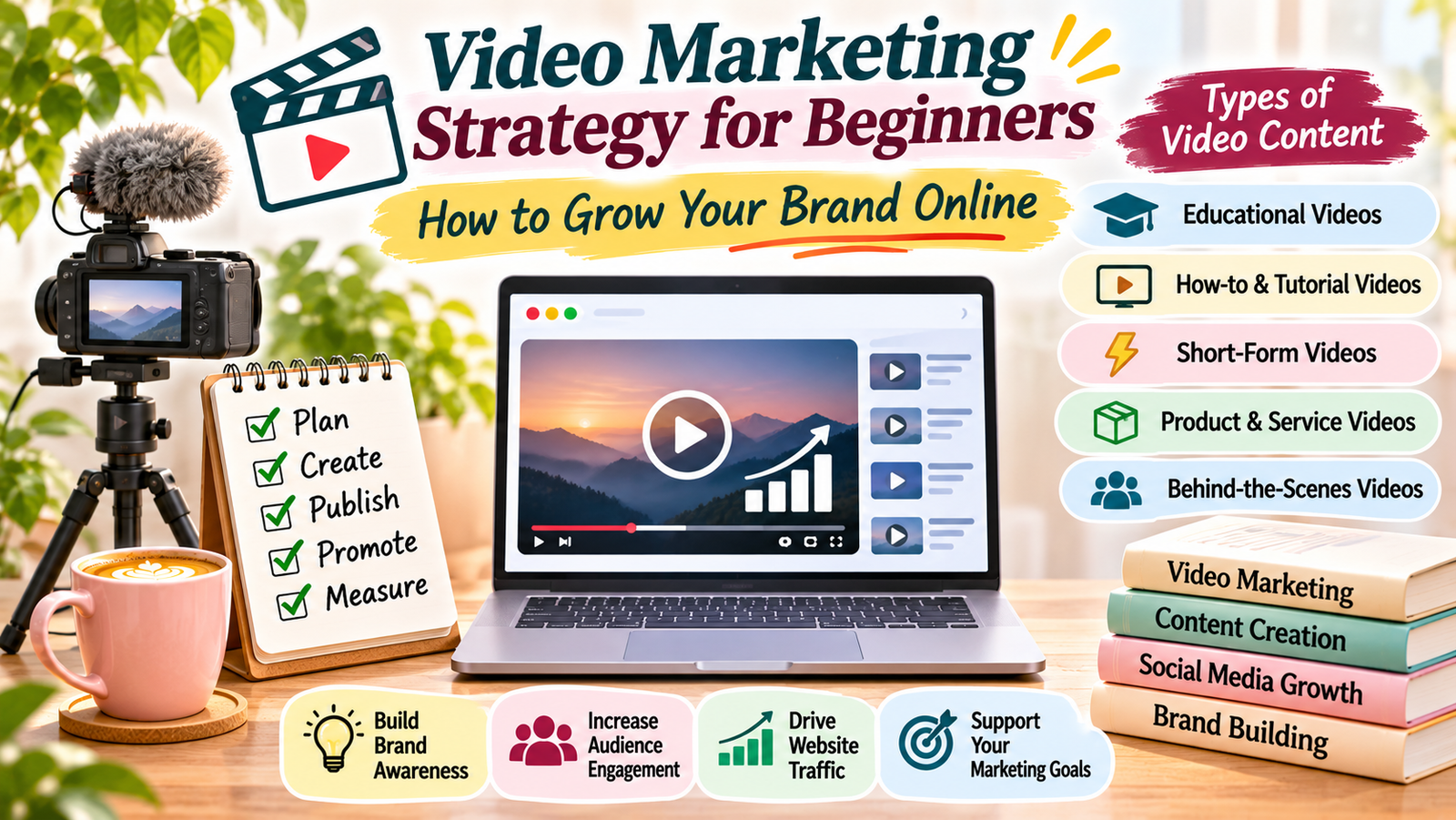
Video has become an important part of online communication. People watch videos to learn new skills, discover products, understand services, and find solutions to everyday problems.
However, creating videos without a clear plan may not deliver the results you expect. You need a video marketing strategy that connects your content with your audience and business goals.
A good video marketing strategy helps you decide what videos to create, where to publish them, how to reach viewers, and how to measure performance.
The best part is that you do not need expensive equipment or professional editing skills to begin. You can start with simple videos, useful ideas, and a consistent publishing plan.
In this guide, you will learn how to build a video marketing strategy and use video content to grow your brand online.
What Is a Video Marketing Strategy?
A video marketing strategy is a plan for creating, publishing, promoting, and measuring videos to achieve specific marketing goals.
It helps you decide:
- Who you want to reach.
- What topics your videos should cover.
- Which video formats are suitable for your audience.
- Where you should publish your videos.
- How often you should upload new content.
- How you will measure your results.
For example, a digital marketing website can create videos about SEO basics, blogging tips, content creation, and social media marketing.
These videos can educate viewers and introduce them to the website’s articles and resources.
Instead of uploading random videos, a clear strategy gives every video a purpose.
Why Is Video Marketing Important?
Video content offers several ways to connect with an online audience.
Here are some important benefits.
1. Makes Information Easier to Understand
Some topics are easier to explain through demonstrations than long written explanations.
For example, a video showing how to set up a WordPress website can help beginners understand each step.
Similarly, a short tutorial can explain a simple SEO technique more clearly than a list of instructions.
2. Helps Build Brand Awareness
Regularly publishing useful videos can help people recognise your brand.
When viewers find your content helpful, they may remember your website, social media account, or business.
Over time, this can support stronger brand visibility.
3. Creates Opportunities for Audience Engagement
Videos give viewers different ways to interact with your content.
They can leave comments, ask questions, share videos, and subscribe to your channel.
These interactions can also help you understand which topics interest your audience.
4. Supports Website Traffic
You can use videos to introduce topics and direct interested viewers to relevant website articles.
For example, a video about keyword research can include a link to a detailed keyword research guide.
This gives viewers another way to explore your content.
5. Supports Different Marketing Goals
Video content can support several goals, including:
- Increasing brand awareness.
- Educating potential customers.
- Generating website visits.
- Building an online community.
- Promoting products or services.
- Supporting customer enquiries.
The results depend on your audience, content quality, distribution, and overall marketing plan.
Different Types of Video Marketing Content
Before creating videos, understand the formats you can use.
You do not need to create every type. Choose formats that match your topic, audience, and available resources.
1. Educational Videos
Educational videos explain a topic, answer a question, or teach a useful skill.
Examples include:
- SEO tutorials for beginners.
- Content writing tips.
- Website setup guides.
- Digital marketing lessons.
- Online freelancing advice.
These videos are useful for websites and brands that want to share knowledge.
2. How-To and Tutorial Videos
Tutorial videos show viewers how to complete a particular task.
For example, you can create a step-by-step video explaining how to create a blog post, use an analytics tool, or design a social media graphic.
Keep the instructions clear and demonstrate the important steps.
3. Short-Form Videos
Short-form videos deliver information in a brief and engaging format.
You can use them to share:
- Quick tips.
- Simple tutorials.
- Common mistakes.
- Interesting facts.
- Short product demonstrations.
- Key points from longer articles.
You can publish suitable short videos on platforms such as YouTube Shorts and Instagram Reels.
4. Product and Service Videos
Businesses can use videos to explain their products or services.
These videos may show product features, demonstrate how something works, or explain how a service solves a customer problem.
Focus on clear and accurate information rather than exaggerated claims.
5. Behind-the-Scenes Videos
Behind-the-scenes videos show the people, process, or activities behind a brand.
For example, a creator may show how they prepare a blog post, organise a workspace, or create a new design.
This type of content can make a brand feel more approachable.
How to Create a Video Marketing Strategy Step by Step
Now that you understand the basics, follow these steps to create a practical strategy.
Step 1: Define Your Video Marketing Goals
Start by deciding what you want your videos to achieve.
Your goals should support your overall website or business objectives.
For example, you may want to:
- Increase YouTube subscribers.
- Improve brand awareness.
- Bring more visitors to your website.
- Generate product enquiries.
- Educate your target audience.
- Build an online community.
Choose two or three main goals at the beginning.
Also, decide how you will measure progress. For example, if your goal is website traffic, track visits that come from your video content.
Step 2: Understand Your Target Audience
Your videos should answer questions that matter to your audience.
Think about the people you want to reach.
Ask yourself:
- What topics interest them?
- What problems do they want to solve?
- Which platforms do they use?
- Do they prefer short videos or detailed tutorials?
- What level of knowledge do they have?
For example, a beginner-focused digital marketing website may attract students, freelancers, bloggers, and small business owners.
These viewers may be interested in practical videos about SEO, blogging, website growth, and online income.
Understanding your audience helps you choose relevant video topics.
Step 3: Research Video Topics and Keywords
Before recording a video, research what people want to learn.
You can find ideas through:
- YouTube search suggestions.
- Google search suggestions.
- Comments on related videos.
- Questions in online communities.
- Google Trends.
- Questions from your website visitors.
Choose topics that match your audience’s interests.
For example, if your audience wants to learn SEO, possible video topics include:
- What Is SEO?
- How to Find Keywords for a Blog.
- How to Improve Website Rankings.
- Common SEO Mistakes Beginners Make.
Use relevant keywords naturally in your video title, description, and spoken content where appropriate.
Avoid choosing topics only because they appear popular. Make sure you can provide useful information.
Step 4: Choose the Right Video Platforms
You do not need to publish videos everywhere.
Choose platforms based on your audience and content style.
YouTube: Suitable for tutorials, educational videos, product demonstrations, and detailed guides.
Instagram: Useful for short videos, visual tips, creative content, and audience interaction.
Facebook: Can help you share videos with communities and followers.
LinkedIn: Suitable for professional knowledge, industry insights, business education, and career-related videos.
Your website: Embedding relevant videos in blog posts can give visitors another way to understand a topic.
Start with one main platform and one supporting platform. This makes your content easier to manage.
Step 5: Plan Your Video Content
A content calendar helps you organise video topics and publishing dates.
You can create a simple monthly plan using Google Sheets or Excel.
For example:
| Week | Video topic | Format | Goal |
|---|---|---|---|
| Week 1 | What Is SEO? | Educational video | Awareness |
| Week 2 | Three Keyword Research Tips | Short video | Engagement |
| Week 3 | How to Write a Blog Post | Tutorial | Education |
| Week 4 | Common Blogging Mistakes | Short video | Reach |
Choose a schedule that fits your available time.
Publishing one useful video every week is a reasonable starting point if you are managing everything yourself.
Step 6: Create Useful and Engaging Videos
Your videos should provide value from the beginning.
Follow these practical tips:
- Start with a clear introduction.
- Explain what viewers will learn.
- Keep the message focused.
- Use simple language.
- Add examples where helpful.
- Maintain clear audio.
- Use readable text when adding captions.
- End with a relevant next step.
You do not need an expensive camera to create useful content. A smartphone, good lighting, and clear sound can be enough to get started.
Most importantly, make sure your video delivers what its title promises.
Step 7: Optimise Your Videos for Discovery
Creating a good video is only part of the process. You also need to make it easier for people to discover.
For YouTube, focus on these elements:
Video title: Write a clear title that explains what viewers will learn.
Description: Summarise the video and include relevant information or resource links.
Thumbnail: Use a clear and attractive image that represents the topic accurately.
Keywords: Include relevant search terms naturally in the title and description.
Captions: Add accurate captions to support viewers who prefer reading or cannot use audio.
Playlists: Organise related videos into playlists to make your channel easier to explore.
Optimisation can improve discoverability, but it does not guarantee views or rankings.
Step 8: Promote Your Videos
Do not depend on one platform to bring all your viewers.
Promote useful videos through relevant channels.
For example:
- Share your video on social media.
- Embed it in a related blog post.
- Include it in your email newsletter.
- Share useful video excerpts as short posts.
- Participate in relevant online communities.
- Link to it from related website resources.
You can also turn one long video into several short clips, provided each clip delivers a complete and useful idea.
For more ideas, read your guide on [content distribution strategy](https://meh fuzasultana.com/content-distribution-strategy/).
Step 9: Measure Video Marketing Performance
Tracking results helps you understand which videos are useful and where you need to improve.
Some important metrics include:
| Metric | What it tells you |
|---|---|
| Views | How many times people watched a video |
| Watch time | Total time viewers spent watching |
| Average view duration | Average time spent watching each view |
| Audience retention | How much of a video viewers watched |
| Subscribers | How many people subscribed to your channel |
| Engagement | Likes, comments, and shares |
| Link clicks | How many viewers visited a linked page |
| Conversions | Desired actions completed after viewing |
YouTube Studio provides analytics about your channel and individual videos.
For website visits and conversions, you can also use Google Analytics 4 with suitable tracking.
Review your results regularly. Use the information to improve future video topics, introductions, thumbnails, and calls to action.
Common Video Marketing Mistakes to Avoid
Beginners often make a few mistakes when starting video marketing.
1. Creating Videos Without a Clear Goal
Before recording, decide what the video should achieve. This keeps your content focused and useful.
2. Ignoring the Audience
Do not create videos only because a topic is trending. Focus on subjects that your viewers actually need.
3. Spending Too Much Time on Equipment
Expensive equipment is not essential when you are starting out. Prioritise clear sound, good lighting, and useful information.
4. Making Videos Too Complicated
Too many effects, long introductions, and unnecessary information can distract viewers.
Keep your message simple and organised.
5. Ignoring Video Titles and Thumbnails
A useful video still needs a clear title and an accurate thumbnail. These elements help viewers understand what the video offers.
6. Not Reviewing Analytics
If you never check performance, you may miss opportunities to improve.
Review your results and learn from videos that perform well or poorly.
A Simple Video Marketing Checklist
Use this checklist before publishing your next video:
- Define the video’s main goal.
- Identify the target audience.
- Research the topic and relevant keywords.
- Write a simple video outline.
- Record clear audio and visuals.
- Create an accurate title and thumbnail.
- Add a useful description and captions.
- Include a relevant call to action.
- Publish on suitable platforms.
- Promote the video through relevant channels.
- Review analytics and improve future content.
A successful video marketing strategy does not depend on expensive equipment or uploading videos every day.
It starts with understanding your audience, choosing useful topics, selecting the right platforms, and creating content that solves real problems.
Begin with a simple publishing schedule and focus on improving one video at a time.
As you learn from audience feedback and performance data, you can make your videos more useful and reach more people.
Remember, the purpose of video marketing is not simply to get views. It is to build relationships, share valuable information, and support your long-term online growth.
Add a Comment