Publishing blog posts regularly sounds simple until work, studies, clients, or daily responsibilities get in the way. A blogging schedule gives you a clear plan for what to write, when to write it, and when to publish it. More importantly, a good schedule should fit your real life instead of creating more pressure.
You do not need to publish every day to build a successful blog. Instead, focus on creating a realistic routine that you can maintain for months.
What Is a Blogging Schedule?
A blogging schedule is a simple plan that organizes your content creation and publishing activities. It can include your blog topics, writing days, editing time, publishing dates, and content promotion.
For example, a beginner might publish one article every week:
Monday: Research the topic
Tuesday: Create the outline
Wednesday: Write the first draft
Thursday: Edit and optimize
Friday: Publish and promote
This approach makes blogging easier because every task has a place in your week.
Start With a Blogging Schedule That Matches Your Time
Before creating your schedule, look at how much time you can realistically give to blogging.
If you have a full-time job, publishing three articles every week may become difficult. On the other hand, one useful article each week may be much easier to maintain.
Consider these questions:
How many hours can you spend on blogging each week?
Which days are usually less busy?
How long does it take you to write an article?
Do you need separate time for research and editing?
How often can you realistically publish?
Then build your schedule around those answers.
Remember: consistency matters more than publishing as often as possible.
Choose Your Publishing Frequency
There is no single publishing frequency that works for every blog.
For beginners, one blog post per week can be a practical starting point. Once you become comfortable with your workflow, you can increase your publishing frequency if you have enough time.
For example:
Beginner schedule: 1 post per week Growing blog: 2 posts per week Busy blogger: 2–4 posts per month
The important thing is to choose a pace you can maintain.
If you want to build a stronger overall routine, see [Building a Winning Blogging Routine: Tips for Consistency] as the main guide for this content cluster.
Break Your Blogging Schedule Into Small Tasks
Writing an entire article in one sitting can feel overwhelming. Instead, divide the process into smaller tasks.
Step 1: Choose the Topic
Start by selecting a topic that matches your audience and content strategy. Make sure the topic has a clear purpose and fits your blog niche.
Step 2: Research
Next, collect useful information, examples, statistics, and supporting sources. Search results can also help you understand what readers expect from the topic.
Step 3: Create an Outline
After research, create your headings and decide what each section should explain. A simple outline can make the writing process much faster.
Step 4: Write
Now write your first draft without trying to make every sentence perfect. Focus on getting your ideas down clearly.
Step 5: Edit and Optimize
Once the draft is complete, check grammar, readability, headings, keywords, internal links, and images.
Finally, publish the article and share it with your audience.
Use a Weekly Blogging Schedule
A weekly plan can make your blogging routine easier to follow.
Here is a simple example:
Day
Blogging Task
Monday
Topic research
Tuesday
Outline and keyword research
Wednesday
Write the draft
Thursday
Edit and optimize
Friday
Publish
Saturday
Promote the article
Sunday
Review results and plan the next topic
You do not have to follow this exact structure. Instead, move the tasks around based on your availability.
The goal is to create a repeatable system.
Keep a Content Calendar
A content calendar can help you see what is coming next. It can include:
Blog title
Primary keyword
Search intent
Content category
Draft date
Editing date
Publishing date
Promotion status
Internal linking opportunities
For example, you could plan four articles at the beginning of each month. That way, you already know what you need to work on instead of choosing a topic at the last minute.
Leave Room for Unexpected Changes
A good blogging schedule should have some flexibility.
Sometimes an article takes longer than expected. You may also have an urgent project, personal responsibility, or new content opportunity.
Therefore, avoid filling every available hour with blogging tasks.
Leave some space between your planned deadlines. If something changes, you can adjust the schedule without abandoning your entire content plan.
Use Tools to Make Your Blogging Schedule Easier
You do not need complicated software to manage your blogging routine.
A spreadsheet, calendar, task manager, or simple notebook can work well. For keyword research and search trends, tools such as Google Trends can also help you understand what people are searching for.
You can organize your content with columns such as:
This simple workflow makes it easier to see what needs attention next.
Avoid These Common Blogging Schedule Mistakes
Creating a schedule is useful, but an unrealistic plan can quickly become stressful.
Avoid these mistakes:
Planning more articles than you can write
Changing your publishing schedule every week
Ignoring research and editing time
Trying to publish every day
Leaving no space for unexpected work
Choosing topics without considering your content strategy
Focusing only on publishing instead of improving older content
Instead, start small and improve your system as you learn what works for you.
Make Your Blogging Schedule Easier to Maintain
A sustainable schedule should make blogging feel more organized, not more difficult.
Start with one consistent publishing day. Then create a repeatable workflow around it. For example, if Friday is your publishing day, use Monday for research, Tuesday for outlining, Wednesday for writing, and Thursday for editing.
Over time, this routine can become a habit.
You can also review your schedule at the end of each month. Look at which tasks took the most time and where you struggled. Then make small adjustments for the next month.
The best blogging schedule is not the one that looks the busiest. It is the one you can actually follow.
Start with a realistic publishing frequency, divide your work into smaller tasks, use a content calendar, and leave room for unexpected changes. Most importantly, give yourself enough time to create useful content instead of rushing to meet an unrealistic deadline.
Once your schedule becomes consistent, blogging becomes easier to manage. You can then focus more on creating valuable content, improving SEO, growing your audience, and building your blog over time.
SEO trends continue to change as search engines become more sophisticated, users change how they search, and new technologies influence the way people discover information online. For bloggers and website owners, keeping up with these changes can help you make better content decisions instead of relying on outdated SEO tactics.
SEO is no longer only about adding keywords to a page and building backlinks. Modern search increasingly considers the usefulness of content, the experience a website provides, technical accessibility, search intent, and how well a page satisfies a user’s need.
Google’s current Search Central documentation continues to emphasize technical requirements, helpful content, search appearance, Search Console, and other areas that website owners should understand.
This guide explores the major SEO trends bloggers should understand and, more importantly, how you can adapt your content strategy without chasing every new SEO headline.
What Are SEO Trends?
SEO trends are important changes or developing practices that can influence how websites are discovered, crawled, indexed, displayed, and found through search.
Some changes happen because search engines improve their systems. Others happen because people change the way they search.
For example, users may search through:
Traditional search results
Mobile devices
Voice interfaces
Images
Videos
AI-powered search experiences
Local search
Product searches
This means bloggers need to think beyond simply ranking one page for one keyword.
A stronger approach is to create useful content that clearly satisfies a specific search need.
SEO Trends to Watch: Search Is Becoming More Intent-Focused
One of the most important SEO trends is the continued importance of understanding search intent.
Search intent means the reason behind a search.
Someone searching:
“What is keyword research?”
is probably looking for an explanation.
Someone searching:
“best keyword research tools”
may be comparing options.
Someone searching:
“buy SEO software”
has a different intent again.
The same topic can therefore require different content depending on what the searcher wants.
How to Adapt
Before writing an article, ask:
What is the reader trying to accomplish?
What information do they need?
What type of content would solve their problem?
Are they looking for information, comparison, instructions, or a product?
This should influence your title, structure, examples, and CTA.
For more guidance, start with your Keyword Research Guide and make search intent part of your content planning process.
Helpful, People-First Content Remains Important
Another major SEO trend is the continuing focus on content that genuinely helps people.
This matters because publishing more articles does not automatically create a stronger website.
For example, imagine two blogs.
Blog A publishes 50 short articles that repeat information already available everywhere.
Blog B publishes 20 carefully researched articles with examples, practical steps, original insights, useful internal links, and clear explanations.
More content does not automatically mean better content.
How to Adapt
Before publishing, ask:
“What will the reader understand or be able to do after reading this?”
If you cannot answer that clearly, the article may need a stronger purpose.
AI and SEO Are Changing Content Creation
AI is one of the most visible SEO trends in recent years. Today, many creators use AI tools to support different parts of the content process.
For example, these tools can help with:
Finding content ideas
Creating article outlines
Grouping related topics
Improving readability
Finding content gaps
Reviewing existing content
However, AI should support your content process rather than replace human input. Your own experience, examples, opinions, and editing can make the final content more useful and original.
As a result, the best approach is to use AI as a helpful tool while keeping people and their needs at the center of your content strategy.
But using AI does not remove the need for human judgment.
Google’s current guidance also distinguishes useful content from scaled content created primarily to manipulate search rankings. Its spam policies specifically warn against producing large amounts of unoriginal content with little value, regardless of whether automation or AI was used.
How to Adapt
Use AI as a productivity tool rather than a replacement for expertise.
Add value through:
Personal experience
Original examples
Practical workflows
First-hand observations
Expert commentary
Data
Case studies
Clear explanations
Your goal should be to make the final article more useful, not simply faster to produce.
Search Is Expanding Beyond Traditional Blue Links
Modern search experiences include more than traditional organic listings.
Google currently documents search features including AI features, featured snippets, images, videos, Discover, sitelinks, and other search appearances.
This means your content may be discovered in different ways depending on the query and search experience.
How to Adapt
Create content that is easy to understand and extract information from.
Use:
Clear headings
Short paragraphs
Descriptive titles
Lists
Tables where useful
Direct explanations
Relevant images
Original examples
Do not write solely for a particular search feature.
Focus first on creating a page that is genuinely useful.
SEO Trends Include More Visual and Multimedia Content
Search is not limited to text.
Images, videos, and other visual formats can help users understand topics more quickly.
For example, a tutorial about creating a content calendar could include:
A sample calendar
A planning workflow
A screenshot
A downloadable template
A short explanatory video
Visual content can make complex information easier to understand.
Google’s Search documentation also includes image-related search guidance and recommendations for how websites can influence image presentation in search.
How to Adapt
Add relevant visuals when they genuinely improve the article.
Do not add stock images simply because an SEO plugin says a page should contain images.
Every image should have a purpose.
Technical SEO Still Matters
With all the attention on AI and content trends, it is easy to forget that technical SEO remains important.
Search engines need to be able to access and understand your website.
Important technical areas include:
Crawling
Indexing
Mobile usability
Page experience
Site structure
Internal links
HTTPS
Canonical URLs
Structured data where appropriate
Website performance
Google Search Central provides technical requirements and documentation covering how websites can be crawled and included in Search.
How to Adapt
You do not need to become a developer to understand basic technical SEO.
Start by checking:
Can search engines access your important pages?
Are important pages indexed?
Are internal links working?
Does your website work well on mobile?
Are there unnecessary broken pages?
Is your website structure easy to understand?
Internal Linking Is Becoming More Valuable for Content Organization
A growing website can quickly become difficult to navigate if every article exists independently.
Internal links connect related pages and help readers discover additional information.
For example:
Keyword Research
→ Low-Competition Keywords → Long-Tail Keywords → Choosing the Right Keywords → Keyword Mapping
This creates a connected content journey.
Your Internal Linking Guide can then become part of the same SEO learning path.
How to Adapt
Whenever you publish a new article, identify:
Relevant older articles to link to
Newer articles that could eventually link back
The broader topic cluster
The next logical article for the reader
Internal linking should feel useful and natural rather than forced.
Topical Authority Is an Important SEO Strategy
Another useful SEO trend is the movement toward deeper topic coverage.
Instead of publishing unrelated articles across dozens of subjects, you can build a group of connected resources around your core topics.
For example, if your website focuses on SEO, you might build a cluster around:
SEO for Beginners
→ Keyword Research → Low-Competition Keywords → Long-Tail Keywords → On-Page SEO → Technical SEO → Internal Linking → Topical Authority
This gives readers multiple ways to explore the subject.
It also creates a more organized website structure.
You can learn more through your Topical Authority Guide and use content clusters when planning future articles.
Search Console Data Should Guide Your SEO Decisions
SEO should not be based entirely on assumptions.
Google Search Console can help website owners monitor how their pages perform in Google Search. Google specifically provides Search Console as a resource for understanding search performance and indexing.
You can use performance data to identify:
Pages receiving impressions
Queries bringing traffic
Pages gaining visibility
Pages losing visibility
Opportunities for content updates
Queries where your page is appearing but receiving few clicks
For example, if an article receives many impressions but relatively few clicks, you might review its title and description.
If an article ranks for related queries that you did not originally target, those queries may suggest useful additions or future content ideas.
SEO Trends Are Moving Toward Better User Experience
A good SEO strategy should also consider the experience people have after clicking your result.
Imagine a user finds your article but encounters:
Huge blocks of text
Difficult navigation
Slow-loading pages
Intrusive pop-ups
Poor mobile formatting
Unclear headings
Too many advertisements
Even if the topic is relevant, the experience can make the content harder to use.
How to Adapt
Make your pages easy to scan.
Use:
Short paragraphs
Clear headings
Helpful lists
Relevant images
Descriptive links
Logical navigation
Mobile-friendly formatting
Good UX does not mean adding unnecessary design elements.
It means helping the reader find and understand the information they came for.
Content Freshness Matters, but Do Not Change Dates Just for SEO
Another area bloggers often misunderstand is content freshness.
Updating an article can be useful when:
Information has changed
Examples are outdated
Links are broken
New evidence is available
Search intent has changed
The article can answer the topic better
But changing the publication date without making meaningful improvements does not automatically make an article better.
A content update should improve the page for the reader.
A Simple Content Refresh Checklist
Review:
Facts
Statistics
Examples
Screenshots
Links
Keywords
Search intent
Internal links
Introduction
Headings
CTA
Then make genuine improvements.
How Bloggers Can Adapt to Changing SEO Trends
You do not need to react to every SEO announcement.
Instead, build a flexible process.
Step 1: Focus on Your Audience
Know who you are creating content for.
Step 2: Research Search Intent
Understand what users actually want.
Step 3: Create Useful Content
Answer the problem clearly and completely.
Step 4: Build Topic Clusters
Connect related articles around important subjects.
Step 5: Strengthen Internal Links
Help readers move naturally between related pages.
Step 6: Improve Technical SEO
Make your site accessible, crawlable, and easy to use.
Step 7: Add Useful Visuals
Use images, diagrams, screenshots, or videos when they improve understanding.
Step 8: Measure Performance
Use Search Console and your analytics data to understand what is happening.
Step 9: Update Important Content
Improve existing articles instead of focusing only on new posts.
Step 10: Keep Learning
Search continues to evolve, so your SEO strategy should evolve with it.
Google maintains an official documentation update log where it publishes changes to its Search documentation, making it a useful resource for staying informed about official guidance.
SEO Trends to Watch in Your Own Blog
Instead of trying to follow every trend, monitor a few areas that directly affect your website.
Create a simple monthly checklist:
Area
What to Check
Content
Are articles genuinely useful?
Keywords
Are topics aligned with search intent?
Internal Links
Are related articles connected?
Technical SEO
Can important pages be crawled and indexed?
Images
Are visuals useful and properly described?
Performance
Which pages are gaining or losing visibility?
Updates
Which older articles need improvement?
Content Clusters
Are important topics covered comprehensively?
This gives you a practical way to respond to changing SEO trends without constantly changing your entire strategy.
Common SEO Trend Mistakes to Avoid
Chasing every new trend
Not every SEO development is relevant to every website.
Changing your strategy too frequently
Constantly switching tactics can make it difficult to understand what is actually working.
Publishing large amounts of low-value content
More pages do not automatically mean more useful content. Google’s spam policies specifically address scaled content created primarily to manipulate search rankings.
Ignoring your existing content
Sometimes improving an existing article is more useful than creating another similar page.
Focusing only on rankings
Look at the bigger picture, including impressions, clicks, engagement, conversions, and whether the content actually helps your audience.
The most important SEO trends are not simply about chasing the newest algorithm change or technology.
They point toward a broader approach to website growth:
Understand your audience → Research search intent → Create useful content → Build topic depth → Connect your pages → Improve technical SEO → Measure → Update
AI, new search experiences, visual search, and changing user behavior will continue to influence SEO. But the fundamentals of creating useful, accessible, well-organized content remain important.
For your blog, the best approach is to build a system that can adapt.
Start with strong keyword research, create focused content, use internal linking, develop topical authority, maintain your technical SEO, and regularly review your performance data.
That way, you are not simply reacting to SEO trends.
You are building a website that can continue to grow as search evolves.
Creating consistent blog content sounds simple until you actually have to decide what to write, which keywords to target, when to publish, and how each article connects to the rest of your website. This is where content strategy templates can make blogging easier, more organized, and more efficient.
Instead of starting every article from a blank page, you can use a repeatable system for planning topics, keywords, content briefs, publishing schedules, SEO, and performance tracking. The goal is not to make your blogging process complicated. It is to make the important steps easier to repeat.
Whether you are starting a new blog or trying to manage an existing content library, the right templates can help you turn random ideas into a structured content strategy.
What Are Content Strategy Templates?
Content strategy templates are ready-to-use frameworks that help you plan, create, optimize, publish, and measure content.
A useful template can organize information such as:
Blog topic
Target audience
Search intent
Primary keyword
Secondary keywords
Content format
Article outline
Internal links
Publishing date
Content status
Performance metrics
For example, instead of writing down:
“Write a blog about SEO.”
you could use a content planning template to define:
Topic: SEO for Beginners Audience: New bloggers Search intent: Informational Primary keyword: SEO for beginners Supporting topics: On-page SEO, technical SEO, internal linking Format: Beginner’s guide Internal links: Keyword research, on-page SEO, internal linking
This simple structure makes the idea much easier to develop into a complete article.
Why Use Content Strategy Templates for Blogging?
Blogging becomes difficult when every decision has to be made from scratch.
You may have plenty of ideas but still struggle with:
What to publish first
Which keyword to target
How to structure an article
When to publish
Which older posts to link
Whether an article supports your overall strategy
How to measure results
A template gives you a repeatable process.
Instead of asking “What should I do next?”, you can follow the same workflow for every article.
This can help you:
Save planning time
Maintain consistency
Reduce missed SEO steps
Organize your content calendar
Build stronger topic clusters
Improve internal linking
Track content performance
Create content more efficiently
The biggest benefit is not the template itself. It is having a system you can actually follow.
What Should a Good Content Strategy Template Include?
A useful template should contain enough information to guide your work without becoming overwhelming.
At minimum, your template can include:
Planning Element
What to Record
Topic
The main subject
Audience
Who the content is for
Search intent
Informational, commercial, transactional, or navigational
Primary keyword
Main search phrase
Secondary keywords
Related terms and subtopics
Content format
Guide, tutorial, comparison, checklist, etc.
Outline
Main sections and headings
Internal links
Relevant existing articles
CTA
Desired next action
Status
Idea, writing, editing, published, updating
Publish date
Planned publication date
You do not need a complicated spreadsheet with dozens of columns. Start with the information that actually helps you make better content decisions.
Content Strategy Template 1: Blog Content Calendar
Target audience: Who should find this article useful?
Primary keyword: The main search term
Search intent: What does the reader want to accomplish?
Secondary keywords: Related terms and questions
Article goal: What should the reader understand or do after reading?
Suggested structure: H2 and H3 sections
Internal links: Relevant existing content
External references: Useful authoritative sources
CTA: The next step for the reader
For example, if you are writing about keyword research, your brief might identify keyword research as the main topic while also covering search intent, long-tail keywords, competition, keyword difficulty, and keyword mapping.
This prevents the article from becoming a collection of disconnected information.
Content Strategy Template 3: SEO Content Planning
An SEO content planning template connects your content ideas with your search strategy.
Before writing an article, record:
Primary keyword
Search intent
Supporting keywords
Related topics
Existing competing pages
Content gaps
Internal linking opportunities
Potential title
Main headings
Content format
For example:
Topic: Low-Competition Keywords Primary keyword: low-competition keywords Intent: Informational Supporting keywords: keyword difficulty, long-tail keywords, keyword research Related content: keyword research guide Internal link: SEO for beginners Next article: keyword mapping
This creates a connection between individual blog posts instead of treating every article as an isolated piece of content.
For broader SEO guidance, Google’s Search Central provides an official SEO Starter Guide and other documentation for website owners.
Content Strategy Template 4: Keyword Research
Your keyword research template can help you organize potential search terms before assigning them to articles.
Use columns such as:
Keyword
Search Intent
Relevance
Competition
Content Idea
keyword research
Informational
High
Medium
Beginner guide
low competition keywords
Informational
High
Medium
Detailed tutorial
long-tail keywords
Informational
High
Medium
Practical guide
keyword mapping
Informational
High
Low
SEO tutorial
The important part is not collecting hundreds of keywords.
The goal is to identify keywords that are relevant to your audience and can be connected to useful content.
You can learn more about this process in How to Conduct Effective Keyword Research for Your Blog.
Once this becomes part of your workflow, you can add more fields when they become useful.
Use Templates as a Repeatable Blogging Workflow
The real power of content strategy templates comes from using them together.
A simple workflow can look like this:
1. Find a topic ↓ 2. Research keywords ↓ 3. Choose search intent ↓ 4. Add the topic to your content calendar ↓ 5. Create a content brief ↓ 6. Build the article outline ↓ 7. Write and optimize the article ↓ 8. Add internal and external links ↓ 9. Publish and promote ↓ 10. Track performance and update
This creates a content production system instead of relying on inspiration every time you want to publish.
Connect Your Content Strategy Templates With SEO
Templates become even more useful when they connect content planning with SEO.
For example, your planning process can move from:
Keyword Research → Search Intent → Content Brief → On-Page SEO → Internal Linking → Content Cluster → Performance Tracking
This makes your content strategy more connected.
You can also review your existing articles and identify opportunities to strengthen connections between related posts.
For example:
Keyword Research Guide ↓ Low-Competition Keywords ↓ Long-Tail Keywords ↓ Choosing the Right Keywords ↓ Keyword Mapping
Each article can support the next stage of the reader’s learning journey.
Common Mistakes When Using Content Strategy Templates
Templates are helpful, but they can be misused.
1. Creating too many templates
You do not need a separate document for every tiny task.
2. Focusing only on keywords
Keywords are useful, but the content still needs to solve the reader’s problem.
3. Ignoring search intent
A keyword alone does not tell you what kind of article to create.
4. Never updating the templates
Your blogging process will change as your website grows.
5. Forgetting internal links
Good content should connect naturally with other useful content on your website.
6. Publishing without measuring
A content strategy should improve over time based on what your audience actually responds to.
A Simple Content Strategy Template for Beginners
If you want to start immediately, use this basic framework:
Topic: What will you write about?
Audience: Who needs this information?
Primary keyword: What main search phrase are you targeting?
Search intent: What does the reader want?
Secondary keywords: What related topics should you cover?
Outline: What H2 and H3 sections will you include?
Internal links: Which existing articles should you connect?
External sources: Which trustworthy resources can support the article?
CTA: What should the reader do next?
Status: Idea / Research / Writing / Editing / Published / Update
That’s enough to build a consistent content planning system without making the process complicated.
Content strategy templates can turn blogging from a collection of random tasks into a repeatable system.
You can use templates to organize your content calendar, research keywords, create better briefs, plan SEO, build content clusters, manage internal links, and track performance.
You do not need a complicated system from day one. Start with a content calendar, keyword research template, and blog content brief. As your website grows, add SEO planning, content clusters, and performance tracking.
The most useful template is the one you will actually use consistently.
Build Your Next Content Workflow
A practical content journey can look like:
Content Writing & Blogging → Keyword Research for Your Blog → Content Strategy Templates → On-Page SEO → Internal Linking → Topical Authority
Keyword Research for Your Blog is one of the most important steps to creating content that people are actually searching for. By understanding what your audience searches for, you can choose relevant topics, create useful content, and improve your chances of getting organic traffic from search engines.
Creating useful blog content is important, but creating content that people actually search for can make a major difference to your website’s visibility.
Keyword research helps you discover the words and phrases people use when searching for information, solutions, products, or services online. Instead of choosing blog topics based only on what you think people might want to read, keyword research gives you a more structured way to understand search demand and content opportunities.
For beginners, keyword research can seem complicated. You may come across terms such as search volume, keyword difficulty, long-tail keywords, search intent, and competition.
Keyword research is the process of finding and evaluating search terms that people use on search engines.
For example, if you have a blog about blogging, you might discover searches such as:
How to start a blog
How to write a blog post
Blog topic ideas
Keyword research for beginners
How to get traffic to a new blog
How to make money blogging
Each keyword represents a potential content opportunity.
However, finding a keyword is only the beginning. You also need to determine whether the keyword is relevant to your audience, what type of content searchers expect, and whether your website has a realistic opportunity to compete.
Why Keyword Research Matters for Bloggers
Without keyword research, you might spend hours writing articles that receive very little organic traffic.
Keyword research can help you:
Discover topics your audience is interested in
Understand what people are searching for
Find content opportunities
Match content with search intent
Build topic clusters
Prioritize blog ideas
Improve your chances of appearing in relevant searches
Create a more organized content strategy
It does not guarantee rankings or traffic. Search visibility depends on many factors, including content quality, competition, relevance, website authority, technical SEO, and how well the content satisfies the searcher’s needs.
Think of keyword research as a content decision-making tool, not a ranking guarantee.
Step 1: Start With Your Audience
Before looking for keywords, understand who you are creating content for.
Suppose your blog focuses on digital marketing, SEO, blogging, and online income.
Understanding these differences helps you find keywords that actually match your audience.
Step 2: Create Seed Keywords
A seed keyword is a broad topic that gives you a starting point for finding more specific keywords.
For a blogging website, seed keywords could include:
Blogging
Blog writing
SEO
Keyword research
Content writing
Digital marketing
Freelancing
For example, start with:
Keyword research
From this seed topic, you can explore more specific searches such as:
Keyword research for beginners
How to do keyword research
Keyword research tools
Keyword research for blogs
Long-tail keywords
Low-competition keywords
Your seed keywords help you expand your research instead of randomly searching for article ideas.
Step 3: Find Related Keyword Ideas
Once you have seed keywords, expand them into specific search queries.
You can use sources such as:
Google search suggestions
Related searches
People Also Ask results
Keyword research platforms
Competitor websites
Search results themselves
Questions your audience frequently asks
For example, searching for “keyword research” may reveal related searches around tools, difficulty, long-tail keywords, search volume, and beginner tutorials.
These related searches can reveal the language people actually use.
Step 4: Understand Search Intent
One of the most important parts of keyword research is understanding search intent.
Search intent is the reason behind a search.
A keyword can have different types of intent.
Informational Intent
The searcher wants to learn something.
Examples:
What is keyword research?
How does SEO work?
How to write a blog post
Commercial Investigation
The searcher is researching before making a decision.
Examples:
Best keyword research tools
SEO tools for bloggers
Best blogging platform for beginners
Transactional Intent
The searcher is closer to taking an action such as purchasing or signing up.
Examples:
Buy SEO software
Keyword research tool pricing
SEO course online
Navigational Intent
The searcher is trying to reach a specific website or page.
Examples:
Google Search Console
Ahrefs login
WordPress
Your content should match the intent behind the keyword.
If someone searches “what is keyword research,” a detailed beginner explanation is likely more appropriate than a sales-focused article.
Step 5: Check Search Volume
Search volume estimates how frequently a keyword is searched within a particular period.
Higher search volume can indicate greater search demand.
But higher volume does not automatically mean better.
A keyword with 10,000 searches may be extremely competitive, while a keyword with 300 searches may be highly relevant and easier for a smaller website to target.
Therefore, don’t choose keywords based on search volume alone.
Look at:
Relevance + intent + competition + potential value
rather than one metric.
Step 6: Evaluate Keyword Competition
Competition helps you understand how difficult it may be to compete for a keyword.
Some keywords are dominated by:
Major publications
Established brands
High-authority websites
Specialized industry websites
A newer blog may find it difficult to compete immediately for extremely broad terms.
For example:
“SEO”
is a huge topic with enormous competition.
A more specific keyword such as:
“keyword research for small business blogs”
may represent a narrower and potentially more realistic content opportunity.
This is why beginners should explore specific keyword variations rather than targeting only broad keywords.
Step 7: Look for Long-Tail Keywords
Long-tail keywords are more specific search phrases, often containing several words.
Examples include:
Broad: Keyword research
More specific: Keyword research for beginners
Longer: How to do keyword research for a new blog
Long-tail searches can help you understand exactly what the searcher wants.
They can also provide useful ideas for focused blog posts.
However, length alone does not determine whether a keyword is valuable. The important factor is whether the query represents a useful and relevant opportunity.
Step 8: Study the Search Results
Before choosing a keyword, search for it yourself.
Look at the pages currently appearing in the results.
Ask:
What type of content is ranking?
Are the results beginner guides, tutorials, product pages, or lists?
How detailed are the articles?
What questions do they answer?
What information seems missing?
Can you create something more useful or more focused?
This step is important because keyword tools provide data, but the search results show you what search engines are actually presenting for that query.
Step 9: Identify Content Gaps
A content gap is an opportunity to provide useful information that existing results do not cover well.
Suppose the top results explain keyword research but don’t provide:
A practical example
A beginner workflow
A keyword selection framework
Blog-specific examples
A prioritization method
Those missing elements can become opportunities for your article.
The goal is not simply to make your article longer.
The goal is to make it more useful for the specific searcher.
Step 10: Choose One Primary Keyword
Once you’ve researched your topic, select a primary keyword for the article.
For example:
Primary keyword: Keyword research for blog
Related keywords might include:
Keyword research for beginners
Blog keyword research
Find keywords for blog posts
Long-tail keywords
Keyword research tools
The primary keyword gives the article a central topic.
Related terms help you cover the subject naturally and comprehensively.
Step 11: Build Your Article Around Search Intent
After choosing your keyword, create an outline based on what the searcher actually needs.
For example, an article targeting “keyword research for blog” could include:
What keyword research is
Why keyword research matters
How to find keyword ideas
How to understand search intent
How to evaluate competition
How to identify long-tail keywords
How to choose a primary keyword
How to organize keywords
Common keyword research mistakes
A practical keyword research workflow
This creates a logical journey from understanding to implementation.
Step 12: Create Keyword Groups
Don’t treat every keyword as a separate article.
Some keywords have very similar search intent and can be covered within one comprehensive page.
For example:
Keyword research for blogs
Blog keyword research
How to do keyword research for a blog
may overlap significantly.
Instead of automatically creating three separate articles, examine the search intent and determine whether one strong article can satisfy the searches.
This prevents unnecessary content duplication.
Step 13: Turn Keywords Into Topic Clusters
Keyword research becomes even more powerful when connected to a broader content strategy.
For example:
Main Topic: Keyword Research
Supporting topics:
Low-competition keywords
Long-tail keywords
Keyword selection
Keyword research tools
Search intent
Keyword mapping
These supporting articles can link to the main guide and to each other where relevant.
This creates a connected content structure rather than a collection of unrelated blog posts.
Step 14: Create a Keyword Prioritization System
You may discover dozens or even hundreds of keyword ideas.
You don’t need to publish all of them immediately.
Prioritize keywords based on factors such as:
Factor
Question
Relevance
Does this topic match my audience?
Intent
Can my content satisfy the search?
Competition
Can my website realistically compete?
Demand
Is there evidence of search interest?
Value
Could this topic support my goals?
Content Fit
Does it fit my website’s main topics?
A keyword that scores well across several factors may deserve earlier attention than a high-volume keyword with extremely strong competition.
Step 15: Map Keywords to the Right Content
Keyword mapping means assigning keywords to specific pages or articles.
For example:
Keyword
Search Intent
Content Type
What is keyword research?
Informational
Beginner guide
Keyword research for blogs
Informational
Main guide
Long-tail keywords
Informational
Supporting article
Best keyword research tools
Commercial
Comparison/list
Keyword research tool pricing
Transactional
Product/pricing content
This helps prevent multiple pages from competing unnecessarily for the same primary topic.
Common Keyword Research Mistakes
Choosing Keywords Only by Search Volume
High volume can come with high competition.
Ignoring Search Intent
A keyword is not useful if your content does not match what searchers expect.
Targeting Extremely Broad Keywords
Broad keywords can be difficult to compete for, especially for newer websites.
Creating a Separate Article for Every Keyword
Similar search intent may be better served by one comprehensive article.
Ignoring Related Topics
A single keyword rarely represents the entire subject.
Forgetting the Audience
A keyword can have search demand but still be irrelevant to your readers.
Stuffing Keywords Into Content
Repeating a keyword unnaturally can make content difficult to read. Write for people first and use keywords naturally.
A Simple Keyword Research Workflow
If you are a beginner, you can follow this simple process:
1. Define your audience Know who you want to reach.
2. Choose a seed topic Start with a broad subject related to your niche.
3. Find keyword ideas Use search suggestions, related searches, tools, competitors, and audience questions.
4. Check search intent Understand why people are searching.
5. Evaluate the opportunity Consider relevance, demand, competition, and potential value.
6. Study the search results Understand what currently ranks.
7. Choose a primary keyword Select one clear focus for the article.
8. Collect related keywords Use relevant variations and subtopics naturally.
9. Build the content outline Organize the article around the searcher’s needs.
10. Publish and improve Monitor performance and update the content as you learn more.
Effective keyword research is not about finding the keyword with the biggest search volume.
It is about finding the right topics for the right audience at the right stage of their search journey.
Start with your audience, build seed keywords, expand your ideas, understand search intent, evaluate competition, study the search results, and prioritize opportunities that fit your website.
Most importantly, use keyword research to create content that genuinely answers people’s questions.
When you combine good keyword research with useful content, strong on-page SEO, internal linking, and consistent publishing, you create a much stronger foundation for long-term organic growth. Explore more practical SEO, blogging, and digital marketing resources at MehfuzaSultana.com.
Social media ads can put your business in front of thousands of potential customers, but simply paying to promote a post does not guarantee results.
A successful social media ad needs more than an attractive image or a catchy headline. It needs the right audience, offer, message, creative, landing page, and call to action.
Whether you are promoting a product, service, website, app, or personal brand, understanding how these elements work together can help you create more effective advertising campaigns.
This guide explains how to create social media ads designed to attract attention, generate interest, and encourage meaningful action.
What Makes a Social Media Ad High-Converting?
A high-converting ad connects five important elements:
If even one element is weak, the campaign can struggle.
For example, you may have an excellent product, but if your ad reaches people who do not need it, the campaign is unlikely to perform well.
That is why effective social media advertising starts before you create the ad itself.
1. Define Your Advertising Goal
Start by deciding what you want the campaign to achieve.
Common objectives include:
Brand awareness
Website traffic
Lead generation
App installs
Product sales
Event registrations
Service inquiries
Engagement
Your objective determines how you should structure your campaign.
For example, an ad designed to generate leads may need a stronger offer and lead form, while an awareness campaign may focus more on introducing your brand.
Avoid trying to achieve every objective with one advertisement.
2. Understand Your Target Audience
The more clearly you understand your audience, the easier it becomes to create relevant advertising.
Identify:
Who they are
What they want
What problem they have
What prevents them from taking action
What motivates them
What objections they may have
For example, a business selling an SEO tool to beginners might target:
Bloggers, freelancers, creators, and small business owners who want to improve their website traffic but find SEO difficult to understand.
This information can influence the ad’s language, creative, offer, and CTA.
3. Focus on the Customer’s Problem
People are rarely interested in a product simply because the product exists.
They care about what the product can help them achieve.
Instead of:
“Our platform has advanced analytics.”
Try:
“Stop guessing which content brings you traffic. See what is working and where your next opportunity is.”
The second message focuses on the customer’s problem and desired outcome.
A useful formula is:
Problem → Solution → Benefit → Action
4. Create a Strong Hook
Social media users scroll quickly.
Your ad needs to communicate its value quickly enough to earn attention.
Examples:
“Still struggling to turn Instagram followers into customers?”
“Your website gets traffic, but are visitors actually converting?”
“Create professional social media content without starting from scratch.”
“Stop wasting your ad budget on the wrong audience.”
A good hook should be relevant to the audience and supported by the rest of the advertisement.
Avoid misleading clickbait.
5. Write Persuasive Ad Copy
Effective ad copy does not need to be complicated.
A simple structure is:
Hook
Get attention with a relevant problem or benefit.
Problem
Show that you understand the audience’s challenge.
Solution
Introduce your product, service, or offer.
Benefit
Explain what the audience can gain.
Proof
Add evidence where available.
CTA
Tell them what to do next.
For example:
Your social media posts get views but no leads? Turn your best content into targeted campaigns designed to reach people who are more likely to take action. Explore the strategy →
The exact wording should match your audience and offer.
6. Use the Right Creative
Your visual is often the first thing people notice.
Depending on the platform and campaign, you can use:
Static images
Carousels
Short videos
Product demonstrations
Testimonials
Before-and-after visuals
UGC-style content
The creative should support the message rather than distract from it.
For example, if the ad promises a simple solution, the visual should make that solution easy to understand.
7. Match the Ad to the Platform
Different social platforms have different content environments.
LinkedIn: Professional content, B2B offers, reports, software, services
YouTube: Video demonstrations, tutorials, product storytelling
Do not automatically use exactly the same creative and copy everywhere.
Adapt the presentation to the platform and audience.
8. Create an Offer People Understand
Even a well-written advertisement can struggle if the offer is unclear.
Your audience should quickly understand:
What are you offering?
Who is it for?
What problem does it solve?
What do they get?
What should they do next?
Possible offers include:
Free consultation
Free trial
Discount
Downloadable guide
Demo
Product bundle
Limited-time promotion
Webinar registration
A strong offer gives the audience a clear reason to take action.
9. Use Social Proof
People may hesitate to trust an unfamiliar business.
Social proof can reduce uncertainty when it is genuine and relevant.
Examples include:
Customer testimonials
Reviews
Case studies
Ratings
Client logos
Results
User-generated content
For example:
“Used by 500+ small businesses”
is more meaningful when the claim is accurate and can be supported.
Never create fake reviews, results, or customer claims.
10. Create a Clear Call to Action
Your CTA should tell people exactly what to do.
Examples:
Shop Now
Get Started
Book a Consultation
Download the Guide
Start Your Free Trial
Learn More
Request a Demo
Match the CTA to the user’s stage in the buying journey.
Someone discovering your brand for the first time may be more comfortable with Learn More, while someone comparing products may be ready for Start Your Free Trial.
Your organic content can also help you understand which messages and topics attract attention before investing more heavily in advertising.
This is where content writing and blogging can support paid social campaigns.
A useful blog post can provide deeper information, while an advertisement can introduce the article to a relevant audience. High-converting social media ads are not created by simply adding money behind a post.
They are built around a clear audience, relevant problem, strong message, compelling creative, useful offer, focused landing page, and measurable objective.
Start with the customer rather than the advertisement.
Understand what your audience needs, communicate the value clearly, test different approaches, and use campaign data to improve your next version.
The strongest social media advertising strategy connects content, audience, creative, landing pages, and conversion into one customer journey.
Freelancing means working independently for clients on specific projects or ongoing assignments.
Instead of having one employer, a freelancer may work with multiple clients.
Popular freelance services include:
Content writing
Graphic design
Web development
SEO
Social media management
Video editing
Virtual assistance
Copywriting
Digital marketing
Your first goal should not be to offer everything.
Choose one skill or closely related group of services and become easier for clients to understand and hire.
1. Choose One Freelance Skill
Start by identifying a skill that businesses or individuals are willing to pay for.
For example:
Writing → Blog writing → SEO blog writing
This is more specific than simply saying:
“I can write anything.”
A focused service makes it easier to build a portfolio and target the right clients.
If you enjoy writing, content writing and blogging can be a practical area to explore because businesses regularly need articles, website content, social media copy, and other written materials.
2. Learn the Basics Before Looking for Clients
You do not need to become an expert before starting, but you should be able to deliver the service you offer.
For content writing, learn:
Basic research
Search intent
Blog structure
Headline writing
Readability
Basic SEO
Editing and proofreading
Content formatting
Practice these skills by creating your own sample projects.
3. Build a Portfolio Without Client Experience
One of the biggest beginner problems is:
“How can I show experience when nobody has hired me yet?”
Create your own samples.
For example, if you want to become a freelance content writer, create:
2 SEO blog posts
1 product description
1 website homepage sample
1 social media content sample
Choose topics related to the type of clients you want to attract.
A strong sample can demonstrate your ability even if it was not created for a paying client.
4. Create a Clear Freelance Profile
Whether you use a freelance marketplace, LinkedIn, or your own website, make your profile easy to understand.
Include:
What you do + Who you help + What you offer
For example:
“SEO content writer helping SaaS and small businesses create useful, search-friendly blog content.”
Also include:
Your key skills
Portfolio samples
Relevant experience
Services
Contact information
Avoid filling your profile with unrelated skills simply to make it look bigger.
5. Find Your First Clients
There are several ways to find freelance opportunities.
You can explore:
Freelance marketplaces
LinkedIn
Professional communities
Business websites
Personal networking
Direct outreach
Referrals
Your existing contacts
When reaching out, do not send the same generic message to everyone.
Research the business and explain how your service can help.
A simple approach is:
Observation → Problem → Relevant service → Sample → Next step
For example, you might notice that a company’s blog has useful topics but inconsistent publishing. You can introduce yourself as a content writer and offer a relevant sample.
6. Start With Small Projects
Your first project does not have to be a huge contract.
Small projects can help you:
Build experience
Understand client communication
Improve your workflow
Collect testimonials when appropriate
Create stronger portfolio examples
Focus on delivering quality work and meeting deadlines.
Your early projects can teach you how freelancing works in practice.
7. Set Your Pricing Carefully
There is no single correct freelance rate.
Pricing can depend on:
Skill level
Project complexity
Research required
Turnaround time
Client type
Scope of work
Your experience
As a beginner, avoid competing only by offering the lowest possible price.
Instead, make your service clear and explain exactly what the client receives.
For example:
SEO Blog Writing Package
Keyword-focused article
Research
Structured headings
Meta title and description
Internal-link suggestions
Proofreading
A clearly defined service is easier to evaluate than a vague hourly offer.
Client Brief → Research → Outline → Draft → Editing → Client Review → Final Delivery
Keep track of:
Deadlines
Requirements
Revisions
Files
Payments
Client communication
Professional organization matters just as much as the skill itself.
9. Use Content to Attract Clients
You do not always have to search for clients manually.
Create useful content around your skill.
For example, a freelance writer can publish:
Blog-writing tips
SEO lessons
Writing mistakes
Before-and-after examples
Content strategies
Case studies
This demonstrates your knowledge before a potential client contacts you.
Your website and social media can therefore become part of your client-acquisition strategy.
10. Use AI as a Support Tool
AI can help freelancers with:
Brainstorming
Research organization
Outlines
Editing
Content repurposing
Productivity
But do not depend on AI to replace your judgment.
For writing work, you should still check:
Accuracy
Originality
Tone
Examples
Search intent
Client requirements
Your value comes from the ability to understand the problem and produce a useful result.
Common Beginner Freelancing Mistakes
Offering Too Many Services
Being a “do everything” freelancer can make your positioning unclear.
Working Without a Portfolio
Create samples before waiting for your first client.
Sending Generic Proposals
Personalized outreach is usually more useful than copy-pasting the same message.
Accepting Unclear Requirements
Make sure the scope, deadline, deliverables, and revisions are understood.
Ignoring Deadlines
Reliability is a major part of professional freelancing.
Focusing Only on Getting Clients
Once you get work, focus on delivering excellent results and building long-term professional relationships.
A Simple 30-Day Freelancing Plan
A 30-day plan can give beginners a clear starting point. During the first week, choose one skill and learn the essential basics. In the second week, use that skill to create 3–5 strong portfolio samples.
By the third week, build your freelance profile and improve your online presence. Then, during the final week, start applying for suitable projects and contact potential clients.
At the end of the month, review what worked and improve your portfolio, proposals, and service positioning. Although starting freelancing with no experience can feel challenging, you do not need to wait until everything is perfect.
Instead, choose one marketable skill, practice it, create your own portfolio, build a clear profile, and start looking for relevant opportunities.
For people interested in writing, content writing and blogging can provide a strong foundation for freelance work because the same skills can be used for blogs, websites, social media, and other digital content.
Your first goal is not to build a huge freelance business overnight. It is to develop a useful skill, complete your first projects, learn from real client work, and gradually build a reputation.
Social media marketing strategy for beginners can feel overwhelming when you are starting from scratch. You may post regularly but still struggle to attract the right audience. A better approach is to understand your audience, choose suitable platforms, create useful content, and follow a simple strategy you can maintain consistently.
If you are also building a website, your social media strategy should work alongside your content writing and blogging and SEO efforts.
Social media can help you build an audience, promote your content, grow a personal brand, and create new opportunities. However, posting every day does not automatically guarantee results.
What Is Social Media Marketing?
Social media marketing is the process of using social platforms to reach an audience, share content, build relationships, increase brand awareness, and support business or website goals.
Platforms can include:
Instagram
YouTube
Facebook
LinkedIn
TikTok
Pinterest
For beginners, social media marketing should start with building trust and providing value.
For a broader introduction to digital marketing, you can also explore the Digital Marketing Blog.
Content pillars are the main topics you repeatedly create content around.
For a digital marketing account, your pillars could include:
SEO tips
Content writing
Blogging
Social media marketing
Online income
These pillars give you structure while still allowing you to create different types of posts.
For example, your content writing pillar could cover blog writing, research, editing, SEO writing, and content planning.
You can link readers to your Content Writing guide when you mention content writing as a skill.
5. Create Content That Solves Problems
People follow accounts because the content gives them a reason to stay.
Instead of posting:
“SEO is important.”
Create something more useful:
“5 reasons your blog posts are not ranking on Google.”
Useful beginner-friendly content can include:
How-to guides
Mistakes to avoid
Checklists
Step-by-step tutorials
Examples
Before-and-after explanations
Simple tips
Frequently asked questions
A strong social media marketing strategy for beginners should focus on helping the audience, not simply filling a content calendar.
For blog content, the same principle applies: understand the reader’s problem first, then create content that answers it.
6. Focus on Strong Hooks
The first few seconds of a video or the first line of a post can determine whether someone continues consuming your content.
Examples:
“Your blog gets traffic but no leads? Check these 5 things.”
“Starting Instagram from zero? Do this first.”
“Before writing your next blog post, research these 3 things.”
“You don’t need 10,000 followers to start building a personal brand.”
A good hook quickly communicates why the content is worth someone’s attention.
If the hook leads to a blog article, make sure the article actually delivers the information promised. You can learn more from How to Write a Blog Post.
7. Make Your Content Easy to Consume
Useful information can still be difficult to consume if it is poorly structured.
Keep your content:
Clear
Specific
Well-structured
Easy to scan
Relevant to your audience
For written content, use:
Short paragraphs
Headings
Bullet points
Examples
Simple language
Clear transitions
For videos, avoid unnecessarily long introductions.
The goal is to make the information easy to understand without removing useful detail.
8. Be Consistent Without Posting Randomly
Consistency matters, but consistency does not mean publishing meaningless content every day.
A simple schedule could be:
Monday: Educational post Wednesday: Practical tip Friday: Mistake or myth Sunday: Personal experience or useful resource
Choose a schedule you can realistically maintain.
For example, Pinterest’s official business guidance recommends creating original Pins regularly and making Pins actionable by linking them to a website.
9. Use Engagement to Understand Your Audience
Social media is not only about publishing.
Pay attention to:
Comments
Questions
Shares
Saves
Direct messages
Poll responses
If several people ask the same question, turn that question into a future post, Reel, video, or blog article.
This creates a useful cycle:
Audience question → Content idea → Helpful content → More engagement → New content ideas
Your audience’s questions can also become ideas for your content strategy.
10. Connect Social Media With Your Website
Your social media accounts can support your website and blog.
For example:
Social post → Blog article → Related article → Newsletter/service/product
Suppose you publish a post about keyword research.
Frequently Asked Questions About Social Media Marketing for Beginners
What is social media marketing for beginners?
Social media marketing for beginners means using social platforms to reach a specific audience, create useful content, build relationships, and support personal or business goals.
Which social media platform should beginners start with?
Start with one or two platforms where your target audience is active and where you can consistently create content.
How often should beginners post on social media?
There is no universal posting frequency. Choose a schedule you can realistically maintain while keeping your content useful and relevant.
What should beginners post on social media?
Beginners can create educational posts, how-to guides, mistakes to avoid, checklists, tutorials, examples, frequently asked questions, and practical tips.
How can I grow an audience from zero?
Understand your audience, choose a clear topic, create useful content, use strong hooks, engage with people, and study which topics generate meaningful responses.
Should beginners focus on followers?
Followers are only one metric. Also consider reach, engagement, saves, shares, profile visits, website clicks, leads, and conversions.
Can social media help my blog?
Yes. Social media can introduce people to your blog content and direct interested users to detailed articles, resources, newsletters, or services.
How long does it take to build an audience?
There is no fixed timeline. Results depend on your topic, audience, content quality, consistency, platform, and how well you learn from your data.
Final Thoughts
Building an audience from scratch takes time.
Social media marketing strategy for beginners should not be about posting more content or chasing viral numbers.
Start with a clear audience, choose suitable platforms, create useful content, communicate consistently, and pay attention to what your audience responds to.
Most importantly, connect your social media activity with a broader content strategy.
Your social posts can introduce people to your ideas, while your blog, website, portfolio, or other resources can provide deeper value.
The goal is not just to collect followers. It is to build an audience that recognizes your expertise, trusts your content, and finds your work genuinely useful.
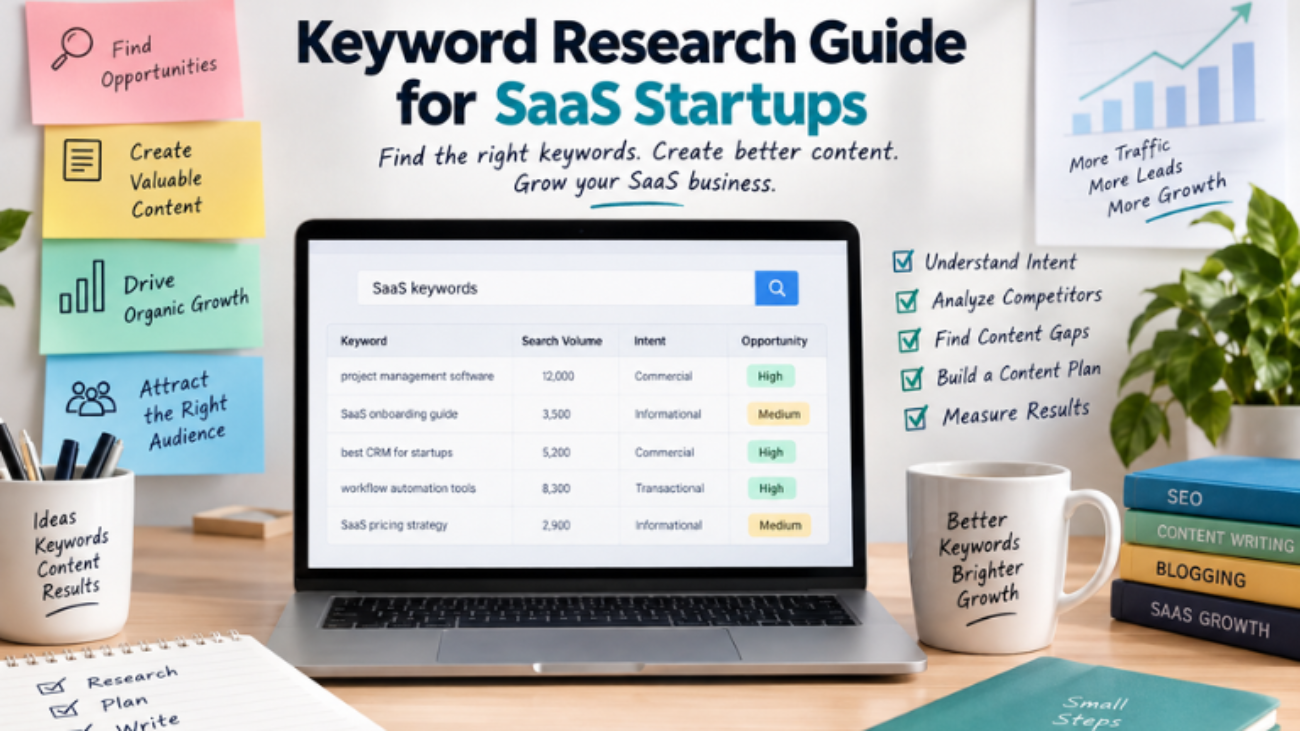
Keyword Research for SaaS Startups: A Practical Guide
Weeks can pass creating a detailed blog post that gets almost no relevant traffic. However, the problem is not always the writing. Sometimes, the topic was never aligned with what potential customers were searching for in the first place.
That is why keyword research should happen before you fill your content calendar with blog titles.
For SaaS startups, keyword research is more than finding popular phrases. It can help uncover customer problems, understand search intent, find business opportunities, and decide which pages deserve limited time and resources.
When done well, it connects SEO with product positioning, content creation, lead generation, and the wider customer journey.
What Is Keyword Research?
Keyword research is the process of finding and checking the words and phrases people use when they search for information, products, or solutions.
For a SaaS startup, these searches might include:
“project management software for small teams”
“how to automate invoice processing”
“best CRM for startups”
“email marketing software pricing”
“customer support automation tools”
The goal is not to build the longest possible keyword list.
Instead, the goal is to find searches that connect a customer problem, a relevant audience, and something your business can genuinely help solve.
This difference matters when resources are limited. For example, ten focused articles that attract potential customers may be more useful than 50 posts that bring visitors who will never use the product.
Google also recommends creating helpful, reliable, people-first content rather than producing content mainly to influence search rankings. Google Search guidance on creating helpful content can help you understand this approach.
Why Keyword Research Matters for SaaS Startups
SaaS buyers do not use the same search terms throughout their buying journey.
Someone who has just discovered a problem might search:
“How can I automate employee onboarding?”
Later, a prospect who understands the problem may search:
“Employee onboarding automation software.”
Finally, someone closer to a purchase may search:
“Employee onboarding software pricing.”
These searches may relate to the same product category. However, they show different levels of intent.
If a SaaS website only targets broad product terms, it can miss people who are still researching. On the other hand, a website that only publishes educational content may attract visitors without giving high-intent prospects a clear path toward a product or demo.
Good keyword research helps connect both sides of the customer journey.
Start Keyword Research With Your Customer
Before opening Ahrefs, Semrush, Google Keyword Planner, or another SEO tool, understand the person you want to reach.
Understand Your SaaS Audience
Ask yourself:
Who uses the product?
Who makes the buying decision?
What problem are they trying to solve?
What alternatives are they using today?
What questions do they ask before purchasing?
What concerns could stop them from buying?
For example, imagine a SaaS startup that sells expense management software.
Its search landscape might look like this:
Problem: “How to track employee expenses”
Solution: “Employee expense management software”
Commercial comparison: “Best expense management tools for startups”
Purchase: “Expense management software pricing”
This is a better starting point than entering “expense management” into a keyword tool and immediately choosing the highest-volume suggestions.
Turn Customer Problems Into Search Topics
Customer questions can become your first group of keyword ideas.
Think about what people want to do, fix, compare, or understand.
For example, a project management SaaS may hear questions such as:
How can I manage tasks better?
How can remote teams track projects?
What is the best project planning software?
How can I automate team workflows?
These questions can later become keywords, article topics, landing pages, or comparison pages.
Build a Seed Keyword List
Seed keywords are broad topics that describe your product, audience, industry, use cases, or customer problems.
For a project management SaaS, seed topics could include:
Project management
Task management
Team collaboration
Project planning
Workflow automation
Productivity software
For accounting software, they might include:
Accounting software
Invoice automation
Expense management
Financial reporting
Bookkeeping software
Think of a seed keyword as a starting point, not necessarily the final keyword you want to rank for.
Its purpose is to give you a group of themes that you can later expand into more specific opportunities.
Expand Your SaaS Keyword List
Once you have your seed topics, look for related searches.
Keyword research tools can help you find:
Related terms
Keyword variations
Search volume estimates
Competition signals
Common questions
Related topics
However, do not automatically select the keywords with the biggest numbers.
Focus on Specific Search Terms
For example:
“CRM” is broad and highly competitive.
Compare that with:
“CRM for small recruitment agencies.”
The second phrase may have less search demand. However, it tells you much more about the audience, use case, and possible business value.
For a startup, relevance can matter more than raw search volume.
Understand Search Intent
Search intent describes what a person is trying to accomplish when they search.
A useful framework includes several types of intent.
Search Intent
Example
Recommended Page
Informational
“What is workflow automation?”
Blog post or guide
Problem-aware
“How to automate repetitive tasks”
How-to article
Commercial
“Best workflow automation software”
Comparison page
Transactional
“Workflow automation software pricing”
Product or pricing page
Navigational
“[Brand] alternatives”
Alternatives page
This is one of the most important parts of keyword research.
A keyword should not be evaluated separately from the page you want to create.
For example, someone searching “what is expense automation?” probably needs an explanation before a pricing pitch.
In contrast, someone searching “expense automation software pricing” is much closer to evaluating a purchase.
The keyword tells you what the person typed. Search intent helps you understand why they typed it.
Evaluate Keywords Beyond Search Volume
Search volume is useful. However, it should not decide your strategy by itself.
Evaluate each keyword across several factors.
Check Keyword Relevance
Does the keyword directly relate to your product, audience, or expertise?
A large audience is not helpful if most searchers have no connection to your business.
Check Search Intent
Is the searcher learning, solving a problem, comparing solutions, or preparing to buy?
The answer can help you choose the right page type.
Consider Business Value
Could this audience realistically become a trial user, demo request, subscriber, or customer?
A keyword with strong business value may deserve more attention than a term that only brings general traffic.
Review Competition
Can your website realistically compete with the pages currently ranking?
Look at the quality and relevance of those pages before making a decision.
Check Content Fit
Can you create something genuinely useful and specific for this search?
If the answer is yes, the topic may have stronger potential for your content plan.
How Should a SaaS Startup Prioritize Keywords?
This is where keyword research becomes a business decision rather than just a spreadsheet exercise.
A simple order is:
Relevance → Intent → Business Value → Competition → Content Fit
For example, imagine a startup finds two potential keywords.
Keyword A has high search volume but attracts a broad audience and has little connection to the company’s product.
Keyword B has lower search volume but directly describes the problem the product solves and has commercial intent.
In this situation, Keyword B may deserve more attention.
The point is not that low-volume keywords are always better. Instead, search volume should be considered alongside business relevance and intent.
Find Long-Tail Keywords
Long-tail keywords are usually more specific search phrases.
Examples include:
“best CRM for small SaaS startups”
“how to automate recurring invoices”
“project management software for remote teams”
“email marketing tools for ecommerce startups”
These searches can reveal a specific audience, problem, workflow, or use case.
As a result, smaller SaaS companies may find opportunities to create focused resources instead of immediately competing for broad terms dominated by established websites.
However, “long-tail” does not automatically mean “easy to rank.”
Always check the actual search results and the quality of competing pages.
Research Competitors and Find Content Gaps
Competitor research should not mean copying another company’s blog.
Instead, look for patterns.
What to Check on Competitor Websites
Review:
Topics competitors cover repeatedly
Product categories that have landing pages
Questions their content answers
Use cases they target
Comparison pages they publish
Customer groups they focus on
Areas where their content is incomplete or outdated
A content gap can reveal a useful opportunity.
For example, several competitors might publish general articles about project management software. However, none may provide a detailed guide for project management workflows for small creative agencies.
That narrower topic could give a SaaS startup a more focused content angle.
Turn Gaps Into Useful Content
The goal is not simply to find something competitors have not written about.
Instead, look for topics where your company can provide more specific and useful information for the audience you want to attract.
Your product knowledge, customer questions, and industry experience can help make that content stronger.
Turn Keywords Into a Content Plan
Keyword research becomes valuable when it changes what you publish.
Instead of keeping a spreadsheet full of disconnected keywords, group related searches into content clusters.
For a customer-support SaaS, one cluster might look like this:
Customer Support Automation
What is customer support automation?
How to automate customer support
Customer support automation benefits
Customer support automation tools
Best customer support software for startups
Customer support software pricing
These pages can then connect to relevant product and support pages.
Map Keywords to the Right Pages
Once keywords are prioritized, assign each opportunity to the page type that best satisfies its intent.
Keyword
Intent
Page Type
Funnel Stage
What is workflow automation
Informational
Educational guide
Awareness
How to automate workflows
Problem-aware
How-to article
Awareness
Best workflow automation software
Commercial
Comparison page
Consideration
Workflow automation software pricing
Transactional
Product/pricing page
Decision
[Brand] alternatives
Commercial
Alternatives page
Consideration
This process is called keyword mapping.
It helps prevent multiple pages from competing for the same search. It also gives every keyword a clear role on your website.
Measure What Actually Matters
Ranking is not the final goal.
For a SaaS startup, the important question is whether organic visibility attracts the right audience.
Keyword research is not about finding a list of popular phrases and placing them into blog posts.
For a SaaS startup, it is a way to understand what potential customers need, how they describe their problems, and where your content can genuinely help.
The strongest keyword strategy connects three things:
What people search for + what your business solves + what your content can explain better than competing pages.
Therefore, start with customer problems rather than keyword tools.
Prioritize relevance and intent instead of chasing search volume alone. Map keywords to the right pages, use competitor research to find real content gaps, and measure whether organic traffic is bringing the right audience.
When keyword research becomes part of your content writing, blogging, and SEO process, it stops being a spreadsheet exercise.
Instead, it becomes a practical system for deciding what to create, who it should reach, and how that content can support SaaS growth.
SEO vs Ads is an important consideration for FinTech SaaS companies looking to acquire customers online. A company can rank on Google and still struggle to acquire profitable customers. At the same time, it can spend heavily on paid advertising, generate leads quickly, and discover that those leads cost more than the customers are worth.
That is why the SEO vs Ads discussion is not simply about choosing the cheaper channel.
The more useful question is: which channel can help acquire the right customers at an acceptable cost and at the speed the business needs?
For FinTech SaaS, the answer depends on customer acquisition cost (CAC), customer lifetime value (LTV), search intent, competition, sales-cycle length, budget, and the level of trust a prospect needs before sharing financial information or committing to a new platform.
SEO can build a long-term organic acquisition channel. However, paid advertising can capture existing demand more quickly. In practice, the role of each channel depends on the company’s goals, resources, audience, and buying journey.
FinTech buyers rarely make a software decision after seeing one product page. Instead, they often research first.
For example, a finance manager may search for “expense management software for small businesses.” Meanwhile, an operations leader may compare payment automation tools. Similarly, a startup founder might search for ways to automate financial reporting before visiting a vendor’s website.
These searches represent different stages of intent.
A useful SEO strategy should therefore go beyond publishing generic blog posts. It should create content for the questions prospects ask before, during, and immediately before a purchase.
For example:
Search Intent
Example Query
Useful Content
Informational
“What is automated expense management?”
Educational article
Problem-aware
“How to reduce manual invoice processing”
How-to guide
Commercial
“Best expense management software”
Comparison page
High-intent
“Expense management software pricing”
Product or pricing page
Brand
“[Product] alternatives”
Comparison or alternative page
This is where content writing and blogging become part of a broader acquisition strategy rather than an SEO activity performed in isolation.
Moreover, SEO can create long-term value. A useful page may continue attracting relevant organic visitors after publication. However, organic traffic is not free. Research, subject-matter expertise, content production, technical SEO, link acquisition, and updates all require investment.
The biggest limitation is time.
For this reason, a new FinTech SaaS company competing against established financial brands cannot assume that publishing a few articles will generate meaningful traffic immediately. SEO is generally a longer-term investment.
SEO vs Ads: Paid Advertising for FinTech SaaS
Paid advertising addresses a different problem: how to capture demand now.
Google Search campaigns allow businesses to advertise to people actively searching for relevant products and services. Campaigns can be targeted around keywords and specific business goals.
Consider a SaaS company selling automated accounts-payable software. Instead of waiting for a new page to rank for a competitive commercial search, the company can test paid search around relevant high-intent terms and send prospects to a focused product or demo page.
That speed can be useful for a new product, a new market, or a company testing its positioning.
In addition, Ads can function as a research channel.
Suppose one message, such as “automate invoice processing,” consistently produces better-qualified prospects than “reduce finance workload.” That insight can influence landing pages, sales messaging, product positioning, and future SEO content.
However, paid traffic has an obvious limitation: the spending continues while the campaign runs.
A campaign can produce a strong click-through rate while generating weak business results. Therefore, Google recommends looking at conversion and conversion-value metrics rather than treating clicks or impressions as the final measure of success.
For a SaaS company with a long sales cycle, this distinction is important. A $100 lead is not necessarily expensive if it becomes a customer worth thousands of dollars over several years. Conversely, a cheap lead can be a poor acquisition channel if very few leads become customers.
SEO vs Ads: Key Differences for FinTech SaaS
SEO and paid advertising have different characteristics. Therefore, comparing them can help a company understand how each channel fits into its acquisition process.
Factor
SEO
Paid Ads
Cost
Investment in content, expertise, and optimization
Ongoing media spend
Speed
Usually slower
Fast visibility
Long-term value
Can compound over time
Usually depends on continued spending
Trust
Educational content can build authority
Paid placement provides visibility
Scalability
Scales through content and organic reach
Scales through budget and targeting
Targeting
Strong alignment with search intent
Precise campaign and keyword targeting
Conversion potential
Useful across research journeys
Useful for high-intent searches
Common use
Sustainable organic acquisition
Immediate demand capture and testing
The important point is that these channels should not be judged by traffic alone.
Instead, a FinTech SaaS company should compare qualified leads, conversion rates, CAC, sales velocity, and LTV.
For example, a channel generating 1,000 visitors is not automatically more valuable than one generating 100. The quality of those visitors and what happens after they enter the funnel also matter.
SEO vs Ads Strategy for FinTech SaaS
There is no single acquisition model that fits every FinTech SaaS company.
SEO can require more time before results become visible. In contrast, paid advertising can generate visibility more quickly but requires ongoing budget.
For example, a newly launched FinTech product may use paid advertising to test demand and messaging. At the same time, the company can build SEO content around the questions and problems its target customers regularly search for.
Economics should also remain part of the decision.
Imagine two SaaS products. One generates $500 in annual revenue per customer. Another generates $10,000 from a long-term business account.
The second company may be able to support a higher CAC if its retention, margins, and LTV justify that acquisition cost.
Therefore, there is no universal “good” CAC for FinTech SaaS. The acceptable acquisition cost depends on the economics of the business.
Competition matters too. If major FinTech brands dominate broad commercial keywords, simply increasing ad bids may not be the only approach. Instead, a company may explore narrower search intent around specific workflows, integrations, implementation problems, or underserved customer segments.
Why FinTech SaaS Companies May Use Both
SEO and Ads can work as connected parts of the same acquisition system.
For example, imagine a prospect searching for “automated expense reporting.” They might first discover an SEO article, leave the website, later click a paid search ad, read a product page, and finally book a demo several weeks later.
As a result, if the company evaluates only the last interaction, it may undervalue the original organic content.
This is why attribution matters.
Rather than trying to prove that SEO or Ads “won” the customer, companies can examine how different touchpoints contributed to the customer journey.
Paid search can provide fast feedback about keywords and messaging. Meanwhile, SEO can turn those insights into durable content assets.
Strong organic pages can also support paid campaigns by giving prospects more information before they convert.
Trust Matters in FinTech SaaS
FinTech companies face an additional consideration: trust.
Financial software may handle sensitive information, payments, reporting, or compliance-related workflows. Therefore, a prospect may evaluate more than features and price.
Security, transparency, reliability, privacy, regulatory positioning, and operational resilience can all influence the buying process.
PwC’s financial-services research highlights cybersecurity, third-party risk, resilience, and trust as significant concerns for the sector.
For this reason, authoritative educational content can be useful. At the same time, marketing claims should be accurate, clear, and supportable.
How to Build an SEO and Ads Strategy
A small FinTech SaaS company does not necessarily need to launch a huge content operation and an expensive advertising program simultaneously.
Instead, start with the business economics.
1. Define the Commercial Target
Estimate an acceptable CAC based on LTV, margins, retention, and sales-cycle length.
This gives both SEO and Ads a business benchmark.
2. Map Search Intent
Separate searches into informational, problem-aware, commercial, and high-intent categories.
Then match each type with the appropriate content or landing page.
3. Build an SEO Foundation
Create a focused group of expert articles around the problems the product actually solves.
In addition, add comparison pages, implementation guides, FAQs, and product-led content as search demand becomes clearer.
4. Test High-Intent Ads
Start with tightly relevant searches rather than trying to buy every possible keyword.
Also, define meaningful conversions such as qualified demos, trials, or sales instead of focusing only on clicks.
5. Feed Paid Insights Into SEO
Use search terms, ad messages, landing-page performance, and conversion data to identify topics worth developing organically.
6. Connect Marketing to Revenue
Track what happens after a lead enters the funnel.
Compare channels using metrics such as:
Qualified opportunities
Customers acquired
CAC
Sales-cycle velocity
Conversion rate
LTV
Moreover, Google’s conversion measurement guidance can help businesses understand which campaigns and keywords drive valuable customer activity.
7. Reinvest Based on Evidence
If SEO consistently produces qualified organic opportunities, expand the content program.
Similarly, if specific paid campaigns produce profitable customers, scale them carefully.
If neither channel is working, examine the offer, targeting, landing page, or positioning before simply increasing traffic.
SEO vs Ads: What Should FinTech SaaS Companies Measure?
Traffic alone does not provide the complete picture.
A FinTech SaaS company can track:
Organic traffic
Paid traffic
Qualified leads
Demo requests
Trial sign-ups
Conversion rate
Customer acquisition cost
Sales-cycle length
Customer lifetime value
Revenue generated
For example, 1,000 organic visitors may look impressive. However, the more useful question is what happens after those visitors arrive.
Do they become qualified leads?
Do they book demos?
Do they become customers?
Similarly, a paid campaign should not be judged only by clicks. Its contribution to qualified opportunities and revenue also matters.
A Simple SEO vs Ads Framework
You can use this simple framework when planning acquisition.
→ Identify high-intent searches → Create targeted campaigns → Test messaging → Send traffic to focused landing pages → Measure conversions → Improve campaigns → Scale based on business results
SEO + Ads
→ Use paid data to understand demand → Create SEO content around useful insights → Use organic content to support the buying journey → Measure both channels against business outcomes
So, What Works for FinTech SaaS?
SEO vs Ads is not simply a question of which channel generates more clicks.
SEO can support long-term organic visibility, while Ads can provide faster visibility and demand capture. However, the role of each channel depends on the company’s goals, budget, customer journey, competition, and unit economics.
Use SEO when prospects need education, comparison, and information before making a decision.
Use Ads when immediate visibility, high-intent demand capture, or fast market feedback is important.
Finally, companies can use both when they want to connect short-term acquisition activity with long-term organic growth.
Most importantly, do not optimize for traffic simply because traffic is easy to report.
Focus on qualified customers, sustainable CAC, and LTV.
That provides a more useful way to evaluate the relationship between SEO and advertising for a FinTech SaaS business.
You create an account, publish a few posts, use some hashtags, and wait for people to follow you. But sometimes nothing happens. Your posts receive very little engagement, and you are left wondering what you are doing wrong.
The problem is usually not that social media “doesn’t work.” The bigger problem is that there is no clear strategy behind the content.
Social media marketing is not simply about posting every day. It is about understanding your audience, creating useful content, choosing the right platforms, building relationships, and consistently giving people a reason to follow you.
Whether you are a beginner, freelancer, blogger, creator, or small business owner, you can start building an audience from scratch with a simple and consistent approach.
What Is Social Media Marketing?
Social media marketing is the process of using platforms such as Instagram, Facebook, YouTube, LinkedIn, TikTok, Pinterest, or X to build awareness, connect with an audience, share content, and support business or personal goals.
Your goal could be:
Building a personal brand
Promoting a business
Growing a blog
Finding potential clients
Increasing website traffic
Building a community
Selling products or services
Growing a YouTube channel
Establishing yourself as an expert
The important point is that social media should support a clear objective.
Posting without knowing what you want to achieve can quickly become exhausting.
Why Is Building an Audience Important?
An audience is more than a follower count.
A person who regularly reads your posts, watches your videos, saves your content, visits your website, or recommends your work can be more valuable than hundreds of inactive followers.
For example, a freelance content writer could use social media to share writing tips, SEO lessons, blog-writing examples, and personal experiences. Over time, these posts can demonstrate expertise and attract potential clients.
Step 1: Define Who You Want to Reach
Before creating content, define your audience.
Ask:
Who am I creating content for?
What problems do they have?
What questions do they ask?
What information are they searching for?
What type of content do they enjoy?
What result do they want?
For example, instead of targeting “everyone interested in marketing,” you might focus on:
Beginners, students, freelancers, bloggers, creators, and small business owners who want to improve their online presence.
A specific audience makes content creation much easier.
Step 2: Choose the Right Social Media Platform
You do not need to be active everywhere.
Start with one or two platforms where your target audience is already spending time.
Instagram
Useful for visual content, short-form videos, carousels, personal branding, lifestyle content, and product-based businesses.
YouTube
Useful for tutorials, educational content, reviews, storytelling, demonstrations, and long-term searchable content.
LinkedIn
Useful for professional content, personal branding, networking, career-related topics, B2B services, and thought leadership.
Facebook
Useful for communities, local businesses, groups, discussions, and reaching established audiences.
TikTok
Useful for short-form, entertaining, educational, and trend-driven content.
The best platform depends on your audience, content format, and objective.
Step 3: Create a Clear Profile
When someone discovers your account, they should understand what you offer within a few seconds.
Your profile should communicate:
Who you are + What you share + Who you help
For example:
Helping beginners learn content writing, blogging, SEO, and digital marketing through simple practical tips.
Also pay attention to:
Profile photo
Username
Bio
Website link
Contact information
Consistent branding
Your profile is often the first step in converting a visitor into a follower.
Step 4: Build Your Content Pillars
Content pillars are the main topics you regularly discuss.
Instead of asking yourself every morning, “What should I post today?”, create 3–5 consistent categories.
For a digital marketing account, your pillars might be:
Content Writing
SEO
Blogging
Social Media Marketing
Online Income
Now you have a foundation for dozens of posts.
For example, under SEO you could create:
Beginner SEO tips
Keyword research mistakes
On-page SEO tips
Internal linking ideas
Common ranking problems
This approach makes your content more focused and helps your audience understand what they can expect from you.
Step 5: Create Different Types of Content
Not every post needs to sell something.
A healthy social media strategy usually includes different content purposes.
Educational Content
Teach something useful.
Examples:
“5 Beginner SEO Mistakes”
“How to Find Blog Topics”
“What Is Internal Linking?”
Problem-Solving Content
Address a specific problem.
Example:
“Your website isn’t getting traffic? Check these five things first.”
Inspirational Content
Share lessons, experiences, progress, or useful perspectives.
Engagement Content
Ask questions, create discussions, or invite opinions.
Promotional Content
Introduce your services, products, blog posts, or offers.
The goal is to create a balanced content mix rather than turning every post into an advertisement.
Step 6: Give People a Reason to Follow You
People follow accounts when they expect future value.
Your content should answer the question:
“Why should someone come back tomorrow?”
You could promise:
Practical tips
Beginner-friendly tutorials
Industry insights
Helpful resources
Case studies
Content ideas
Step-by-step guides
For example, an account focused on blogging could consistently provide blogging tips, SEO lessons, content ideas, writing techniques, and monetization strategies.
Consistency in topic builds familiarity.
Step 7: Focus on the First Few Seconds
For short-form content, the opening matters.
Instead of starting with:
“Hello everyone, today I am going to talk about SEO…”
Try a stronger opening:
“Your blog may not be ranking because of these three SEO mistakes.”
The second version immediately introduces a problem.
Useful hooks can include:
“Stop making this beginner mistake…”
“Before you publish your next blog, check this.”
“Nobody tells beginners this about SEO.”
“If you’re starting from zero, do this first.”
“Here are three things I wish I knew earlier.”
The hook should accurately represent what the content delivers. Avoid misleading clickbait.
Step 8: Create Content That Is Easy to Consume
Social media users often scroll quickly.
Make your content easy to understand with:
Short paragraphs
Clear headlines
Simple language
Strong visual hierarchy
Examples
Lists
Captions with useful information
For educational content, a simple structure works well:
Problem → Explanation → Solution → Example → Action
This structure also connects naturally with content writing and blogging.
Step 9: Be Consistent Without Burning Out
You do not need to post ten times a day.
Choose a schedule you can realistically maintain.
For example:
Monday: Educational post Wednesday: Practical tip Friday: Problem-solving post Sunday: Personal or community-focused content
Consistency is more sustainable when you create content in batches.
You can spend one day generating ideas, another day preparing visuals, and then schedule your posts.
Step 10: Engage With Your Audience
Social media is not a one-way publishing platform.
Respond to comments, answer questions, acknowledge useful feedback, and participate in relevant conversations.
If someone asks:
“How do I choose keywords for my first blog?”
Instead of replying only:
“Use keyword research tools.”
Give a useful answer and, when relevant, direct them to a detailed resource on your website.
This creates a bridge between social media content and your blog.
Step 11: Use Social Media to Support Your Blog
Your social media accounts and website should not operate separately.
Suppose you publish a blog titled:
“How to Write a Blog Post That People Actually Want to Read.”
You can turn that one article into:
An Instagram carousel
A short video
A LinkedIn post
A checklist
A quote graphic
A short tutorial
A discussion question
This is called content repurposing.
One useful piece of content can become multiple social media assets.
Step 12: Understand Social Media Metrics
Follower count is only one metric.
Pay attention to:
Reach
Impressions
Engagement
Saves
Shares
Comments
Profile visits
Website clicks
Video watch time
Leads or enquiries
For educational content, saves and shares can be particularly useful signals because they indicate that people found the information valuable enough to keep or share.
Do not judge your entire strategy from one post.
Look for patterns over several weeks.
Step 13: Learn From Your Best Content
Suppose you publish ten posts and discover that three consistently perform better.
Study them.
Ask:
What topic did they cover?
What hook did they use?
What format worked?
Was the topic solving a specific problem?
Did people save or share it?
Did it generate website visits?
Then create more content around the underlying topic—not necessarily an identical copy.
Successful content can reveal what your audience wants more of.
Step 14: Avoid Common Beginner Mistakes
Some common mistakes include:
Trying to use every platform at once
Posting without knowing the target audience
Copying competitors without adding originality
Focusing only on follower numbers
Selling in every post
Using irrelevant trends
Ignoring comments
Changing topics constantly
Giving up after a few weeks
Using AI-generated content without editing or adding personal insight
Social media growth is usually a process of testing, learning, and improving.
A Simple 30-Day Social Media Plan
If you are starting from zero, keep your first month simple.
Week 1: Foundation
Define your audience
Choose your main platform
Optimize your profile
Select 3–5 content pillars
Create a list of 20 content ideas
Week 2: Start Publishing
Publish useful educational and problem-solving content.
Focus on clarity rather than perfection.
Week 3: Engage and Experiment
Respond to comments and test different formats, hooks, and topics.
Notice what gets meaningful engagement.
Week 4: Analyze and Improve
Review your metrics.
Identify your strongest topics and formats.
Then use those insights to plan your next month.
Social Media Marketing + Content Writing and Blogging
Strong social media marketing depends heavily on good content.
You need to know how to:
Research topics
Understand your audience
Write useful information
Create strong headlines
Tell stories
Explain ideas clearly
Create calls to action
Repurpose content
That is why content writing and blogging can support your social media strategy.
Your blog can provide depth, while social media can help you distribute and discuss that content.
The two can work together:
Blog → Social Content → Audience → Website Traffic → Trust → Opportunities
Building an audience from scratch takes more than posting frequently.
Start with a clear audience, choose the right platform, create focused content pillars, provide useful information, engage with people, and measure what works.
Do not chase every trend or become obsessed with follower numbers.
Instead, build a recognizable content system that consistently helps your audience.
With time, your social media presence can become more than a collection of posts. It can become a valuable part of your digital marketing, content writing, blogging, personal branding, and online growth strategy.
Internal-link journey: Digital Marketing for Beginners → Social Media Marketing → Social Media Content Strategy → Instagram Marketing → YouTube → AI Content Creation → Personal Branding
For more practical tips on content writing, blogging, SEO, digital marketing, and building your online presence, explore more resources at mehfuzasultana.com.